LEICA M11 Monochrom Rangefinder Camera User Manual
Page 143
REVIEW MODE ▸ DELETING IMAGES
143
Any number of images can be selected in this view.
Selecting images for deletion
▸
Select an image
▸
Press the center button
or
▸
Tap the desired image
• The images selected for deletion are marked with a red Delete
icon .
Deleting the selected images
▸
Select the Delete icon
(tap the icon directly or press the
FN
button)
• The prompt
Do you really want to delete ALL selected files?
appears.
▸
Select
Yes
Cancelling a deletion and returning to normal review mode
▸
Select the “Go back” icon
(tap the icon directly or press the
PLAY
button)
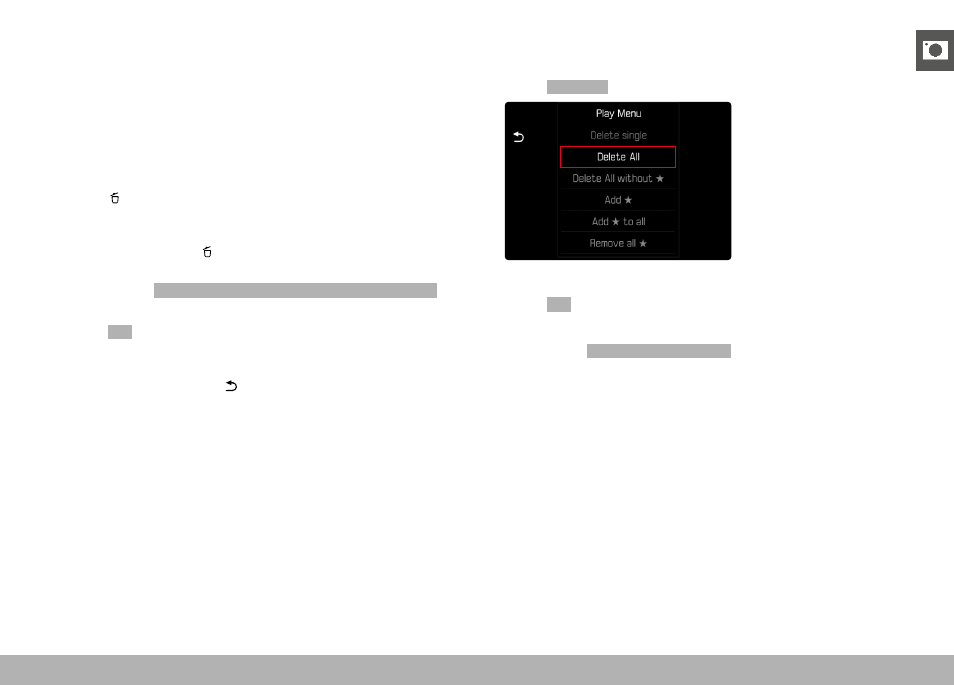
DELETING ALL IMAGES
▸
Press the
MENU
button
▸
Select
Delete All
in the play menu
• The prompt appears.
▸
Select
Yes
Note
• The message
No valid picture to play.
appears after successful
deletion. The same image is displayed again if deletion was unsuc-
cessful. When deleting several or all images, a notification screen
may appear for the time needed to process the data.