LEICA M11 Monochrom Rangefinder Camera User Manual
Page 32
Advertising
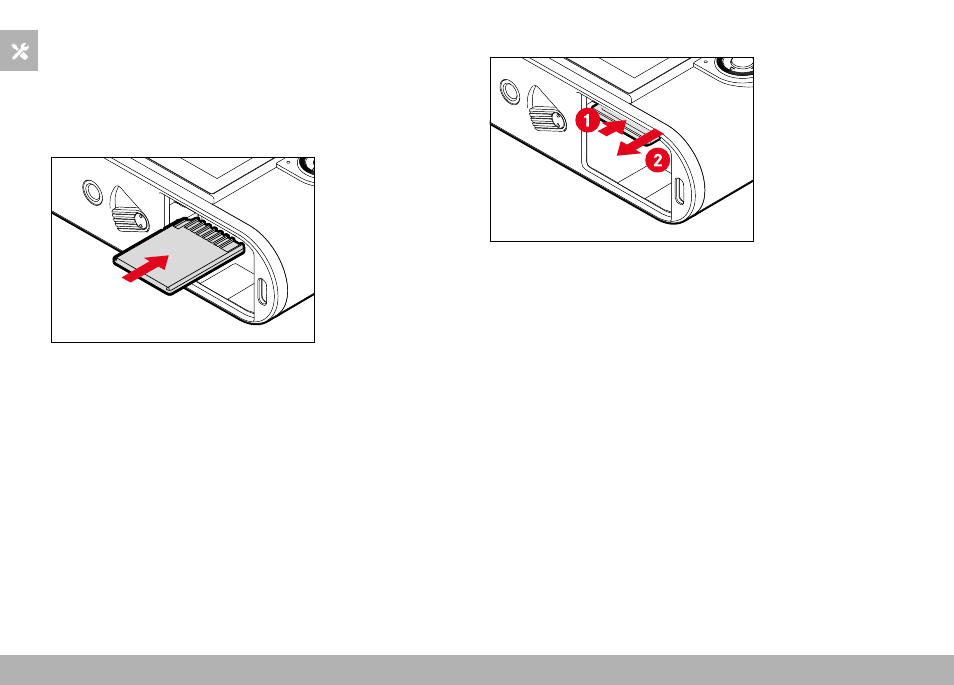
PREPARATION ▸ INSERTING/REMOVING THE MEMORY CARD
32
The memory card slot is located inside the battery compartment and
is covered by the battery.
▸
Ensure that the camera is switched OFF (see p. 42)
▸
Remove the battery and replace it later (see p. 30)
INSERTION
▸
Push the memory card into the slot until you hear and feel it click-
ing into place
• The beveled corner of the card must be at the top left.
REMOVAL
▸
Push down on the card until you hear a click
• The card pushes out slightly.
▸
Remove the memory card
Advertising