LEICA M11 Monochrom Rangefinder Camera User Manual
Page 152
Advertising
LEICA FOTOS ▸ CONNECTIVITY (iPhone users)
152
VIA WI-FI
IN THE CAMERA
▸
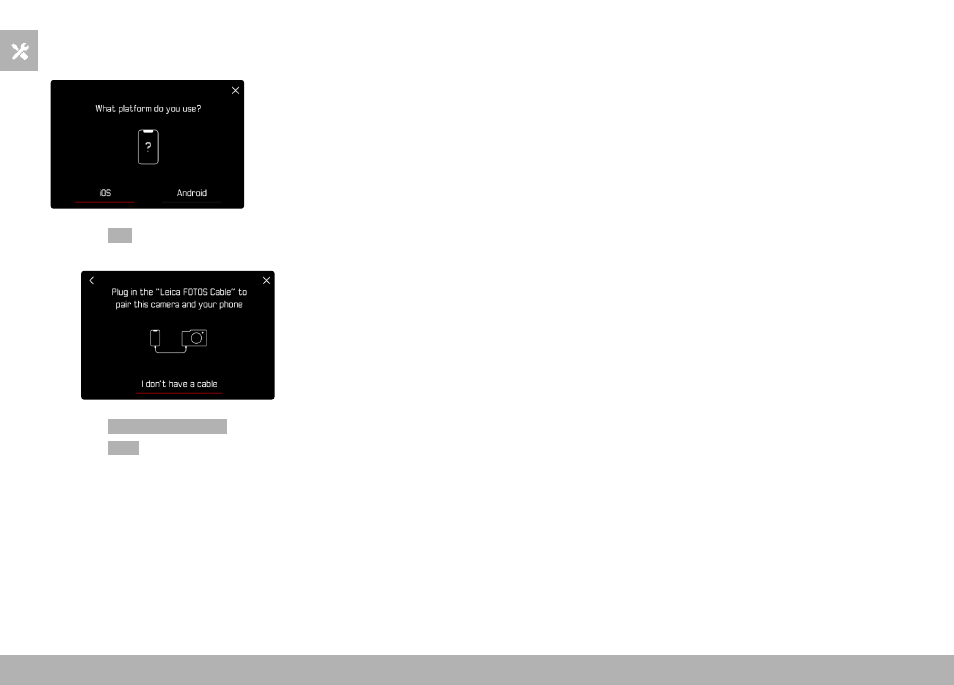
Select
iOS
• The following screen appears.
▸
Select
I don't have a cable
▸
Select
Next
▸
Wait until the QR code appears on the LCD panel
ON THE MOBILE DEVICE
▸
Launch the Leica FOTOS app
▸
Select “Add Camera”
▸
Select the camera model
▸
Select “Scan the QR code”
▸
Scan the QR code
• Connection is being established. The process may take a few
seconds.
• Once successfully connected, the Status LED will light briefly,
and the camera displays a relevant message.
Advertising