LEICA M11 Monochrom Rangefinder Camera User Manual
Page 63
CAMERA OPERATION ▸ USER-DEFINED OPERATION
63
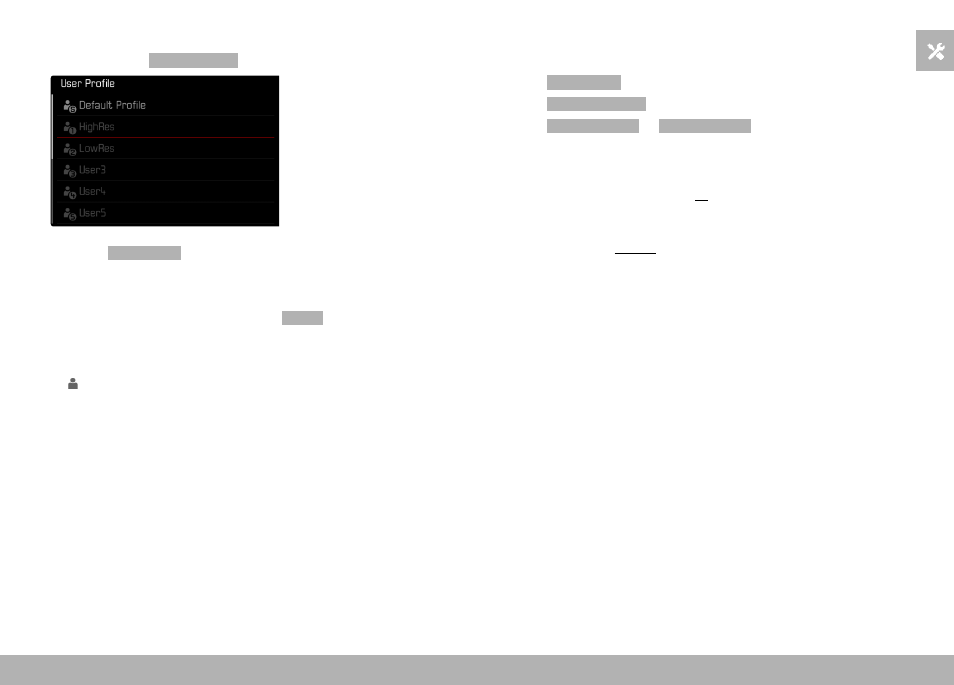
APPLYING/ACTIVATING PROFILES
Factory setting:
Default Profile
▸
Select
User Profile
in the main menu
• A list of profile names is displayed.
▸
Select a profile
• The selected profile is marked as
Active
.
• Free memory slots appear in gray.
Note
• will appear in the original menu list instead of the name of the
profile used if you change one of the settings for the profile cur-
rently in use.
EXPORTING/IMPORTING PROFILES TO/FROM THE MEMORY
CARD
▸
Select
User Profile
in the main menu
▸
Select
Manage Profiles
▸
Select
Export Profiles
or
Import Profiles
▸
Confirm the selection
Notes
• When importing and exporting, all profile slots are transferred
to the card, i.e. including any empty slots. Any existing profiles
stored in the camera will be overwritten, during the profile import.
Individual profiles cannot be imported or exported.
• Any existing set of profiles will be replaced on the memory card
during an export without an acknowledgment prompt.