Warnings and system faults, Four beeps every 30 seconds, Continuous beeping – APC Power-Saving Back-UPS Pro 1500 International Version (230V) User Manual
Page 5: Continuous tone, Battery backup outputs are overloaded, Chirps for 1 minute every 5 hours, On-battery overload, On-battery output short, On-battery xcap overload, Clamp short
Back-UPS Pro 1200 & 1500 230 V Installation and Operation
5
Warnings and System Faults
Audible Warnings
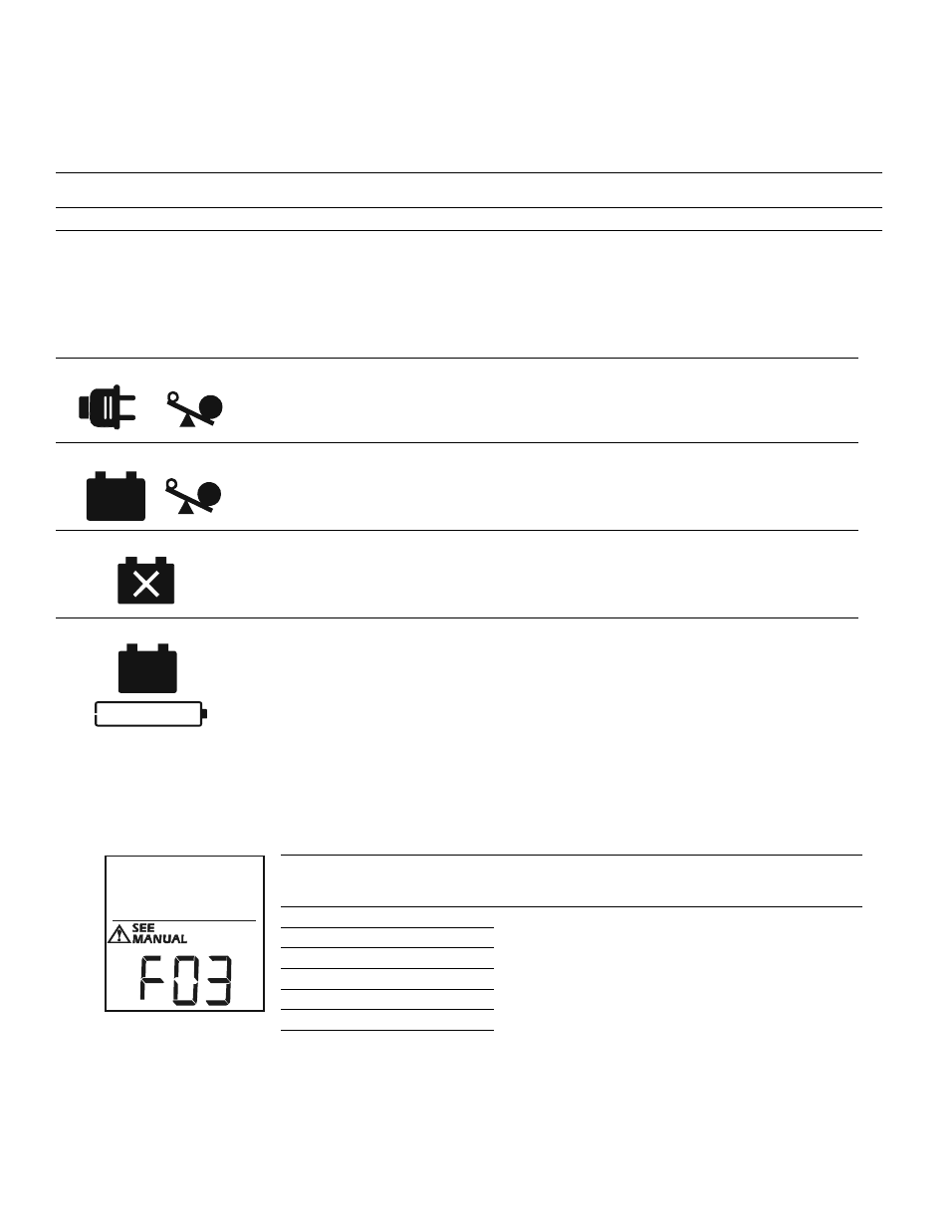
Warning Icons
System Faults
The Back-UPS will display these fault messages. For faults F01 and F02, contact APC Technical Support.
Four Beeps Every 30 Seconds
Back-UPS is running on battery. You should consider saving any work in progress.
Continuous Beeping
Low battery condition and battery run-time is very low. Promptly save any work in progress, exit
all open applications, and shut down the operating system.
Continuous tone
Battery Backup outputs are overloaded.
Chirps for 1 Minute every 5 hours
Battery fails the automatic diagnostic test and should be replaced.
If these icons are
illuminated...
This may be the problem.
The Back-UPS is operating on utility power, but is overloaded. Disconnect one of the items
connected to the Back-UPS. If the Overload icon stops flashing, the Back-UPS is no longer
overloaded and will continue to operate normally.
The Back-UPS is operating on battery power, but is overloaded. Disconnect one of the items
connected to the Back-UPS. If the Overload icon stops flashing, the Back-UPS is no longer
overloaded and will continue to operate normally.
The Back-UPS is operating on utility power, but the battery is not functioning properly. Contact APC
Customer Service to order a replacement battery. See “Replacement Battery” on page 8.
The Back-UPS is operating on battery power and the battery power is getting low. Shut down all
connected equipment to avoid losing an unsaved data. When possible, connect the Back-UPS to
utility power to recharge the batter.
F01
On-Battery Overload
Turn the Back-UPS off. Disconnect non-essential
equipment from the Battery Backup outlets and the turn
Back-UPS on.
F02
On-Battery Output Short
Turn the Back-UPS off. Disconnect non-essential
equipment from the Battery Backup outlets and the turn
Back-UPS on.
F03
On-Battery Xcap Overload
Faults F03-F09 cannot be corrected by the user, contact
APC Technical Support for assistance.
F04
Clamp Short
F05
Charge Fault
F06
Relay Welding
F07
Temperature
F08
Fan Fault
F09
Internal Fault
b
u
0
8
8
a