Installation instructions – Brandmotion 1013-9550 User Manual
Page 12
INSTALLATION INSTRUCTIONS
9550 Instructions 1-8-13.doc
Page 12 of 13
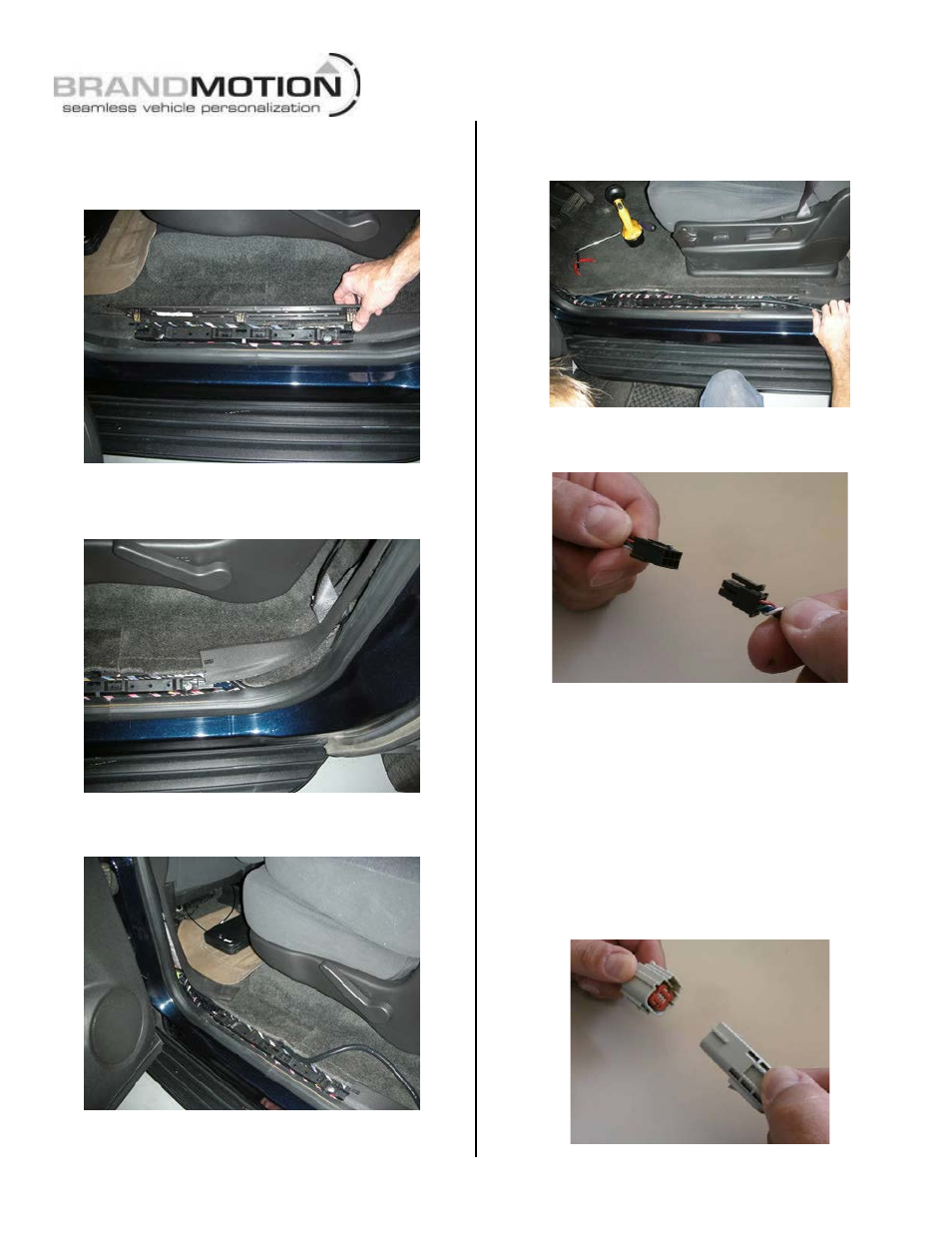
66. Remove the rear driver’s side sill plate by lifting it at
the front and working your way back with your
hands to release the mounting clips. (Figure 58)
Figure 58
67. Route supplied Chassis Harness behind the lower C-
pillar trim using a plastic trim tool. (Figure 59)
Figure 59
68. Route Chassis Harness along rear sill plate. (Figure
60)
Figure 60
69. Route supplied Chassis Harness under B-pillar lower
trim.
70. Route the supplied Chassis Harness along the
driver’s side front sill plate. (Figure 61)
Figure 61
71. Connect the Chassis Harness and NAV Harness.
(Figure 62)
Figure 62
72. Reinstall wiper motor to liftgate using existing nuts,
a 10mm open-end wrench, and flat blade
screwdriver and then reconnect wiper motor wiring
harness.
73. Reinstall wiper motor exterior nut using a 28mm
socket.
74. Reinstall rear wiper with existing nut using a 10mm
socket, and connect washer fluid line.
75. Secure supplied Camera Harness to washer fluid line
or existing liftgate wires using supplied Wire Ties.
76. Connect supplied Camera Harness to supplied
Chassis Harness. (Figure 63)
Figure 63