Other settings – Volvo 2005 C70 User Manual
Page 196
190
B
CDEJECT
A B
ANTI-THEFT
A
A
3901318A
3-DISC CHANGER
SC-900
COMPACT
DOLBY B NR
Other settings
A - Settings for individual
markets
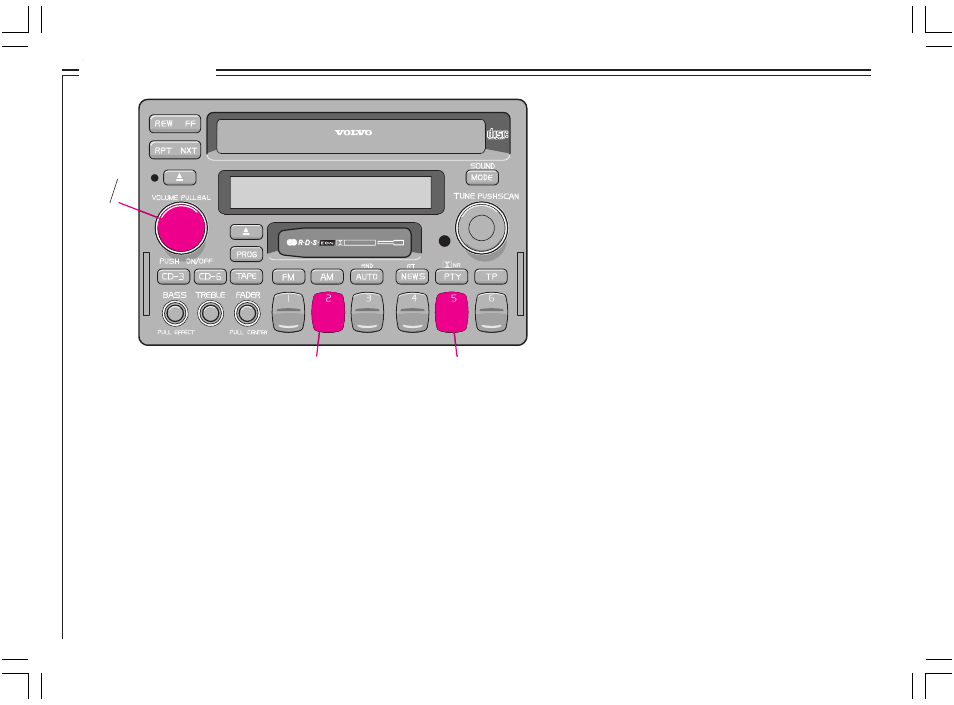
Settings for individual markets are usually
adjusted in the factory or at the retailer. If you
need to change this setting: switch off the
radio; hold down preset button 5 (A); switch
on the radio (A) and press preset button 5
again until the relevant market (US, AUS or
EU) appears.
B - Setting the internal equalizer
To select the frequency correction:
•
Switch off the radio.
•
Hold down preset button 2 (B).
•
Switch the radio on again.
•
Press button 2 until the desired curve
appears : S70-V70-S40-V40-Custom.
Setting the custom equalizer
(Custom EQ) - SC-901 only
•
Select "Custom EQ" by switching off the
radio, holding down preset button 2 and
switching the radio again. Select "Custom"
(see point B).
•
Press Scan.
•
Press preset button 1-5 within 5 seconds:
Preset button 1 = set bass (60 Hz)
Preset button 2 = set mid-range bass
(200 Hz)
Preset button 3 = set lower mid-
range (800 Hz)
Preset button 4 = set upper mid-
range (3 kHz)
Preset button 5 = set treble (12 kHz)
•
Adjust the setting by turning the Tune knob
clockwise (increase) or counterclockwise
(decrease). The change can be seen in the
display, as well as heard.
•
Use preset button 6 to adjust the settings of
the front or rear speaker.
F = Front
R = Rear
Please note that the equalizer curves
can be adjusted separately for the
front and rear speakers.
•
When you are satisfied with the adjustments
you have made, press Scan again to store
the settings.
•
Press Scan once again to exit the settings
mode.
•
To select "Custom EQ", press the Volume
knob.