D*ap4 – Junger Audio D*AP4 FLX / D*AP4 LM Edition User Manual
Page 28
D*AP4
23
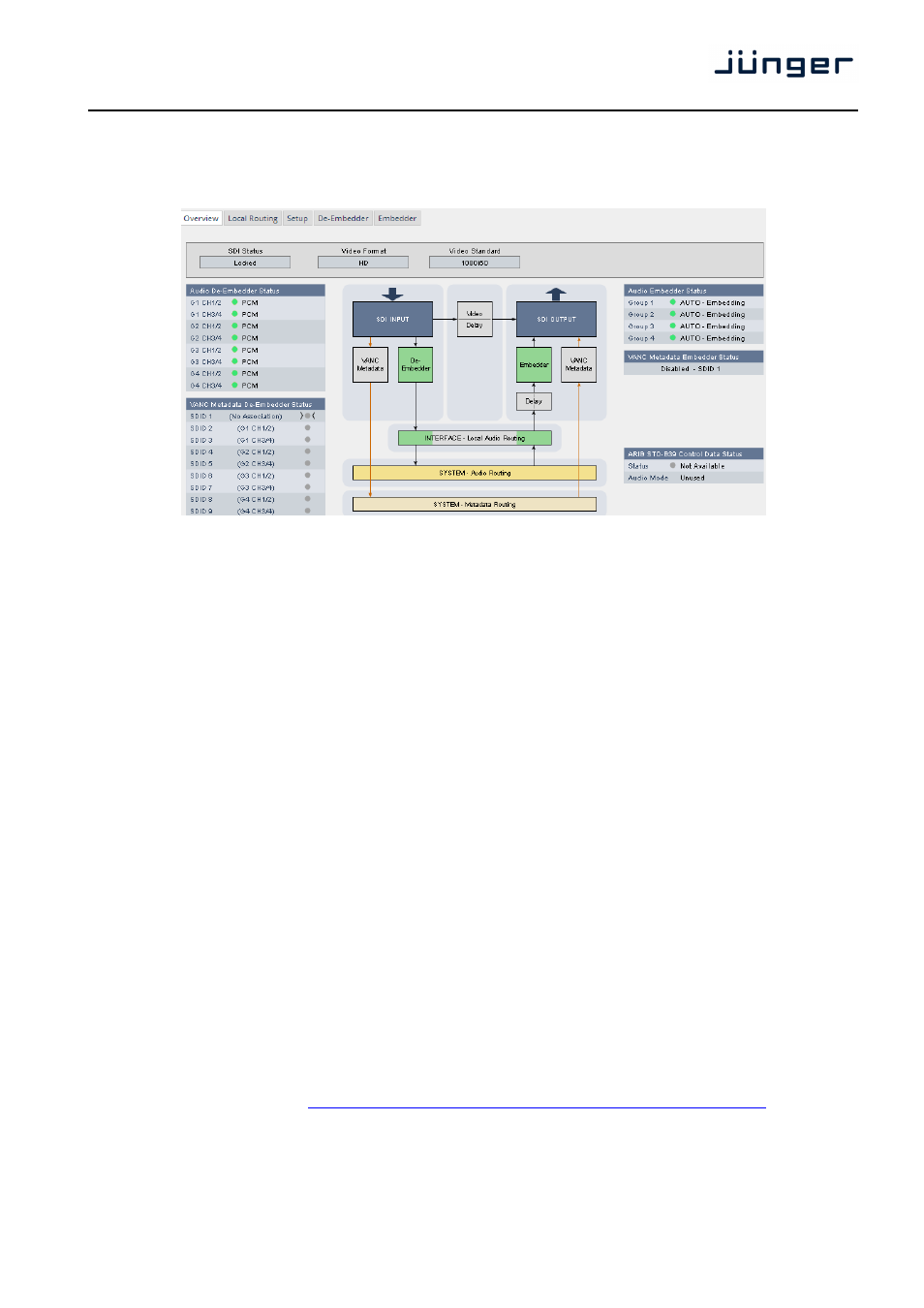
Set up GUI – INTERFACES – SDI I/O interface – Overview
If the D*AP4 is equipped with an optional SDI interface the following settings will be available.
This pane has five sub panes imbedded:
The overview pane shows all relevant information of that interface:
SDI Status
[Locked / Unlocked]
Video Format
[SD / HD /3G / N/A]
Video Standard
[actual decoded standard (e.g. 1080i50) / No SDI Lock]
Audio De-Embedder
[PCM / Dolby E / Dolby Digital / Dolby Digital Plus / MPEG-4 HE AAC /
Status
MPEG-4 AAC / N/A]
VANC Metadata
The respective soft LED will turn green to indicate the SDID found in the stream
De-Embedder Status
while the angle brackets indicate the SDID selected in the de-embedder
set-up as a pre-selected stream.
Audio Embedder
[AUTO – Embedding / AUTO – Replace Audio / OFF / Delete]
Status
Group 1 – 4
The embedding process distinguishes between 4 different modes for each
group independently:
Embedding – a new group will be built
Replace
– the structure of the group from the input is kept and the audio
content is simply replaced
Delete
– the group from the input is deleted
OFF
– the embedder from that group is turned off
VANC Metadata
[Enabled / Disabled & selected SDID#]
Embedder Status
For details see SMPTE 2020-2 standard.
ARIB STD-B39
Meta information standard
Control Data Status
Status
[Available / Not Available]
Audio Mode
See ARIB Japanese standard "Structure of Inter-Stationary Control Data
Conveyed by Ancillary Data Packets"
http://www.arib.or.jp/english/html/overview/doc/2-STD-B39v1_2.pdf