Setting up dns, Eed to, Setting – ARRIS WTM552 User Guide User Manual
Page 36: Up dns
Touchstone® WTM552 Telephony Modem User’s Guide
36
Getting
Battery
Wireless
Ethernet
Setting Up DNS
Follow these steps to set up DNS.
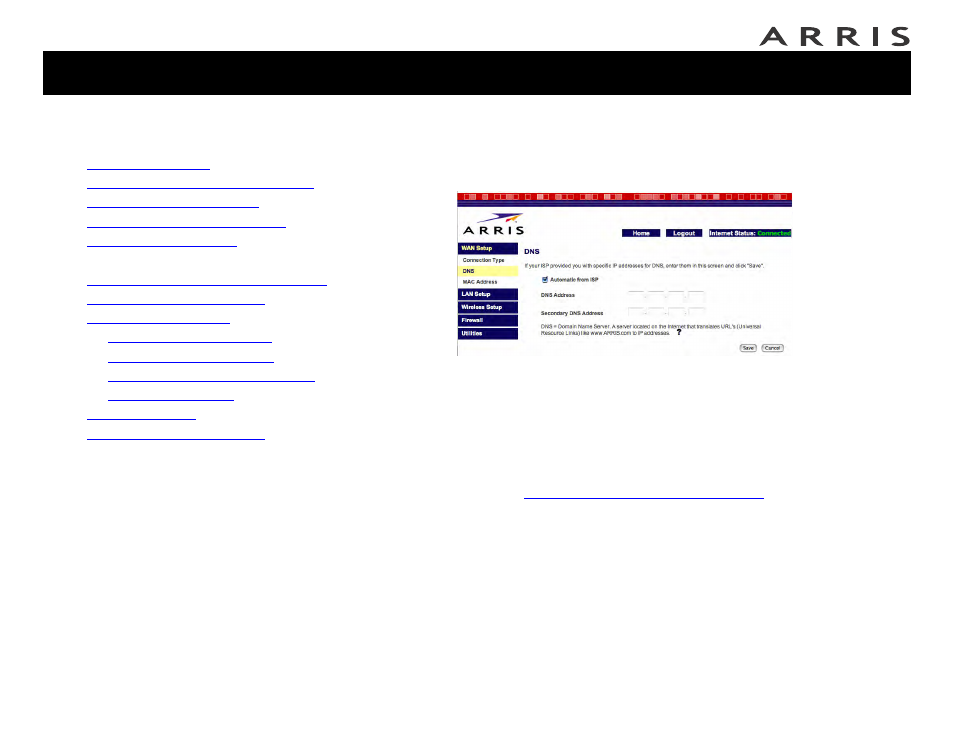
1 Click the WAN Setup link in the navigation menu, then click DNS.
The DNS screen appears:
2 If your cable company has provided you with the IP addresses for their DNS
servers, enter the IP addresses in the DNS Address and Secondary DNS
Address fields.
3 If you have not received DNS server information, check Automatic from
ISP.
4 Click the Save button to return to the Status screen.
5 Proceed to
Configuring the LAN Channel and Name
Jump directly to one of the following topics:
•
•
Accessing the Configuration Interface
•
•
Setting Up Your WAN Connection
•
•
Setting Up DNS
•
Configuring the LAN Channel and Name
•
•
—
—
—
Configuring MAC Address Filtering
—
•
•