Configuring wireless security – ARRIS WTM552 User Guide User Manual
Page 38
Advertising
Touchstone® WTM552 Telephony Modem User’s Guide
38
Getting
Battery
Wireless
Ethernet
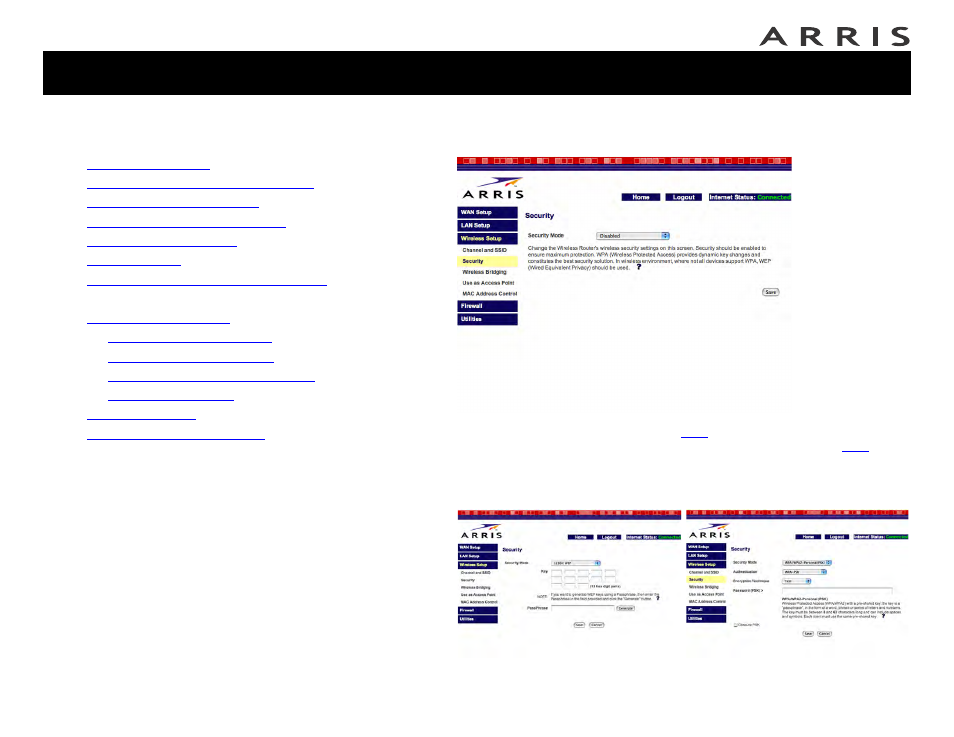
Configuring Wireless Security
1 Click the Security link under the Wireless menu to open the Security screen:
2 In the Security Mode menu, choose
unless you have wireless equip-
ment that does not support WPA; in that case, choose 128-bit
secure) or 64-bit WEP (more compatible with older wireless equipment).
Depending on the security mode chosen, the WTM552 displays one of the
following screens to allow you to configure a key.
Jump directly to one of the following topics:
•
•
Accessing the Configuration Interface
•
•
Setting Up Your WAN Connection
•
•
•
Configuring the LAN Channel and Name
•
Configuring Wireless Security
•
—
—
—
Configuring MAC Address Filtering
—
•
•
Advertising