6 status | ip statistics – Comtech EF Data CDM-750 User Manual
Page 168
CDM-750 Advanced High-Speed Trunking Modem
Revision 2
Ethernet-based Remote Product Management
MN-CDM750
6–24
6.5.4.4.6 Status | IP Statistics
• Sect. 5.2.4.6.1 Monitor: Stats Æ IP in Chapter 5. FRONT PANEL OPERATION
• Appendix G. ETHERNET STATISTICS
AND
STATUS REPORTING
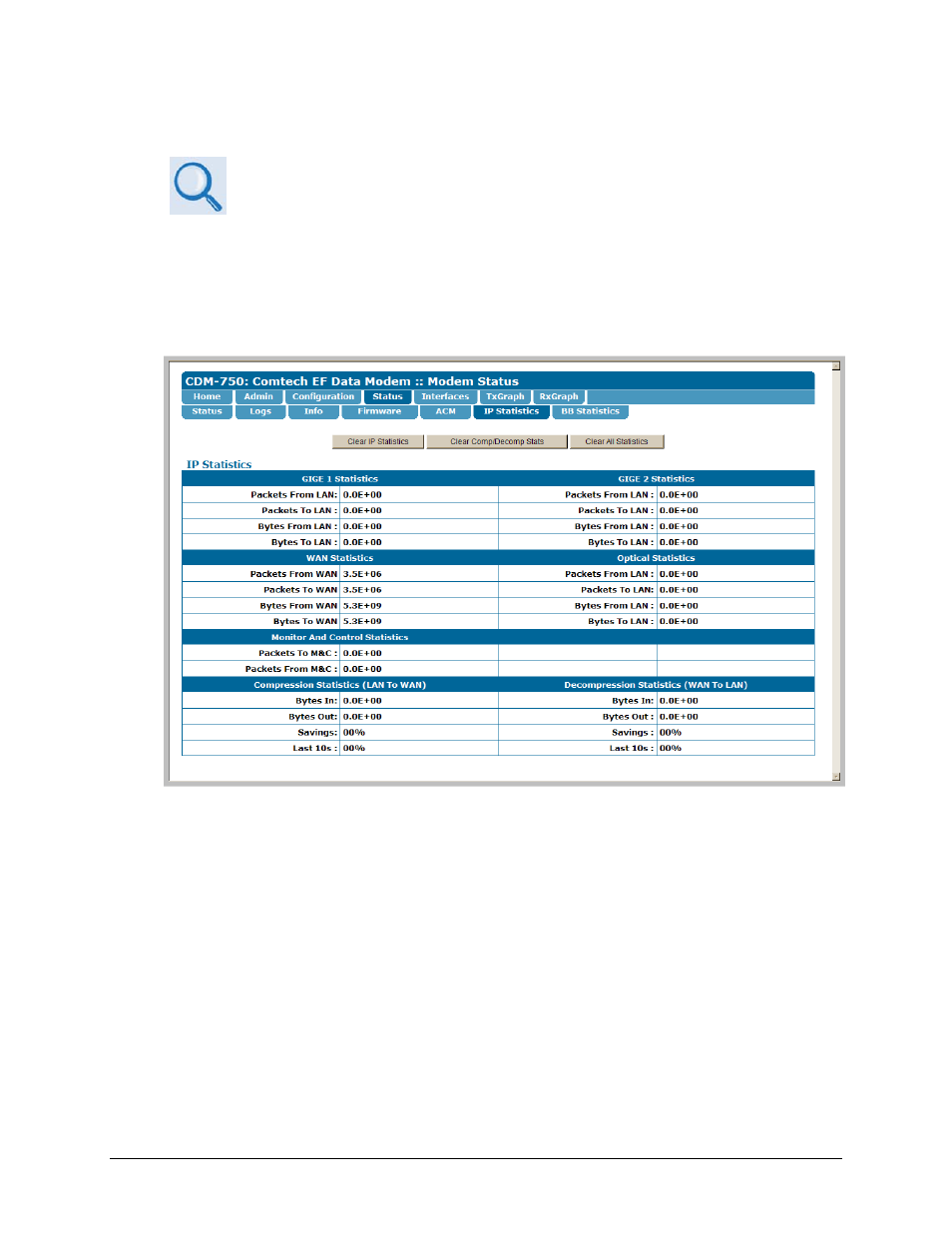
Use this read‐only page, which updates automatically every 10 seconds, to view IP operating
statistics as processed via the standard GIGE 1 (J5 | DATA), GIGE 2 (J6 | DATA),Monitor and
Control (J4 | MGMT) ports, and the optional Optical (J7 | OPTICAL) port located on the
CDM‐750 rear panel. This page also provides statistics pertaining to the WAN interface and the
optional K4 GZip Lossless Compression / Decompression features.
Figure 6-14. Status | IP Statistics page
IP Statistics
Click [Clear IP Statistics] to clear/reset the IP‐related section statistics buffers.
Click [Clear Comp/Decomp Stats] to clear/reset the Compression Statistics (LAN to WAN) and
Decompression Statistics (WAN to LAN) section statistics buffers.
Click [Clear All Statistics] to clear/reset all statistics buffers on this page.