Fiber ethernet communication, Figure 17: fiber ethernet communication layout, 7 fiber ethernet communication – Daktronics AF-3400-12-RGB User Manual
Page 28
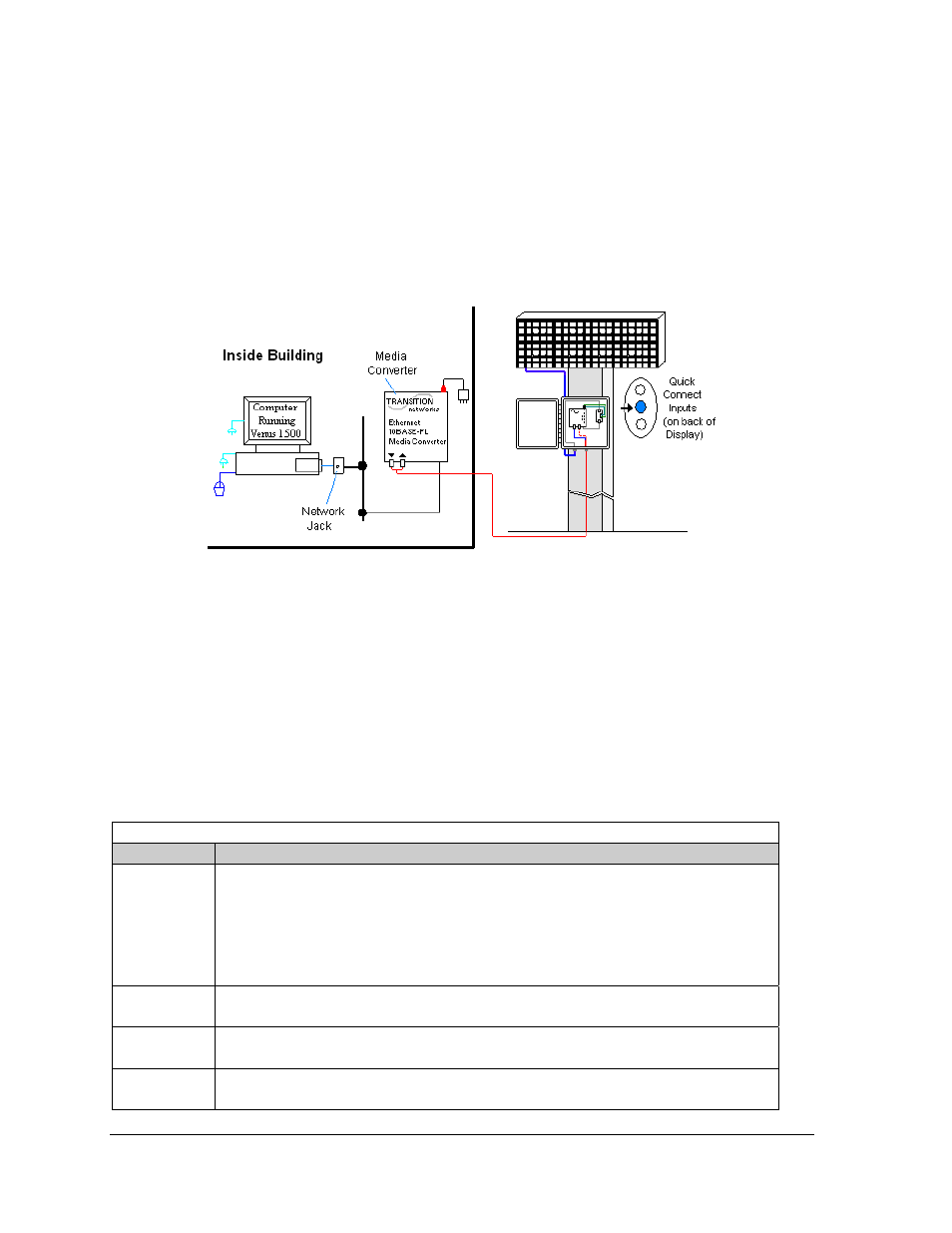
4.7 Fiber Ethernet Communication
If the communication system is fiber Ethernet, look for:
• an indoor media converter connected to the network via Cat-5 cable and to fiber
cable.
• a second media converter outdoors located in an enclosure at the display.
Figure 17: Fiber Ethernet Communication Layout
Connections
• Computer to network − RJ45 cable (similar to phone cable) from computer port into
network jack.
• Network to first media converter − RJ45 cable into media converter.
• Media converter’s 9-volt power packed plugged into outlet.
• Indoor media converter to outdoor media converter − two fiber-optic cables run from
indoor media converter to second converter in the enclosure at display.
• Enclosure to display − quick-connect cable to the middle jack on display back.
DO NOT SHARPLY BEND fiber-optic cable at any point along the fiber cable.
Troubleshooting
Component Check
Cable
Connections
•
The serial cable is connected from the computer to the network port at the wall.
•
The network cable connects to the media converter in building.
•
The indoor media converter power pack is plugged in.
•
The fiber cables connect from the first media converter to the second one at
display. The “out” arrow on one will connect to an “in” arrow on the other.
•
The cable is connected from the enclosure to middle jack on display back.
Diagnostic
LEDs
•
Each media converter has a green power LED on, indicating power.
•
The “link” and RX LEDs on the media converter flash when transmitting data.
Display
Power
•
The display is either running a message or showing a single pixel flashing in the
bottom right corner of the display when power is on.
Software
•
The software is configured for TCP/IP communication.
•
The software and the display are set for the same network address.
Signal Overview
22