Setting the sheet separation – MBM Corporation 352S User Manual
Page 16
Operator's Manual
multipli 35
Friction Feeder F35
Mathias Bäuerle GmbH
19
Setting the Sheet
Separation
!
Exercise caution in the vicinity of rotating shafts and rollers!
Hair, loose garments and jewellery may get caught!
SERIOUS INJURY MAY RESULT!
•
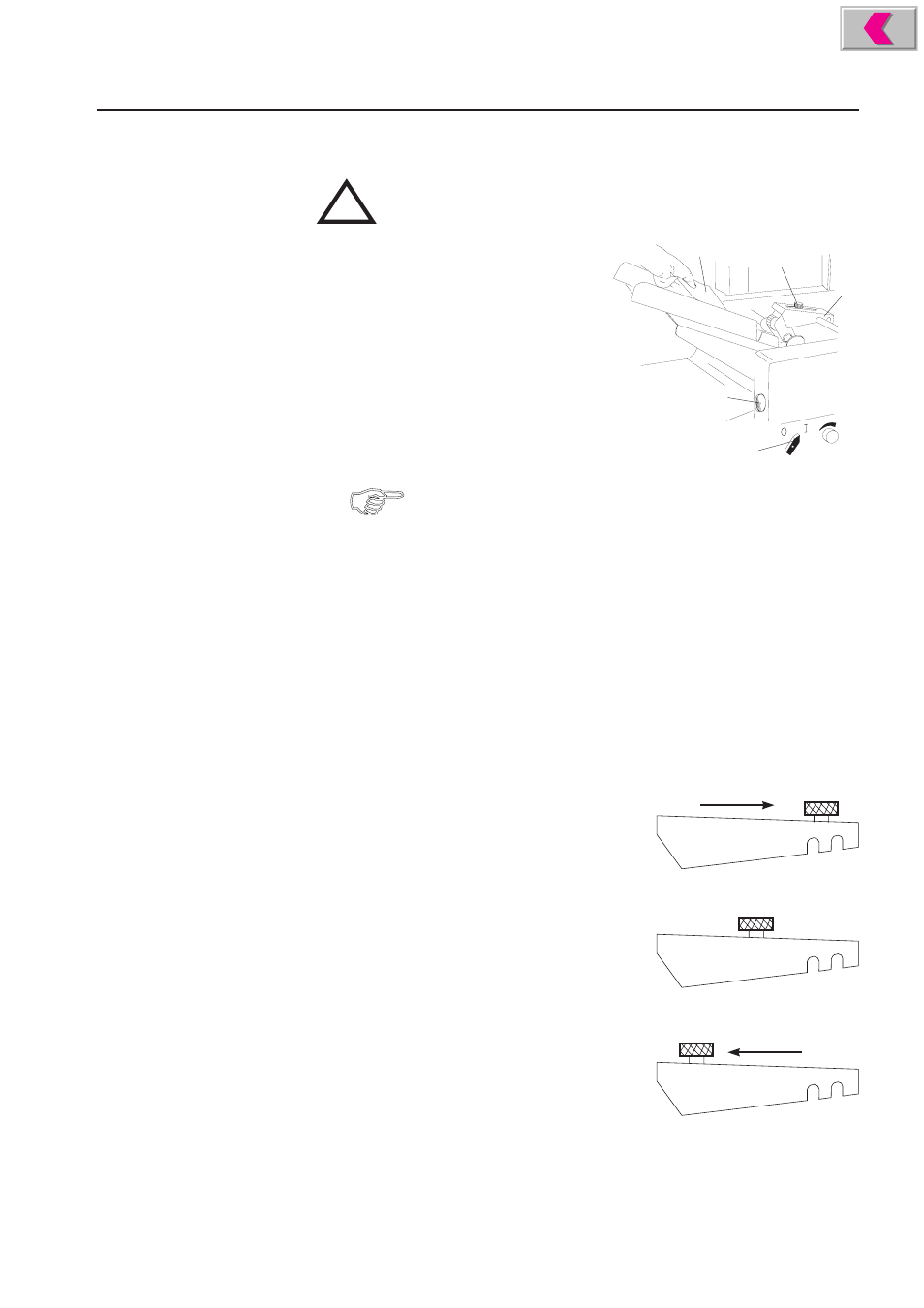
Switch on the machine - knob (1) in
position I.
•
Move the feeder until it audibly engages
in the rest position (2).
•
Push open the setting disk (3) and turn it
counter-clockwise by about one turn.
This lowers the pressure roller. The gap
between feed- and pressure roller is increased.
•
Slide an unfolded sheet between feed- and
pressure roller and hold it tight (4).
1
2
3
4
5
Hold on to the sheet to avoid that it is gripped by the feed roller
and then folded.
•
Keep the sample sheet in this position and use your other hand to slowly turn the
setting disk (3) clockwise until you feel a slight resistance when pulling back the
sheet. The gap between feed- and pressure roller is now set to the thickness of the
sheets to be folded. Now remove the sample sheet.
•
Switch off the machine - knob (1) in position 0.
•
Place the setting disk (3) back in rest position to avoid accidental movement.
Corrections can be made with the machine running.
•
Loosen the knurled nut (5) at the feeder.
By changing the location of the knurled nut the contact pressure at the feeder can
be set to the type of paper:
Light grades of paper (below 60 GSM):
Only light pressure necessary, push in
direction of the delivery section.
Medium weight papers (60 to 90 GSM):
The weight of the feeder itself is sufficient,
neutral mid-position.
Heavy paper grades (more than 90 GSM):
Higher pressure needed, push in direction
of feed section.