MBM Corporation 352S User Manual
Page 31
Operator's Manual
multipli 35
Air Feeder PBA 35
34
Mathias Bäuerle GmbH
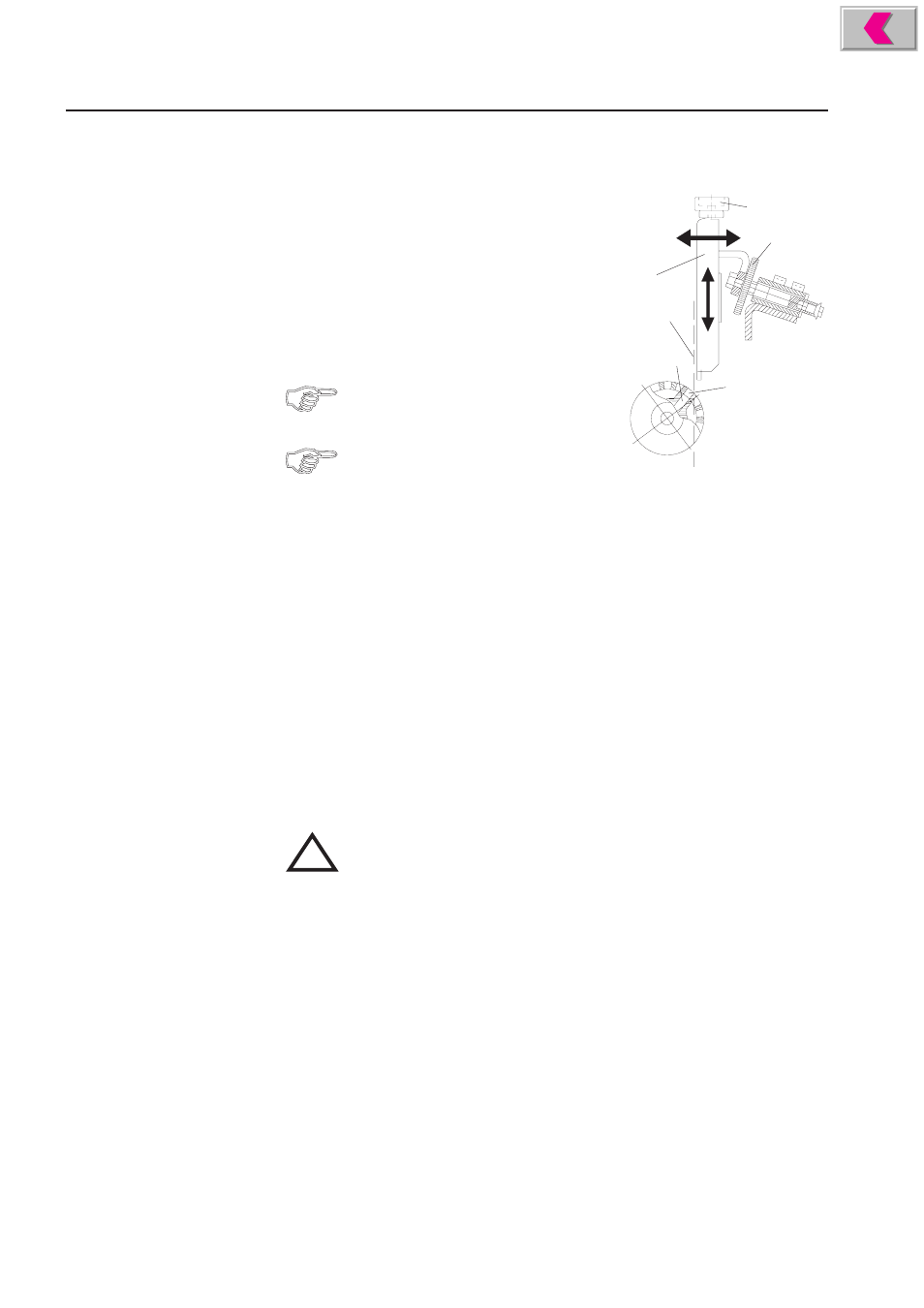
Adjusting the Front Paper Stop:
The position of the front paper stop (1) can be adjusted
in horizontal and vertical direction.
Adjusting the horizontal position:
The horizontal position of the front paper stop deter-
mines the suction point on the paper and in turn de-
pends on the position of the suction segment in the
suction drum.
1
2
4
5
3
6
The inclination of the suction segment must
be set correctly before making the horizontal
adjustment.
When the suction segment is adjusted, the
horizontal position must also be changed
accordingly.
•
Turn the handwheel until the openings of the suction drum (2) are exactly above
the openings of the suction segment (3).
•
Adjust the horizontal position of the front paper stop in such a way that it forms
a vertical line (4) with the leading edge of the suction openings. To achieve this,
turn the knurled screw (5) counter-clockwise or clockwise.
Adjusting the vertical position:
The respective paper thickness is set by adjusting the vertical position of the front
paper stop. Proceed as follows:
•
Place a stack of about 50 sheets on the feed table.
•
Switch on the pump.
•
Start the machine (switch position I).
!
Exercise caution in the vicinity of rotating shafts and rollers!
Hair, loose garments and jewellery may get caught!
SERIOUS INJURY MAY RESULT!
•
By turning the knurled screw (6), adjust the vertical position of the paper stop
in such a way that only one sheet is pulled off the stack.
•
Switch off the machine (switch position 0).