Welltech VoIP ATA series V.2.1 User Manual
Page 110
Advertising
ATA-171/172/171P/171M/171+/172+
User’s Guide
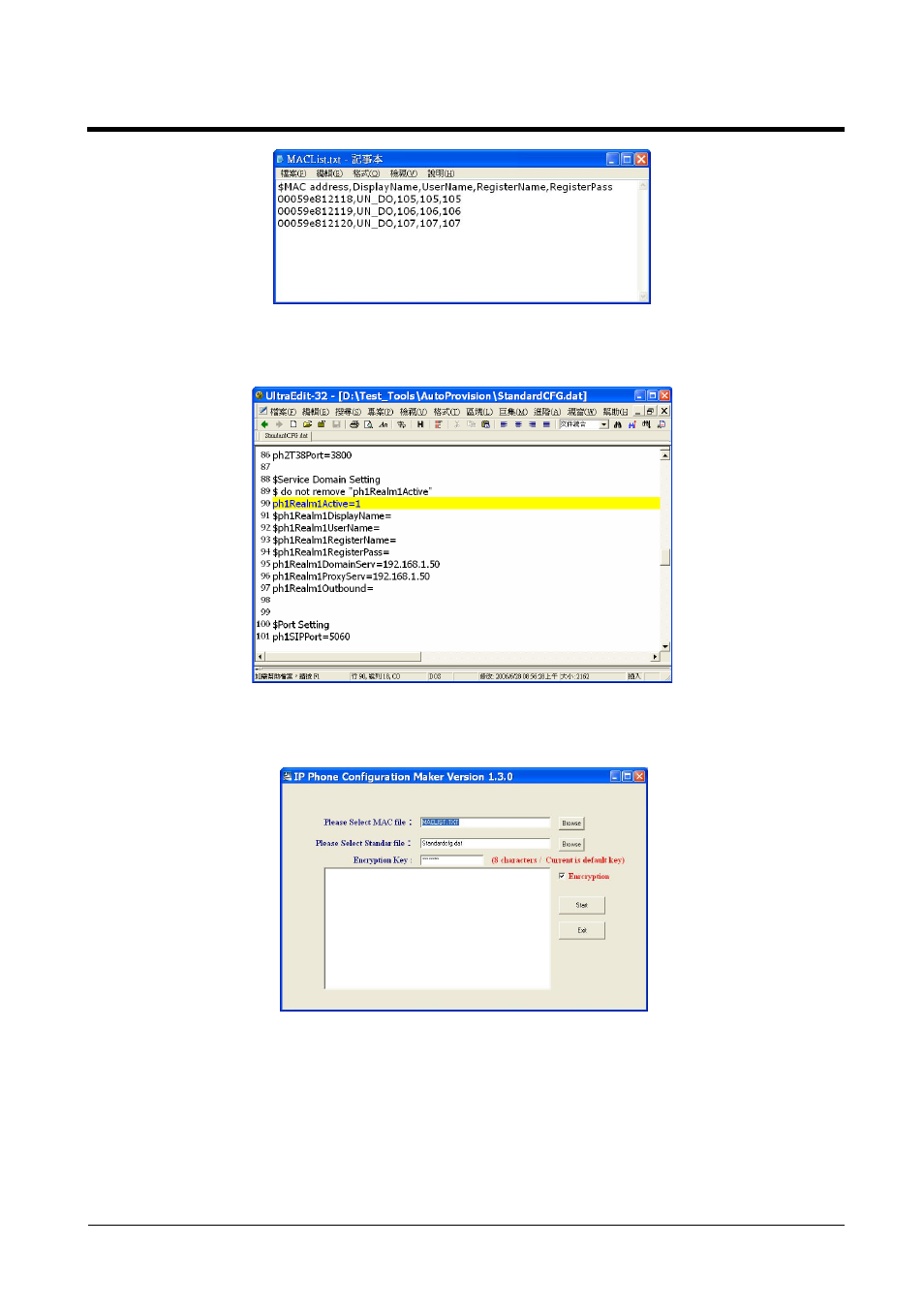
(Figure 4)
Step2:
Open file [StandardCFG.dat], after revising the information (E.g.:
ph1Realm1DomainServer=192.168.1.50,ph1Realm1DomainServer=192.168.1.50), then
save (See Figure 5).
(Figure 5)
Step3: Start file [MakeMACF.exe], select [Please Select MAC File: MACList.txt,Please Select
Standard File: StandardCFG.dat,Encryption Key: Hello123 (default),select Encryption],
press Start. (e.g.:Picture6).
(Figure 6)
Step4: [00059e812118.dat,00059e812119.dat,00059e812120.dat] will be found, please place it to
the appointed path in [HTTP or FTP or TFTP Host Computer].
Advertising