Connecting base station to studio infrastructure, Connecting base station to, Studio infrastructure – Grass Valley CopperHead Pro User Manual
Page 48
42
Camera Unit and Power Supply Installation
Connecting Base Station to Studio Infrastructure
Connecting Base Station to Studio Infrastructure
Connecting the CopperHead Base Station requires the following:
• Two BNC-terminated coax cables to connect to your infrastructure
• CHBR-Pro cable
• Camera Remote Panel
• XLR cable to connect to your intercom system (see
• Access to your video switcher's tally outputs (optional)
• Fiber cable to Camera Unit
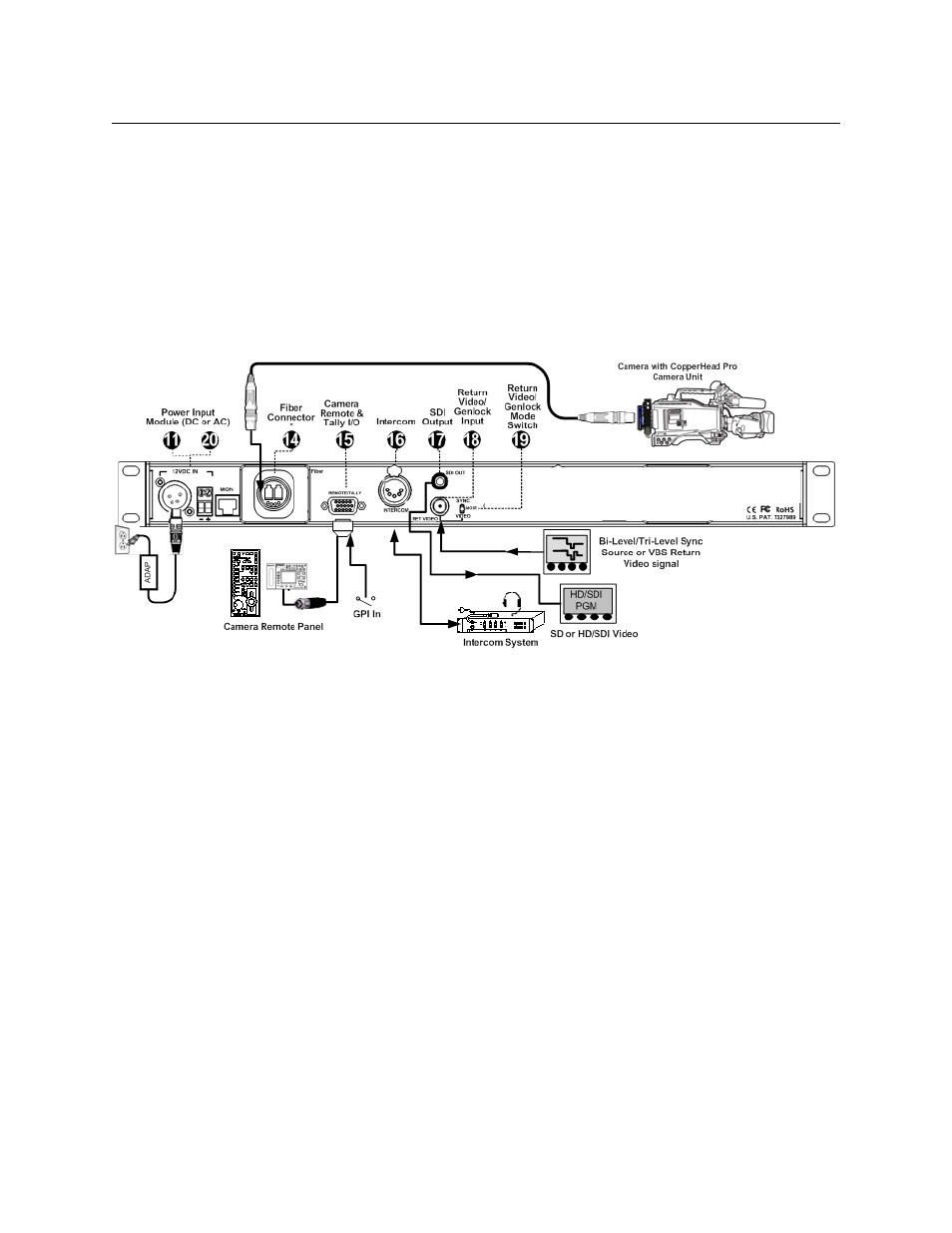
Fig. 4-8: CopperHead Pro Base Unit Connections
• 11: 12 VDC Input: connects to 12VDC power supply
• 20: 120/220 VAC Input: connects to AC mains
• 14: Fiber: connect fiber cable to CopperHead Camera Unit
• 15: Remote/Tally: connects to CHBS-PRO cable. This breakout cable connects to a
Camera Remote Control Panel. The pigtail connects to the tally output of a switcher or
to a studio Tally system. See
CHBR-PRO Base Station Remote Cable
details.
• 16: Intercom: connects to the house intercom system is connected here (see
• 17: SDI Out: connects to the digital video output (HD/SDI-SDI) from your camera is
found here
• 18: Return Video In: connects to the house genlock/sync or return VBS analog video
• 19: Return Video Mode Switch: switches to optimize the return video path (18) for
Genlock/Sync or analog return VBS video