Grass Valley KXO-HDM Dec 20 2012 User Manual
Page 16
Advertising
12
KXO-HDM Installation
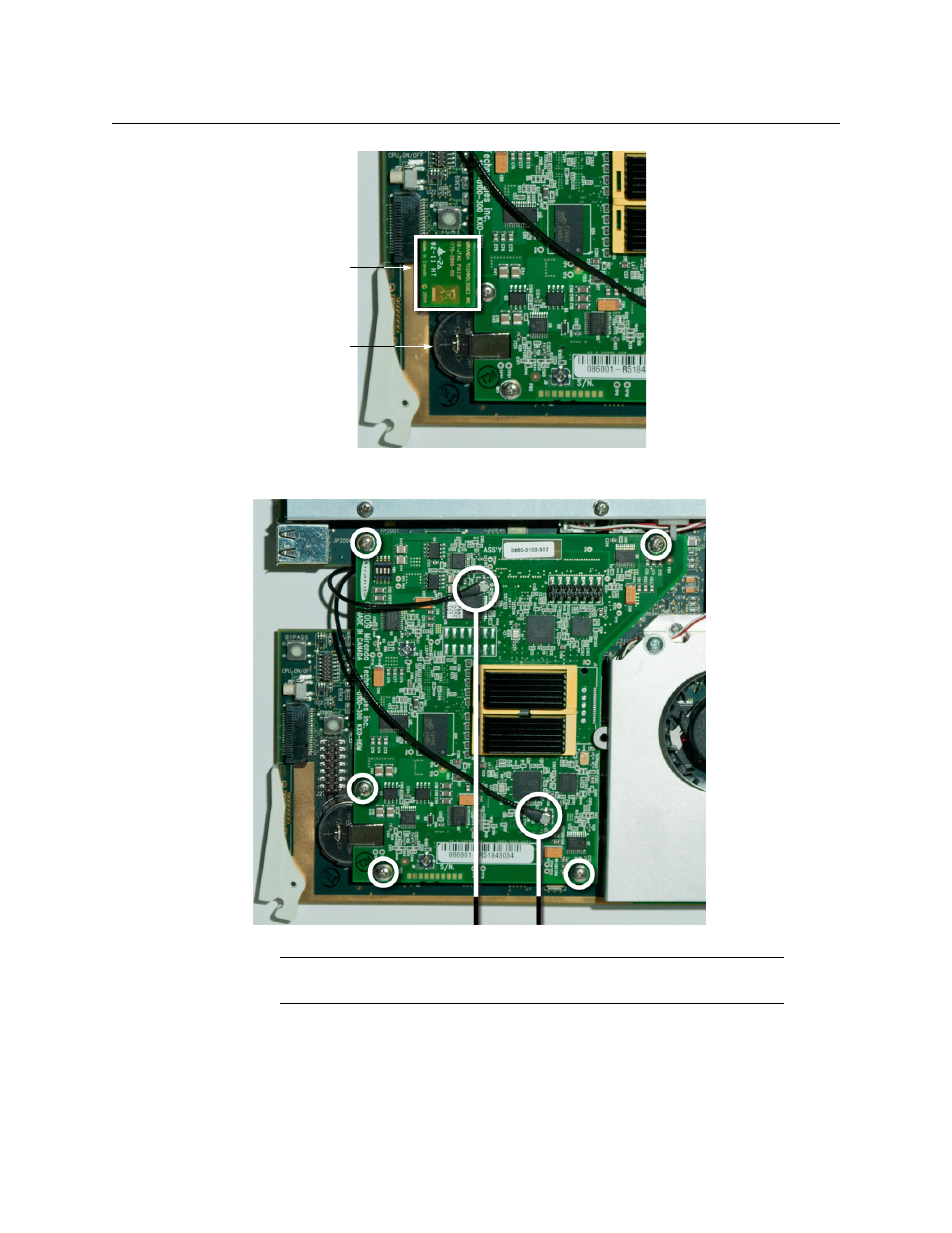
Replacing the KXO-HDM on a KXO-Dual3
3 Remove the five screws and washers, and unplug both coaxial cables from the J6 and
J7 connectors.
4 Carefully lift the KXO-HDM mezzanine to separate the connectors.
5 Place the new KXO-HDM mezzanine carefully unto the KXO-Dual3 card connectors.
The mezzanine fits underneath the large heatsink mounting bracket shown below.
IMPORTANT
Note where the connectors J6 and J7 are located.
KX-JTAG PULLUP
Battery
Connector J6 Connector J7
Advertising
This manual is related to the following products: