Casio PX-A800BN User Manual
Page 5
General Guide
E-3
English
*CAUTION
•
Make sure that the cover is fully open whenever you are playing on the keyboard. A partially open cover can
suddenly close unexpectedly and pinch your fingers.
NOTE
•
The names shown here are always indicated in bold when they appear within the text of this manual.
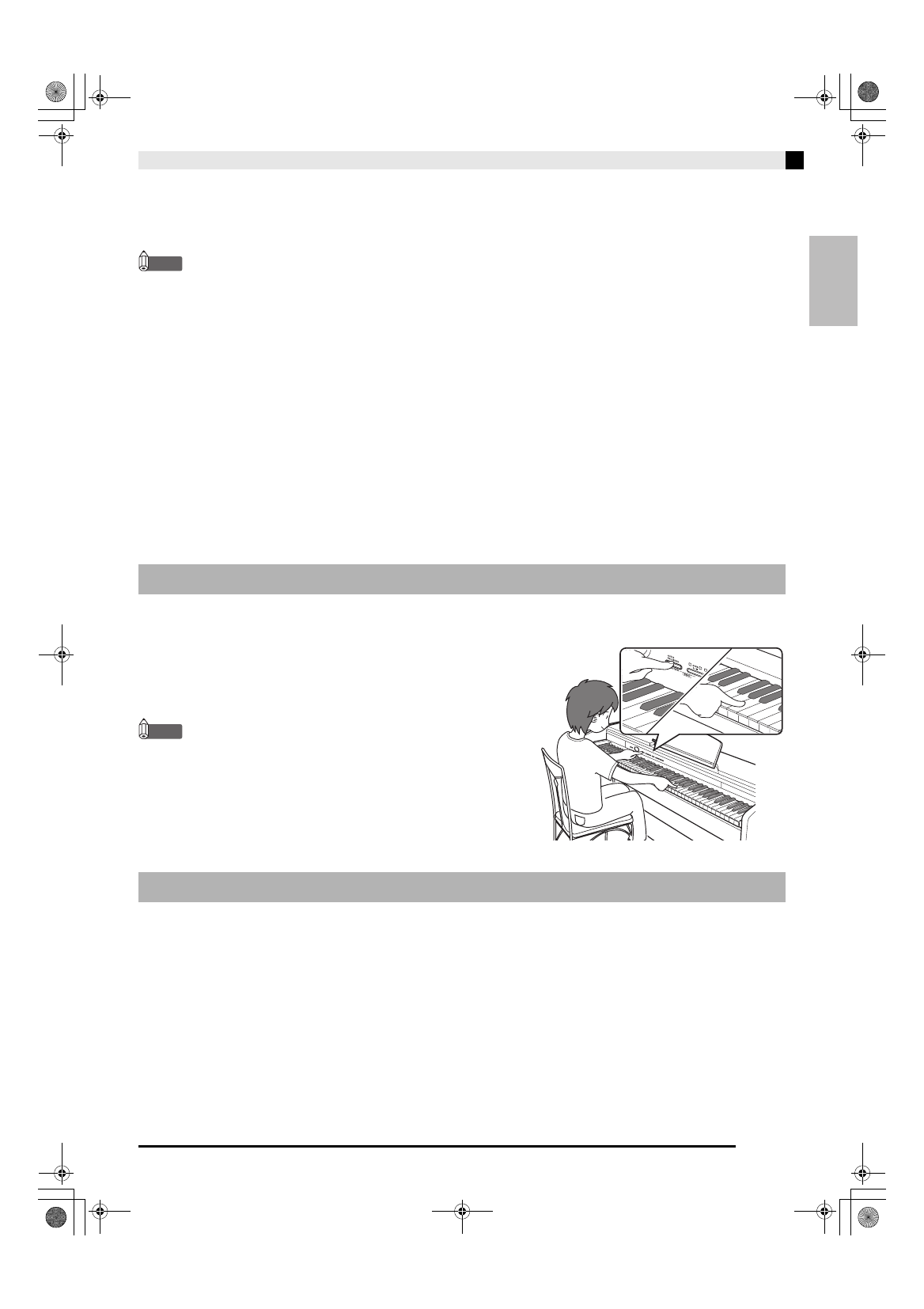
The FUNCTION button is used when configuring a variety of different Digital Piano settings. The following are
FUNCTION
button basics.
z To change a setting, hold down the FUNCTION button as you
press the keyboard key that is assigned the setting you want to
select.
Example:
“To select a tone” on page E-5
NOTE
•
For details about operations and settings, see “Configuring
Settings with the Keyboard” on page E-21.
Your Digital Piano lets you save its current settings and lock its buttons to protect against operation errors. For
details, see “Parameter List” on pages E-23 - E-25.
FUNCTION Button
Saving Settings and Using Operation Lock
1 P (POWER) button
2 VOLUME controller
3 AUDIO RECORDER, FUNCTION button
4 SONG a button
5 SONG RECORDER (L/R) button
6 METRONOME, DUET button
7 GRAND PIANO (CONCERT),
HAMMER RESPONSE button
8 GRAND PIANO (ROCK),
STRING RESONANCE button
9 GRAND PIANO (JAZZ), LID SIMULATOR button
bk Pedal connector
bl USB flash drive port
bm USB port
bn DC 24V terminal
bo LINE OUT R, L/MONO jacks
bp PHONES jacks
bq Power lamp
PXA800_e.book 3 ページ 2013年6月18日 火曜日 午後6時18分