Cleaning the copier – TA Triumph-Adler DC 2042 User Manual
Page 101
CAUTION
For safety purposes, ALWAYS remove the power plug from the outlet
when performing cleaning operations.
97
CLEANING THE COPIER
●
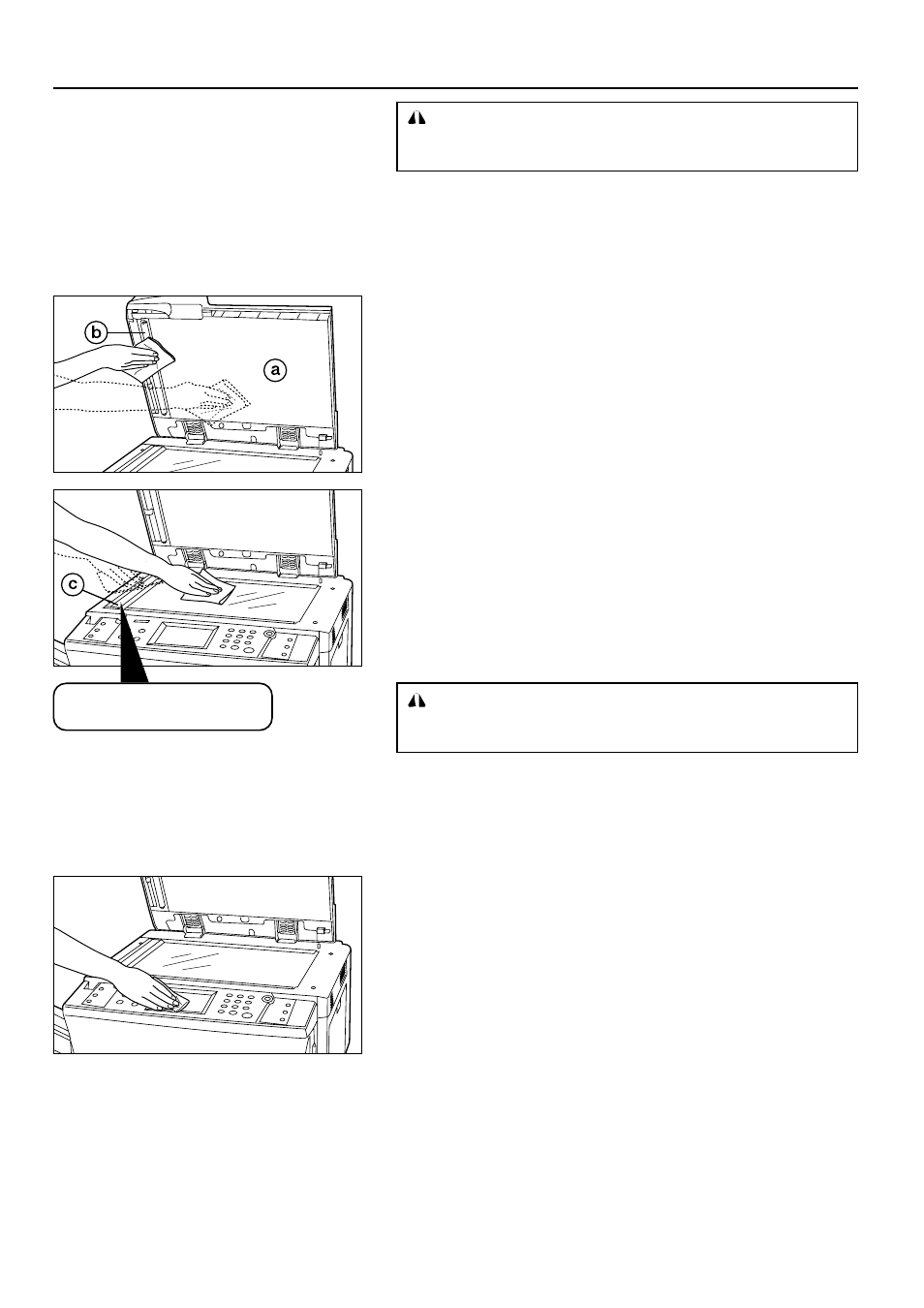
Cleaning the original cover, DF original reading cover
1. Lift open the DF. Wipe the original cover
a
and DF original reading cover
b
,
and the platen with a soft cloth dampened with alcohol or mild detergent.
* Never use thinner or other solvents for this purpose.
●
Cleaning the platen and the slit glass
1. Lift open the DF. Wipe the platen and the slit glass
c
with a soft cloth dampen
with alcohol or mild detergent.
* Do not use thinner or other organic solvents for this purpose.
●
Cleaning the touch panel
1. If the touch panel surface becomes dirty, wipe it gently with a dry cloth. If the dirt
is difficult to remove, dampen the cloth with alcohol.
* Do not use water, or thinner or other organic solvents for this purpose.
If the slit glass
c
of DF is dirty,
black lines may appear on the copy.
CAUTION
DO NOT leave the document feeder open as there is a danger of
personal injury.