Epson WorkForce Pro WF-M5799 Workgroup Monochrome Multifunction Printer with Replaceable Ink Pack System User Manual
Page 165
Advertising
165
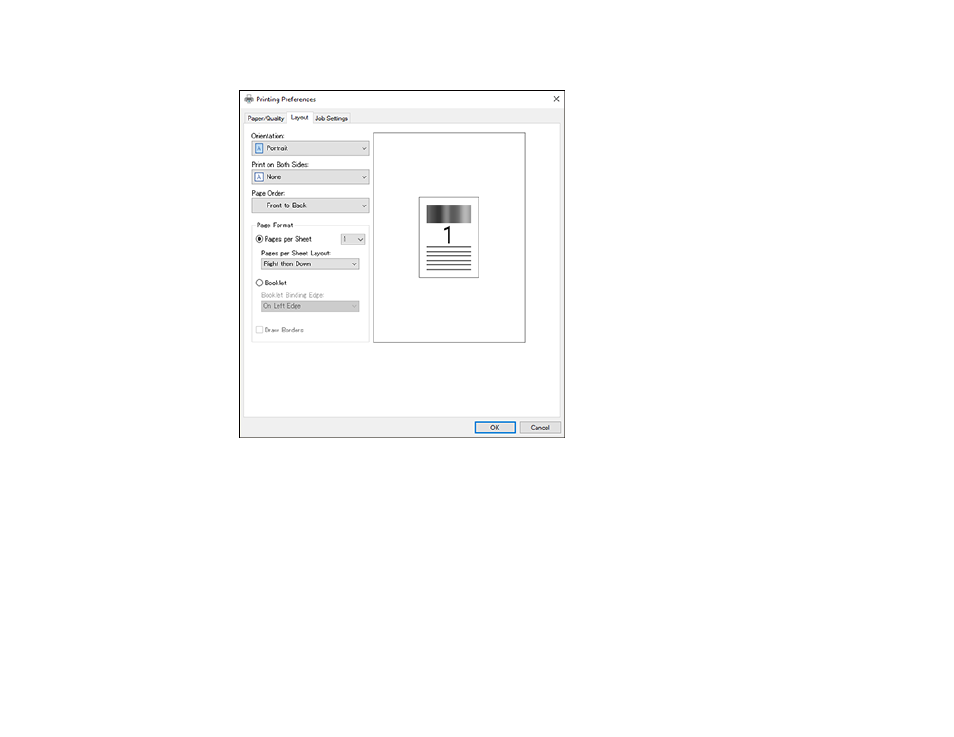
You see this window:
7.
Select the orientation of your document.
8.
To print on both sides of the paper, select one of the
Print on Both Sides
settings.
9.
To change the printing order of the pages, select one of the
Page Order
settings.
10. To print multiple pages on one sheet of paper, adjust the
Pages per Sheet
setting.
11. To create a folded booklet out of your photo or document, select the
Booklet
option.
Parent topic:
Printing with the PostScript (PS3) Printer Software - Windows
Related references
Advertising
This manual is related to the following products: