Removing and installing ink packs – Epson WorkForce Pro WF-M5799 Workgroup Monochrome Multifunction Printer with Replaceable Ink Pack System User Manual
Page 295
Advertising
295
Removing and Installing Ink Packs
Make sure you have your replacement ink pack handy before you begin. You must install a new ink pack
immediately after removing the old one.
1.
If the ink pack is low or expended, you see a message on your product's LCD screen and on your
computer screen.
2.
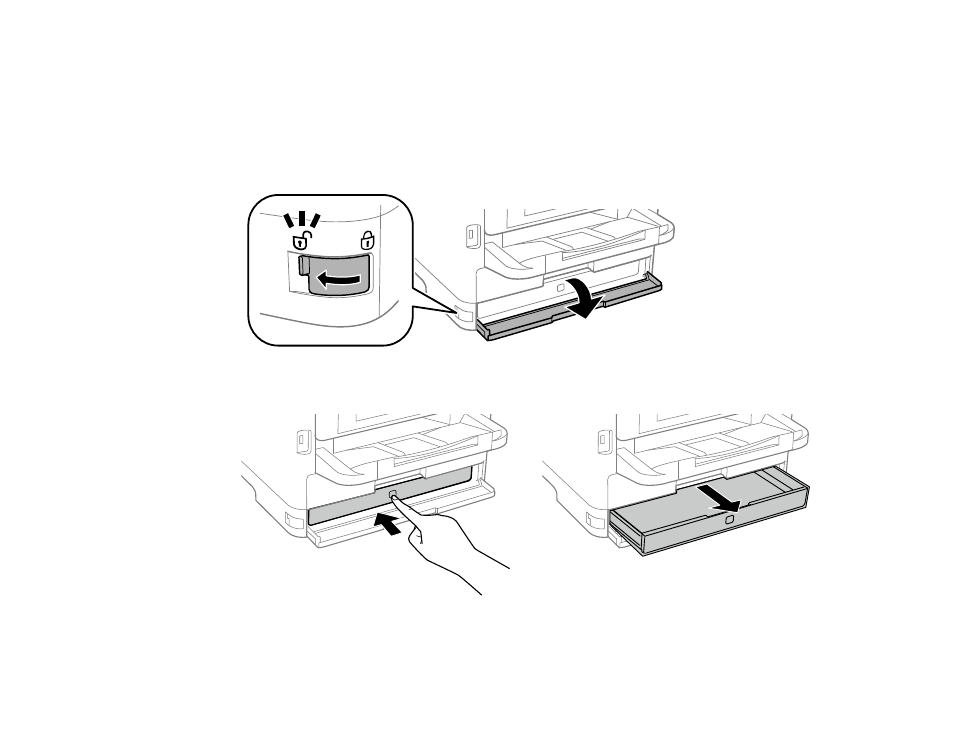
Unlock and open the front cover.
3.
Press the ink pack tray until it clicks and pull it out.
Advertising
This manual is related to the following products: