Avery Dennison Monarch 9864 Info Printouts and Parameters User Manual
Page 30
06/08 Rev. AB
USER MANUAL
Info-Printouts & Parameters
9844 - 9854 - 9864
30
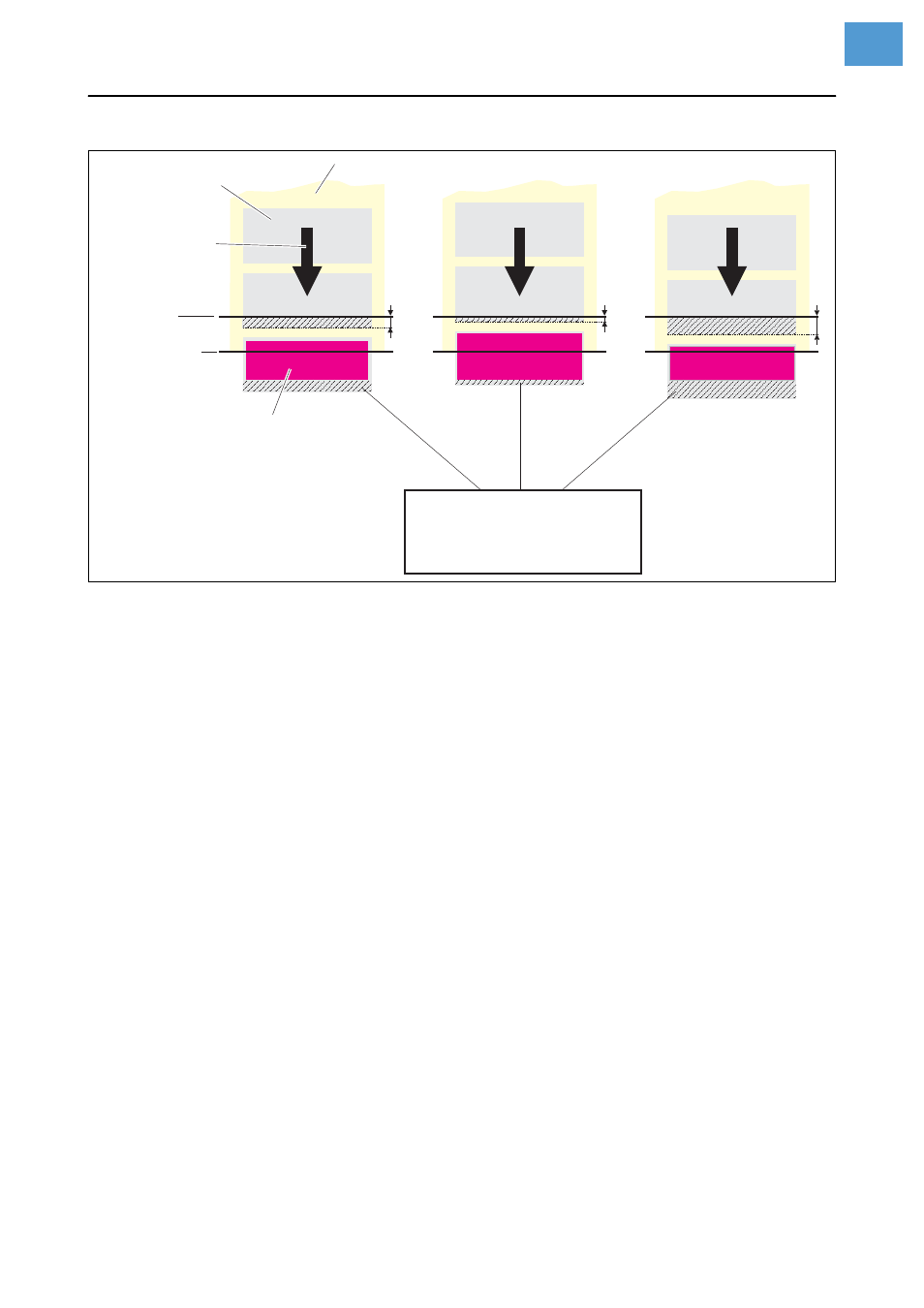
[11] The size of the non-printable area in Normal 1:1 depends of the setting of parameter
"SYSTEM PARAMETERS > Dispense Position".
Batch Mode
•
The printer can print the entire label surface.
•
The label is dispensed during printing. The next label prints after the previous
label is removed.
•
The output volume is at the maximum.
¯
The Batch mode is optimized for printing and dispensing at high speeds.
It is not possible to use all features available in modes Normal 1:1 or Real 1:1.
¯
Do not use the following Job/Parameter combinations:
•
Jobs with counter fields
•
Jobs with variable fields
•
SYSTEM PARAMETER > Dispensing mode
must be set to fast.
•
The USI reprint function is not supported.
DP INTERFACE > Reprint signal
must be
set to deactivated.
•
Foil save
P
A graphic can be found under
PRINT PARAMETERS > Cut mode > Batch mode
.
Real 1:1 Mode
(Default setting)
•
The printer can print the entire label surface.
•
After dispensing a label, the beginning of the next label is backed up under
the printhead.
•
The output volume is lower than in Batch Mode or Normal 1:1 Mode.
P
A graphic can be found under
PRINT PARAMETERS > Cut mode > Real 1:1 mode
.
a
b
c
Label
Backing paper
Printing
Printhead
Dispensing
Edge
Feed
Direction
Non-printable area with
Dispense
Dispense
a) Dispense position = 0
b)
position < 0
c)
position > 0
Z0137E.ep
s