1 management: main – Comtech EF Data CMR-8500 Manual User Manual
Page 42
CMR-8500 DVB IP Encapsulator
Revision 2
Chapter 4. Device Management via User Interfaces
4.2.4.1.1
Management: Main
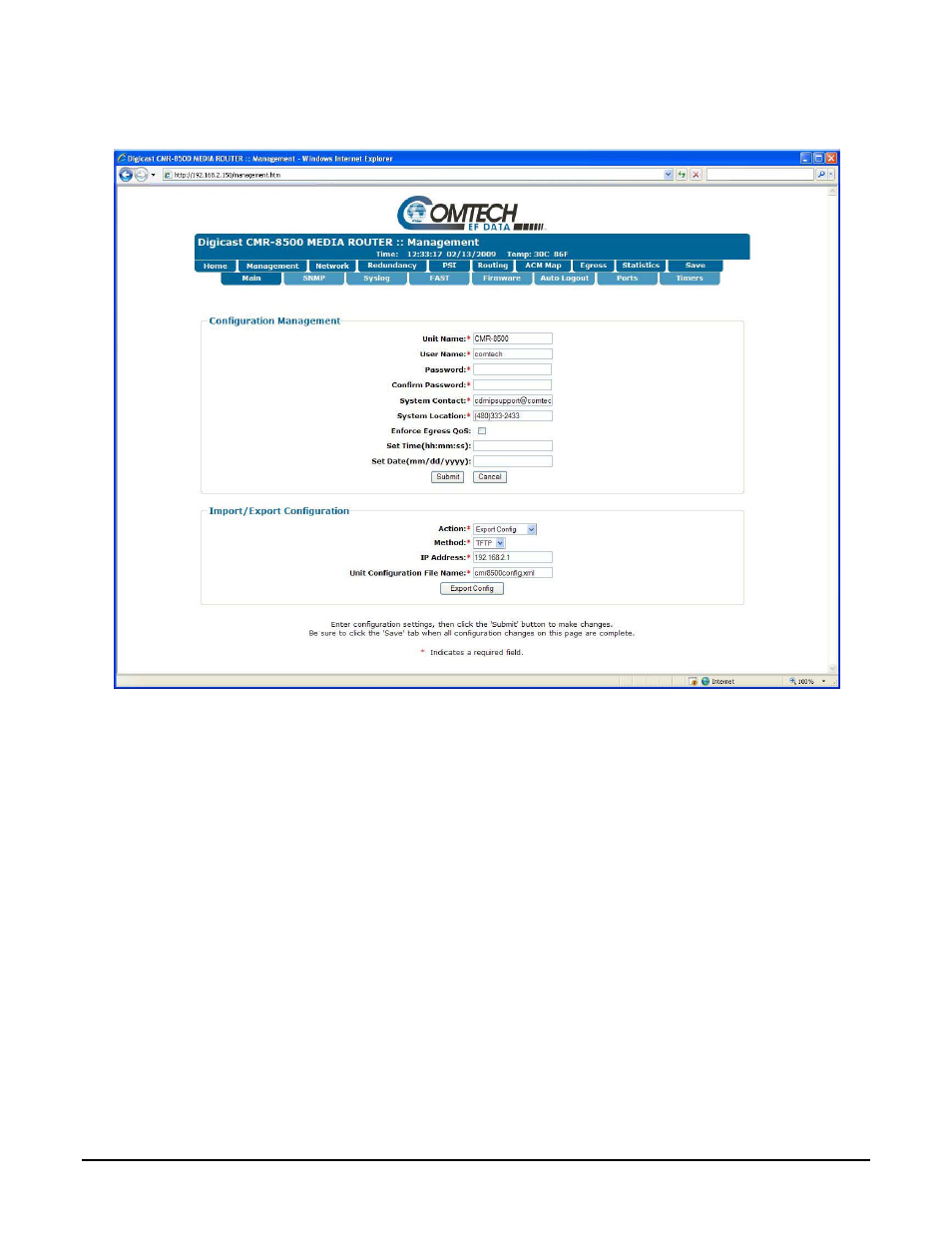
Figure 4-4. CMR-8500 Web Interface Management: Main Tab
The Main tab has the following configurable parameters:
• Unit Name: The name of this CMR-8500.
• Unit Location: The location of where the unit is installed.
• User Name: The CMR-8500’s User Name is user configurable and is used for connecting to the unit
via IP management services and terminal services. The default user name is comtech.
• Password: The Password is used for authenticating a user when connecting via IP management
services. The default password is comtech.
• System Contact: Enter the contact information of the system administrator for support.
• System Location: Enter the physical location where the unit has been installed.
• Enable Telnet: Use the checkbox to Enable or Disable Telnet access on the CMR-8500.
• Enforce Egress QoS: Enables bandwidth management feature on the CMR-8500.
• Set Time: Set the time on the CMR-8500. The system time is displayed on the header of each web
page.
• Set Date: Set the date on the CMR-8500. The system date is displayed on the header of each web
page.
4-10