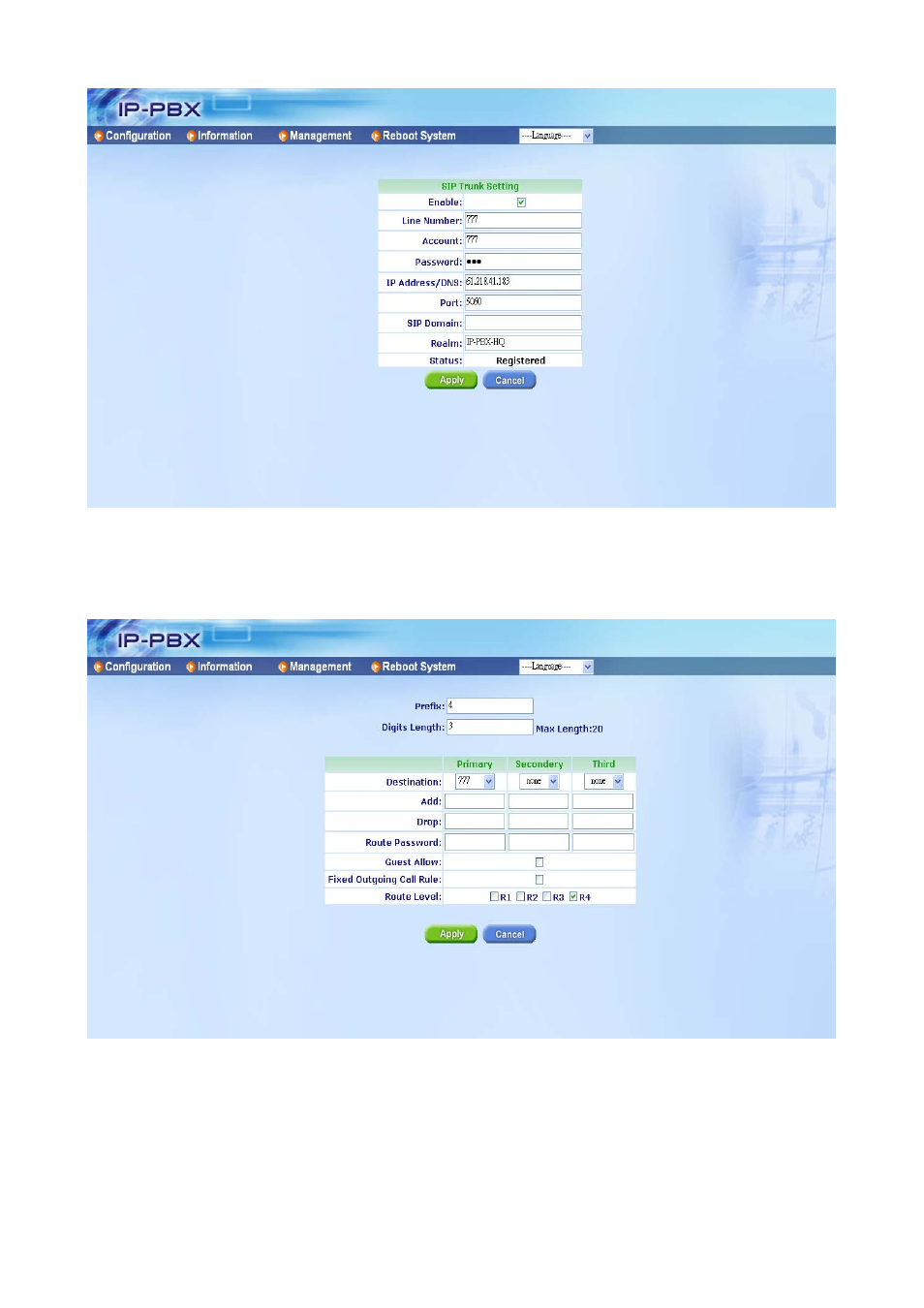
Step 3: set routing table – Welltech ePBX-100A-128 User Manual
Page 115
Advertising
See also other documents in the category Welltech Communication:
- LP-201 Apr-07-2004 (65 pages)
- LP-388A Oct-12-2007 (100 pages)
- LP-389 v.1.06 Operation Guide (58 pages)
- LP-388 Release 103 (97 pages)
- LP-389 v.1.06 Administrator Guide (31 pages)
- LP-388 Mar-05-2007 (95 pages)
- LP-803 Installation (5 pages)
- LP-389 HTTP (18 pages)
- LP-803 v.3.07 (90 pages)
- WellGate M1 (58 pages)
- IP-380 v.1.0 (104 pages)
- WG2808 V.1.01 (95 pages)
- VoIP ATA series V.300 (114 pages)
- VoIP ATA series V.2.1 (153 pages)
- WG2626 V.1.00 (33 pages)
- WG26xx Series V.1.08 (95 pages)
- FXS SIP Gateway V.2.3 (133 pages)
- FXSO Gateway In SIP V.1.2 (100 pages)
- ePBX40 V.2.0 (128 pages)
- ePBX80 V.1.0 (129 pages)
- SIPPBX 6200A (132 pages)
- SIPPBX 6200 V.1.0 Quick Start (43 pages)
- SIPPBX 6200 V.3.1.1 (214 pages)
- SIPPBX 6200 V.x.2 (225 pages)
- SIPPBX 6200 V.1.0 Attendant Console (18 pages)
- SIPPBX 6200 V.x.2 Quick Start (41 pages)
- SPCI4 Boards (37 pages)
- CPM8 Intel NetStructure SS7 Boards (107 pages)
- WG5260 V.6.2 (137 pages)
- WG5260 V.6.1 (136 pages)
- WS6500-B (13 pages)
- Dialogic SS7 Protocols ISUP (203 pages)
- WR5100 V.1.0 (33 pages)
- WG5290 (149 pages)
- WellBG 5800 V.1.0 (46 pages)
- WellBG 5800 V.1.3 (50 pages)
- WellRec 5600 V.1.0 (44 pages)
- WellRec 5600 V.1.1.2 (42 pages)
- IP Centrex 6850 V.1.5 (83 pages)
- WS 6600 V.2.0 (161 pages)
- WPoE-808 (3 pages)
- WeIIBilling 6600 V.1.5 (136 pages)
- SIPIVR 6800S V.2.1 (129 pages)