Grass Valley Aurora Playout v.7.0 User Manual
Page 74
Advertising
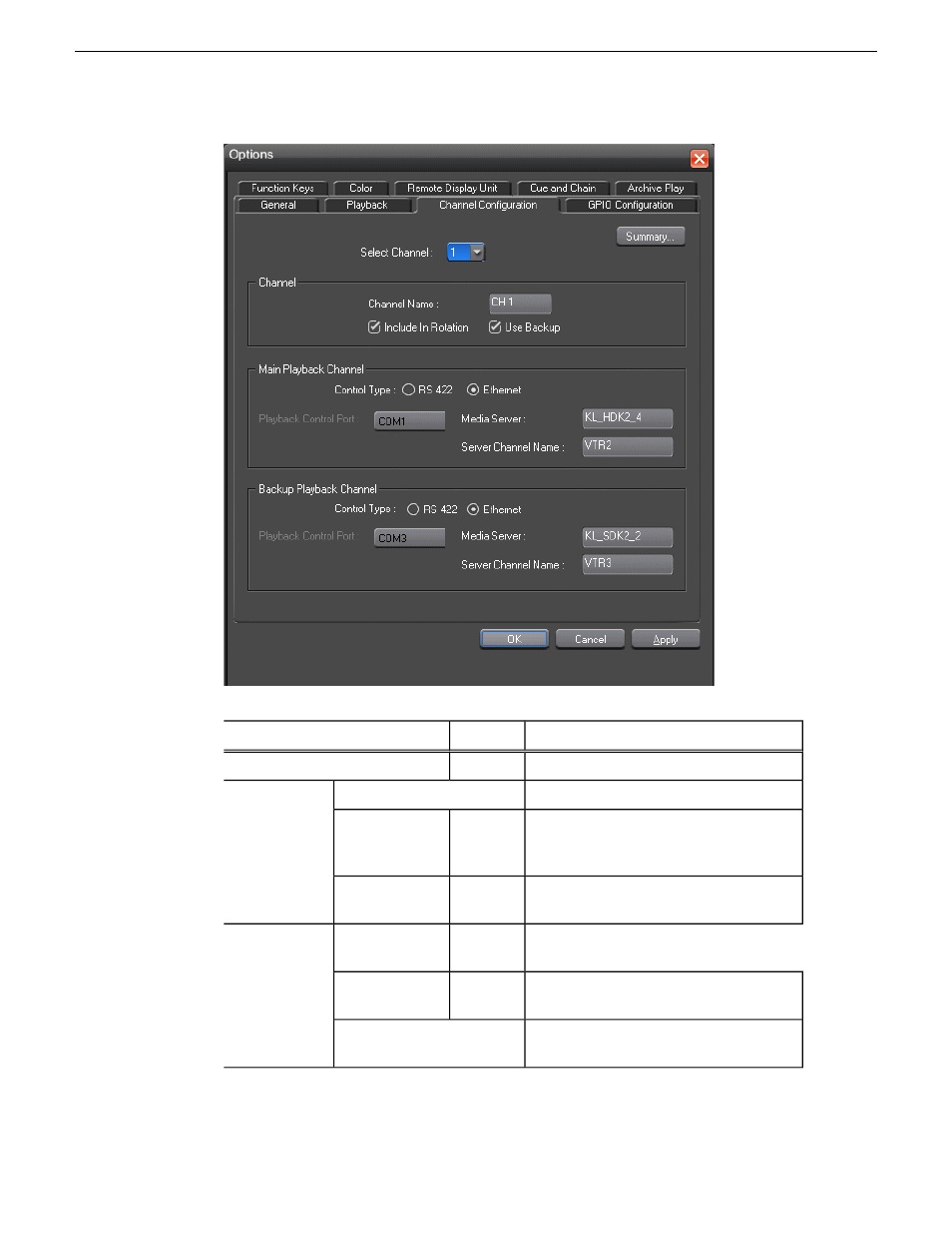
Description
Options
Setting
Select the channel to configure.
1-6
Select Channel
Enter a label name for the channel.
Channel Name
Channel
Check Include in Rotation to include this
channel when automatically assigning
channels.
On; Off
Include in
Rotation
Check Use Backup if you are using a
second media server for mirrored playback.
On; Off
Use Backup
Select the type of channel connection.
RS 422;
Ethernet
Control Type
Main Playback
Channel/Backup
Playback
Channel
Select the primary port for this channel.
Playback
Control Port
Enter the name of the K2 Media Client,
K2 Summit Production Client or M-Series.
Media Server
74
Aurora Playout User Guide
14 April 2010
Configuring Aurora Playout
Advertising