7 tripod adapter plate, Installation | tripod adapter plate 2-8 – Grass Valley LDK 500 User Manual
Page 21
Installation | Tripod adapter plate
2-8
2.7
Tripod adapter plate
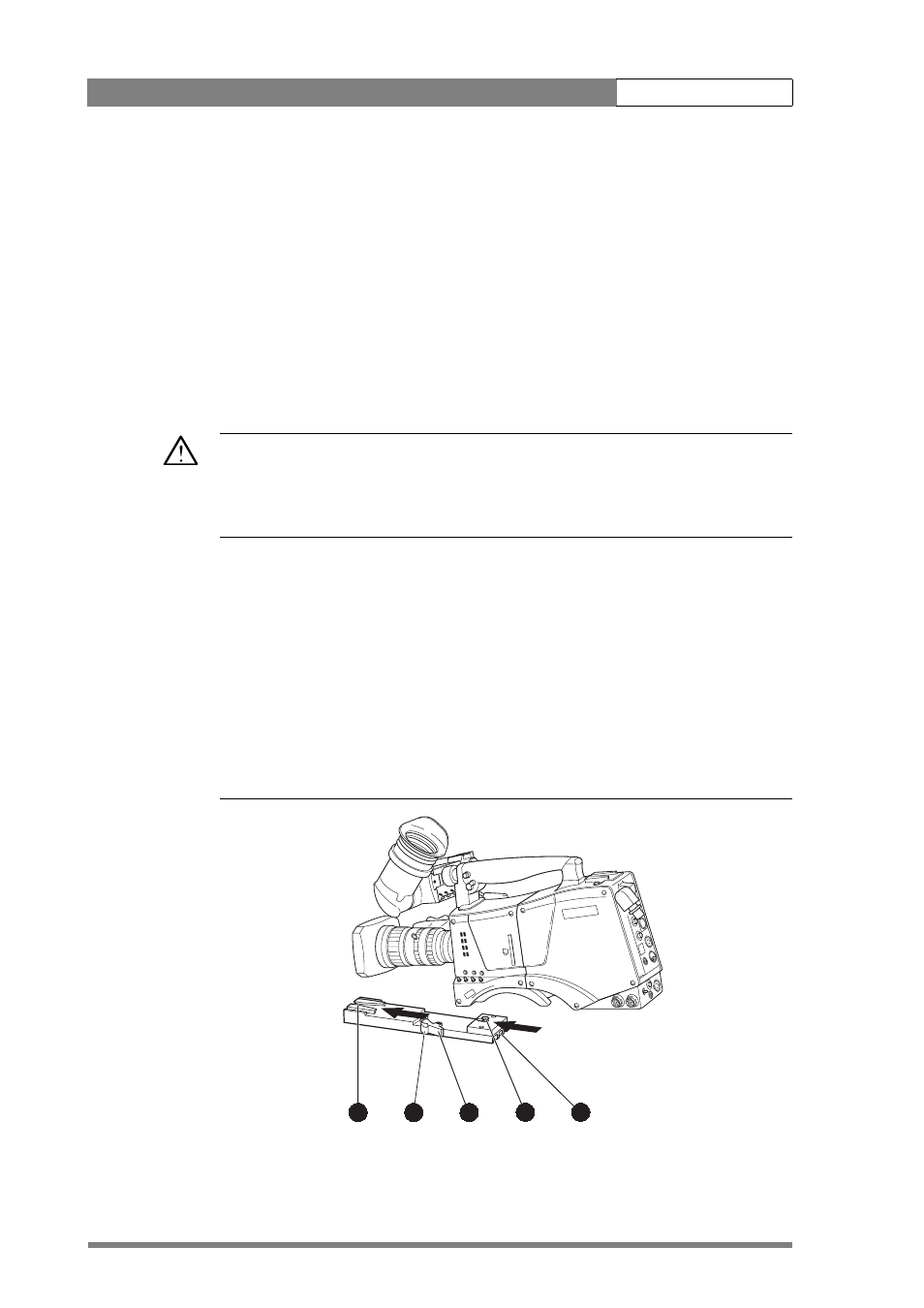
To mount the camera on a tripod, the tripod plate (LDK 5031/00 is delivered as
standard) must first be attached to the tripod. Follow the tripod manufacturer’s
instructions to mount the wedge plate supplied with the tripod and the tripod adapter
plate firmly onto the tripod. Attach the camera to the tripod adapter plate as follows:
1.
Slide the camera horizontally along the tripod adapter plate from back to front
ensuring that the front of the camera engages the V-slot (1) at the front of the
tripod adapter plate, and that the slot on the bottom of the camera engages
the stud (2) at the rear of the tripod adapter plate.
2.
Firmly push the camera forward until it clicks into place.
Caution
Failure to attach the camera to the tripod adapter plate in the correct manner could
result in an unsecured camera. Ensure that the rear stud (2) is engaged and that the
camera clicks into place.
Remove the camera from the tripod as follows:
1.
Press the red locking lever (3) against release handle (4) on the tripod adapter
plate and hold.
2.
Ensure that you have a firm hold of the camera.
3.
Pull the release handle (4) forward.
4.
Move the camera backwards and up. The camera is now free from the tripod
adapter plate.
Figure 2-8. Tripod adapter plate
Clear
Clear
A 1
Star 4P
ND1/4
B 2
Star 6P
ND 1/16
C 3
Soft focus
ND 1/64
D 4
3
2
1
4
5