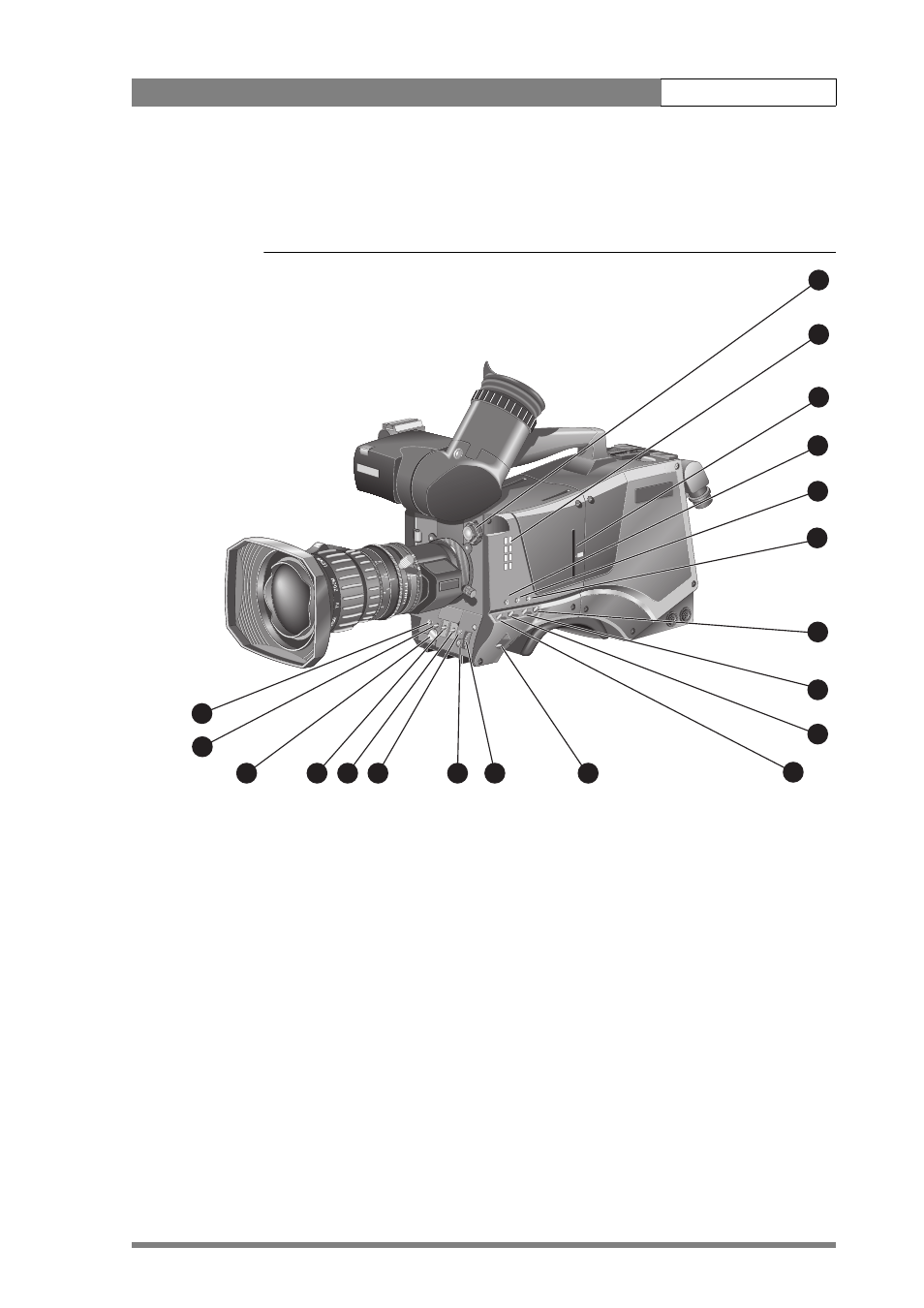
1 camera head controls, Operating instructions | camera head controls 4-3, Figure 4-1. camera head controls – Grass Valley LDK 500 User Manual
Page 42
Operating instructions | Camera head controls
4-3
4.1
Camera head controls
Figure 4-1. Camera head controls
Tracker
Aux
Start
V
shift
Exp.
Time
White
Bal
Clean
scan
Nom
. leve
l
A
B
C
D
Clear
Star 4P
Star 4P
Effect
Clear
ND 1/4
ND 1/16
ND 1/6
4
SW1
SW2
Std.
File
Power
on
Sma
rt
Car
d
Power
off
1
2
3
4
11
6
1
3
4
5
7
8
9
10
14
13
12
15
16
17
18
19
2
1.
Filter wheel switches
2.
Filter wheel indicators
3.
Camera card slot
4.
SW1 (assignable button 1)
5.
SW2 (assignable button 2)
6.
Standard scene file button (Std.)
7.
Black stretch switch
8.
Colour temp. switch (White bal.)
9.
Colour bars switch (Bars)
10. Gain selection switch
11. Power On/Off switch
12. Menu rotary control
13. Menu select switch
14. Clean Scan button
15. White balance switch
16. Exposure time switch
17. Volume control (Audio Level)
18. Vertical shift switch (V-Shift)
19. VTR Start (assignable button 3)
The digital zoom control on the front of the carrying handle varies the zoom on digital lenses only. There
are mini-button controls for the VTR start/stop and VTR Ret. functions located under the front of the
carrying handle.