Grass Valley T2 Classic iDDR User Manual
Page 21
Advertising
October 17, 2011
T2 Users Manual –SP3/SP4–
21
Workflow using XDCAM
CAUTION: If you want to use Chinese for file names, you must set the character set
of file names to UTF-8 on the FTP client side beforehand. Correct file names cannot
be displayed if the character sets do not match. The configuration method depends
on your software. Refer to the help etc. of your software.
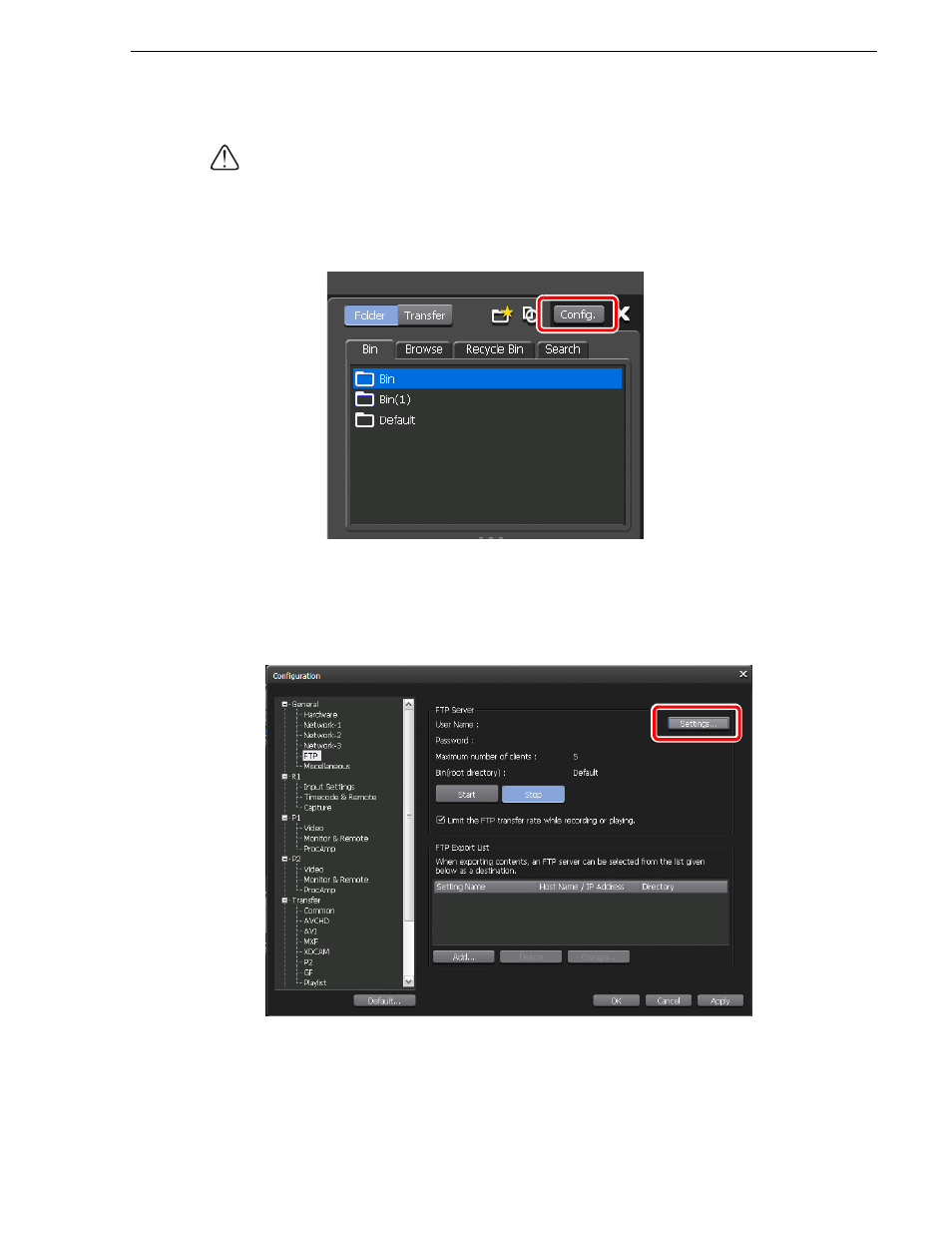
1. Click
Config.
2. Click
Network-1
in the "General" tree.
3. Configure the IP address and DNS server address.
4. Click
FTP
in the "General" tree.
5. Click
Settings...
• To change the settings, you must first stop FTP and then click
Settings...
6. Configure the FTP server settings, and then click
OK
.
Advertising