Rugged Cams Vertex & Vertex RTH User Manual
Page 43
42
4-12-4 Backup in Playback Mode
①
In Playback mode, select {Playback Menu} ( {Copy} ( {Backup}. Any playback in
progress at this time will stop.
②
The automatic backup time is set to 5 minutes before the Copy (Backup) button is
pressed, and the end time, to the time the Copy (Backup) button is pressed.
③
All channels containing data at the time of backup are backed up automatically.
Depending on the divided screen mode, however, only those channels that can be
viewed may be selected.
④
For the remaining backup procedures, see {Backup} ( {Common Backup Procedure}.
4-12-5 Common Backup Process
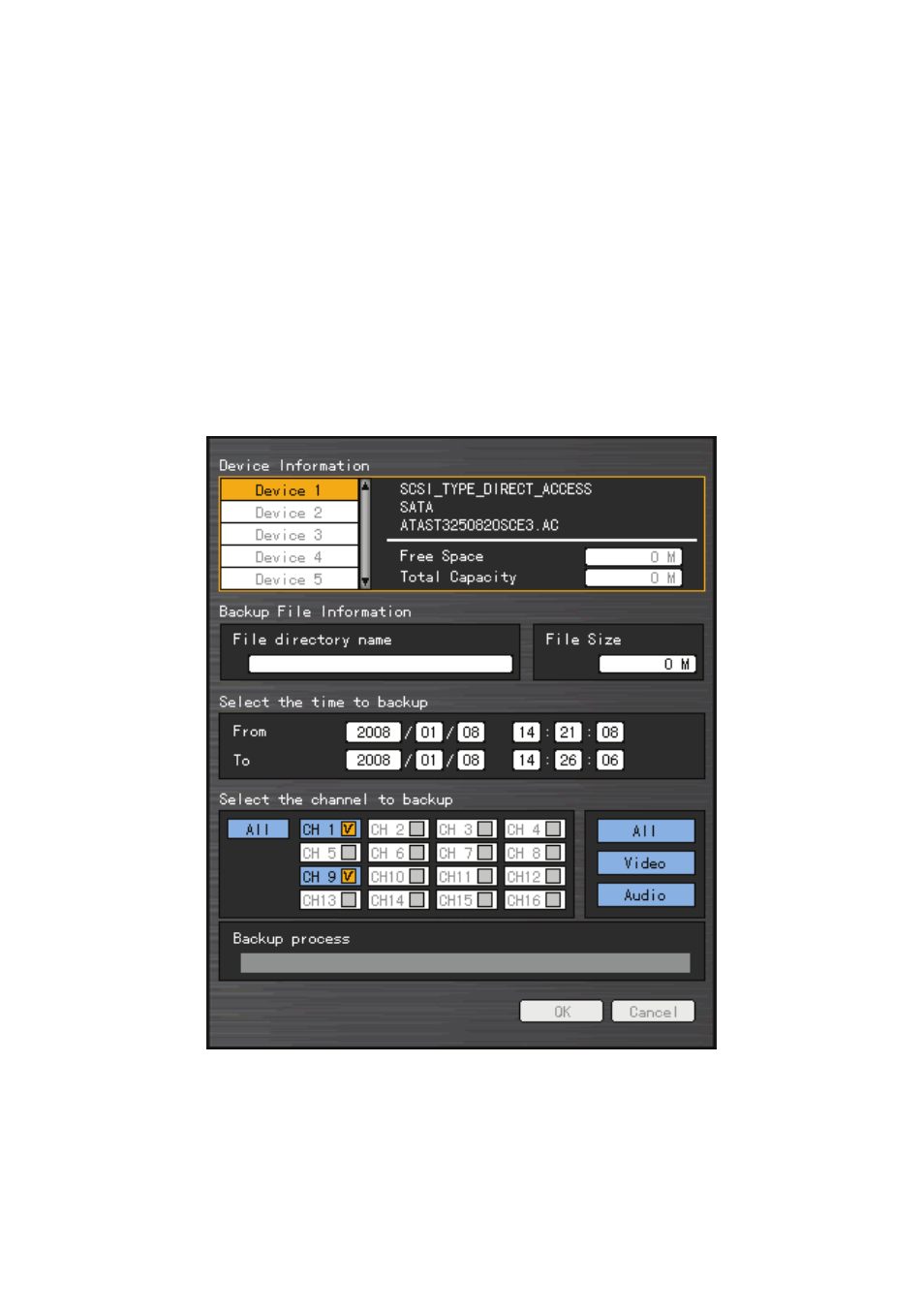
[Figure 4-12. Backup Window]
①
Figure 4-12 shows the initial backup window menus.
②
A list of devices that can be selected as well as simple information on the currently
selected devices are outputted.
③
Selecting a device by pressing the [SELECT] button causes the free space and total