Rugged Cams Vertex & Vertex RTH User Manual
Page 62
61
1) Selecting the system menu
①
On the initial Main Setup window shown in Figure 5-1, select the system using the arrow
keys and the Select button.
②
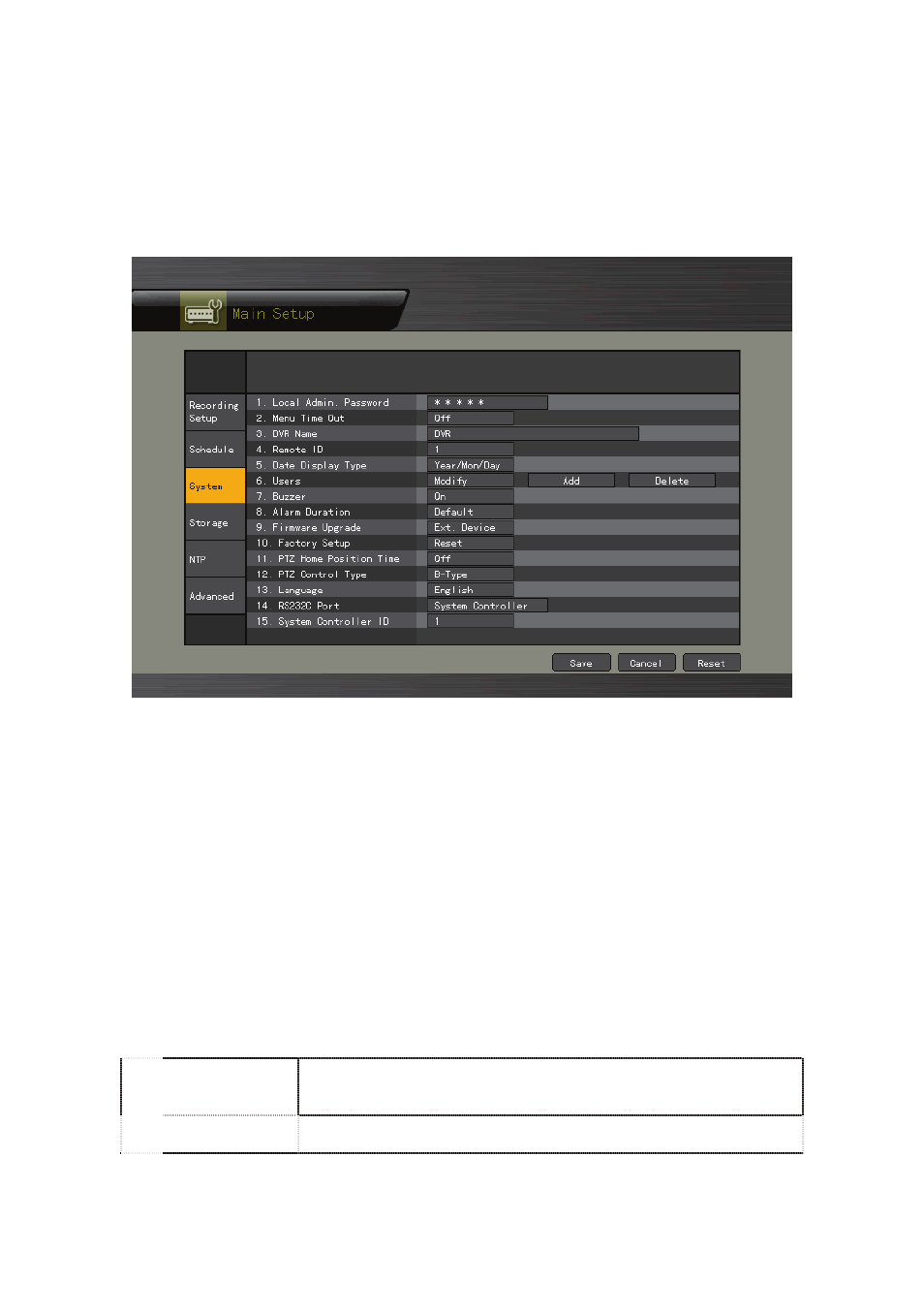
The system configuration menu will then appear as shown in Figure 5-7.
[Figure 5-7. System Setup Window]
2) {Local Administrator’s Password}
①
Select {Local Administrator’s Password} using the arrow keys and the Select button.
②
On the password input window, enter a password using the numeric buttons of the
remote controller or the arrow keys and the Select button (the password can contain up
to five digits).
3) {Automatic Menu Exit}
If no input is made in the System Setup menu using the front buttons, remote controller, or
mouse, the system automatically shifts to real-time monitoring mode.
①
Select {Automatically Exit Menu} using the arrow keys and the Select button.
②
On the selection window, select the time you want to set using the arrow keys and the
Select button.
OFF
Automatic Menu Exit is not used.
※
The user can exit the menu by pressing the [ESC] button in the
System menu.
10/20/30
seconds
If there is no input using the front button, remote controller, or mouse,
the system will shift to real-time monitoring mode.