1 stp bridge settings – PLANET FGSW-1816HPS User Manual
Page 66
User’s Manual of FGSW-1816HPS
66
The switch with the lowest Bridge ID (switch C) was elected the root bridge, and the ports were selected to give a high port cost
between switches B and C. The two (optional) Gigabit ports (default port cost = 20,000) on switch A are connected to one
(optional) Gigabit port on both switch B and C. The redundant link between switch B and C is deliberately chosen as a 100 Mbps
Fast Ethernet link (default port cost = 200,000). Gigabit ports could be used, but the port cost should be increased from the
default to ensure that the link between switch B and switch C is the blocked link.
This section has the following items:
。
STP Bridge Settings
Configures STP Bridge settings
。
STP Port Settings
Configure STP port setting
。
Loopback Detection
Configuration Loopback Detection settings
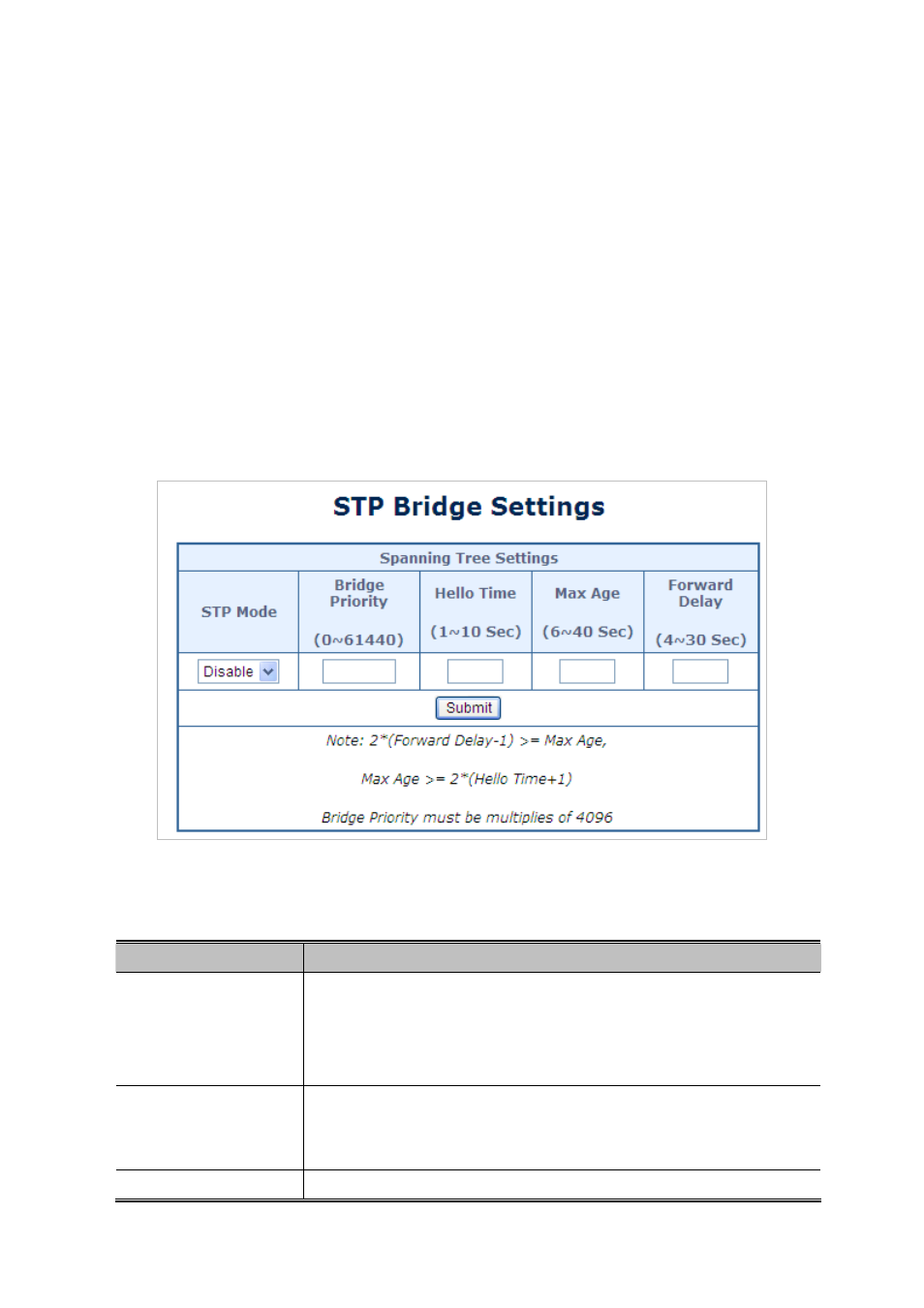
4.7.1 STP Bridge Settings
The STP System Configuration screen in
Figure 4-7-4
appears.
Figure 4-7-4
STP Bridge Setting page screenshot
The page includes the following fields:
Object
Description
STP Mode
Select STP mode for this drop-down list.
-Disable
-STP
-RSTP
Bridge Priority
(0~61440)
Controls the bridge priority. Lower numeric values have better priority. The bridge
priority plus the MSTI instance number, concatenated with the 6-byte MAC
address of the switch forms a Bridge Identifier.
Hello Time
(1~10 Sec)
The time that controls the switch to send out the BPDU packet to check STP