PLANET GS-4210-8P2S User Manual
Page 301
User’s Manual of GS-4210 Series
■
Tx only
■
Rx only
■
TxRx
■
Disabled
Port Select
Select port for this drop down list
Optional TLV Select
Configures the information included in the TLV field of advertised messages.
System Name: When checked the "System Name" is included in LLDP
information transmitted.
Port Description: When checked the "Port Description" is included in
LLDP information transmitted.
System Description: When checked the "System Description" is
included in LLDP information transmitted.
System Capability: When checked the "System Capability" is included
in LLDP information transmitted.
802.3 MAC-PHY: When checked the "802.3 MAC-PHY" is included in
LLDP information transmitted.
802.3 Link Aggregation: When checked the "802.3 Link Aggregation" is
included in LLDP information transmitted.
802.3 Maximum Frame Size: When checked the "802.3 Maximum
Frame Size" is included in LLDP information transmitted.
Management Address: When checked the "Management Address" is
included in LLDP information transmitted.
802.1 PVID: When checked the "802.1 PVID" is included in LLDP
information transmitted.
Buttons
: Click to apply changes
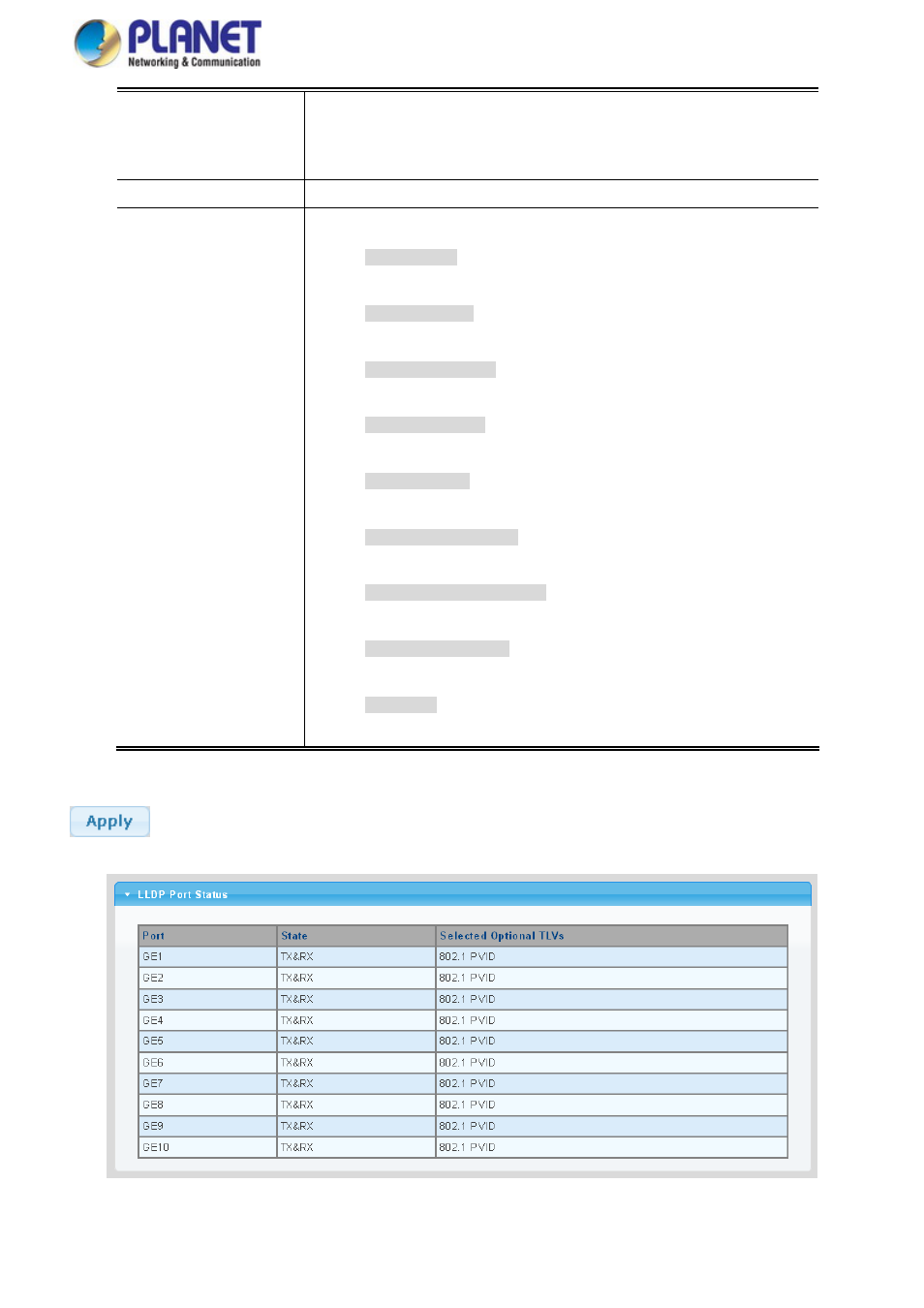
Figure 4-12-4 LLDP Port Status Page Screenshot
301