Canon PowerShot SX720 HS User Manual
Page 114
114
Before Use
Basic Guide
Advanced Guide
Index
Camera Basics
Auto Mode /
Hybrid Auto Mode
Other Shooting Modes
P Mode
Tv, Av, and M Mode
Playback Mode
Wi-Fi Functions
Setting Menu
Accessories
Appendix
●
Press the [ ][ ][ ][ ] buttons or turn
the [ ] dial to choose an image to
send, press the [ ] button to mark it
as selected ([ ]), and then press the
[
] button.
●
Press the [ ][ ] buttons or turn the [ ]
dial to choose [OK], and then press the
[ ] button.
●
Press the [ ][ ][ ][ ] buttons or turn
the [ ] dial to choose [Send], and then
press the [ ] button.
●
[Transfer completed] is displayed after
the image is sent, and the image transfer
screen is displayed again.
●
To end the connection, press the
[
] button, choose [OK] on the
confirmation screen (either press the
[ ][ ] buttons or turn the [ ] dial), and
then press the [ ] button. You can
also use the smartphone to end the
connection.
2
Establish the connection.
●
Make sure the camera is off or in
Shooting mode.
●
Touch the N-Mark ( ) on the smartphone
with Camera Connect installed against
the camera’s N-Mark.
●
The camera starts up automatically.
●
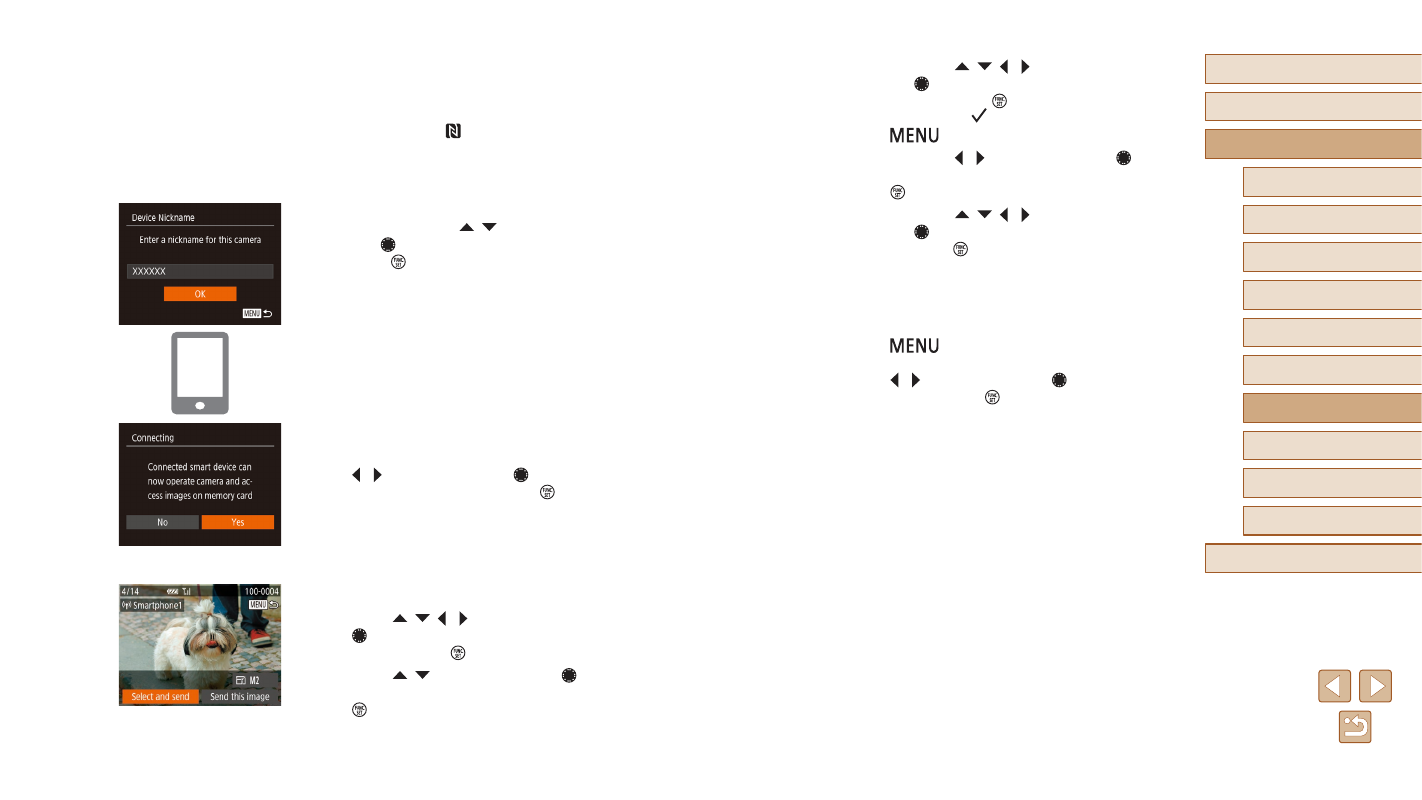
If the [Device Nickname] screen is
displayed, press the [ ][ ] buttons or
turn the [ ] dial to choose [OK], and then
press the [ ] button.
●
Camera Connect is started on the
smartphone.
●
The devices are connected automatically.
3
Adjust the privacy setting.
●
When this screen is displayed, press
the [ ][ ] buttons or turn the [ ] dial to
choose [Yes], and then press the [ ]
button.
●
You can now use the smartphone to
browse, import, or geotag images on the
camera or shoot remotely.
4
Send images.
●
Press the [ ][ ][ ][ ] buttons or turn
the [ ] dial to choose [Select and send],
and then press the [ ] button.
●
Press the [ ][ ] buttons or turn the [ ]
dial and select [Select], and then press
the [ ] button.