Renaming midi templates, 6 renaming midi templates – Native Instruments KOMPLETE KONTROL S88 MK2 88-Key Controller for KOMPLETE User Manual
Page 112
Advertising
9.6
Renaming MIDI Templates
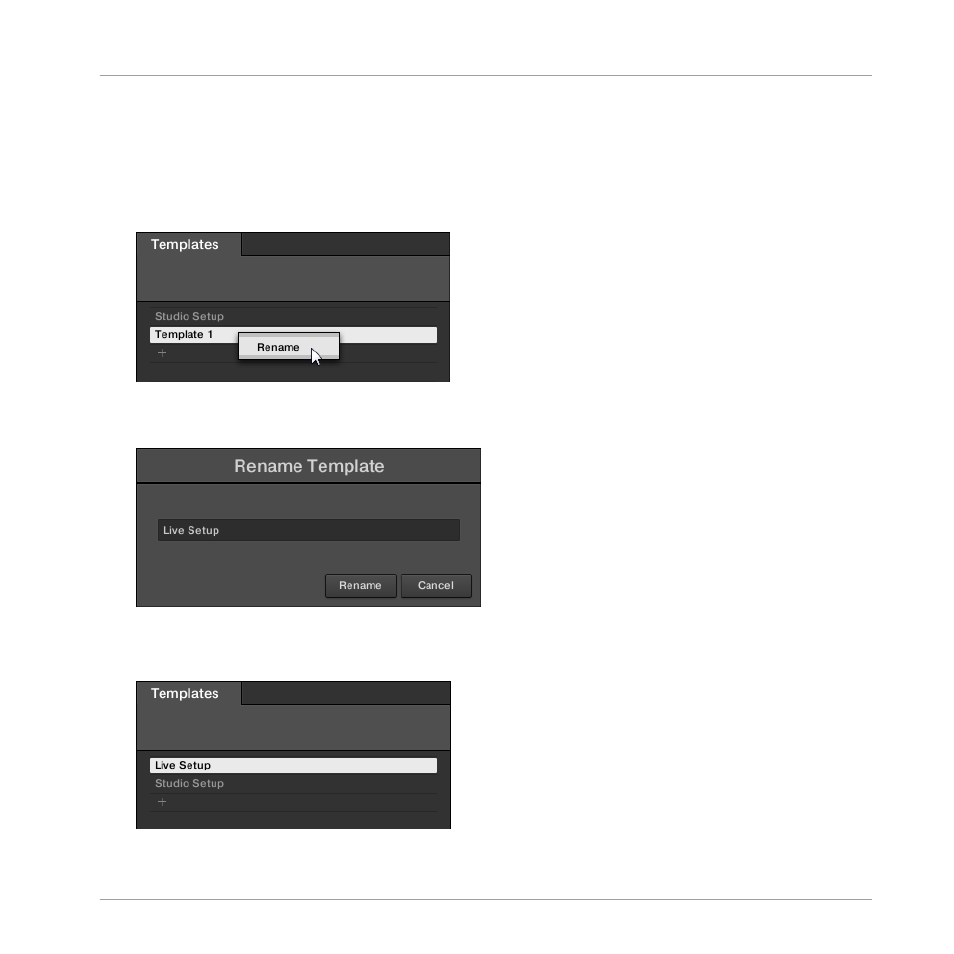
If you want to change the name of an existing MIDI Template, proceed as follows:
1.
Right-click the MIDI Template and select
Rename
from the context menu.
⇨
The
Rename Template
dialog with the current MIDI Template name appears.
2.
Enter the desired MIDI Template name.
3.
Click
Rename
to confirm.
→
The MIDI Template name has changed.
Using the MIDI Assignment Editor
Renaming MIDI Templates
KOMPLETE KONTROL S-Series - Manual - 112
Advertising