Setting the scale parameters, Scale root note, 6 setting the scale parameters – Native Instruments KOMPLETE KONTROL S88 MK2 88-Key Controller for KOMPLETE User Manual
Page 224: Available scale parameters
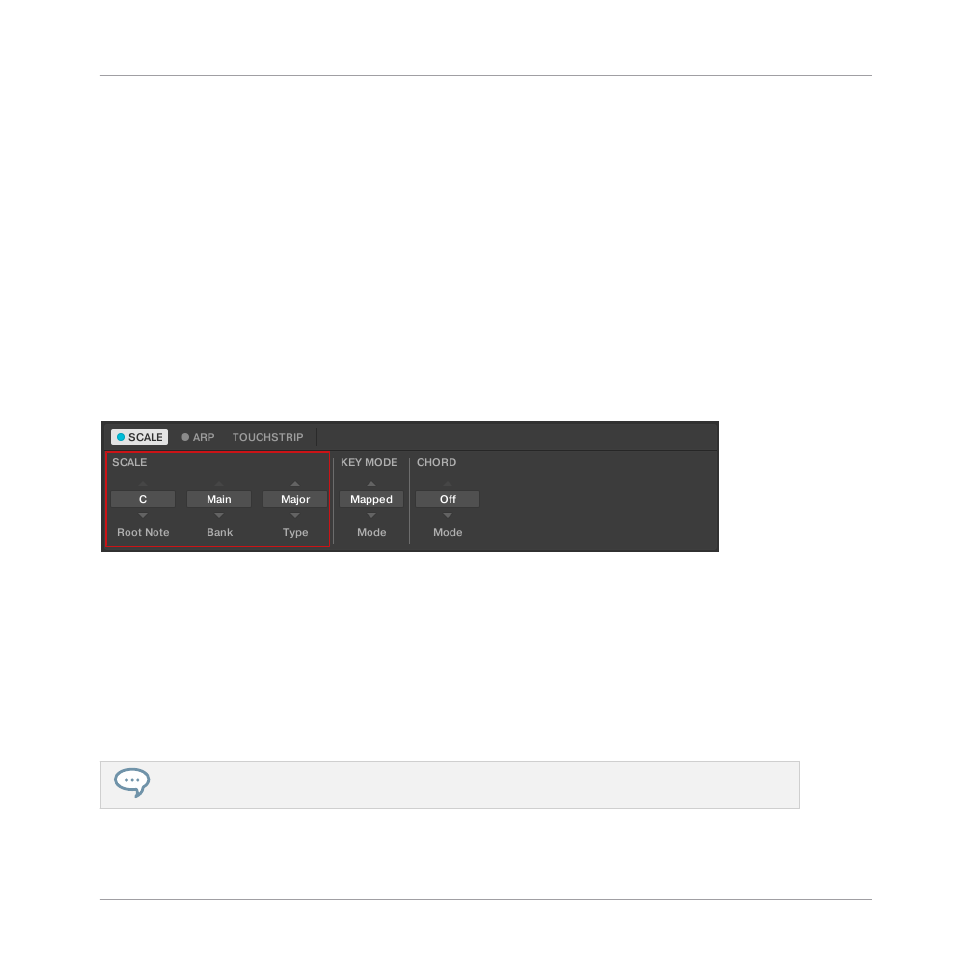
Available SCALE Parameters
▪
To select the scale to be mapped to the keys of the keyboard and set its root note, use the
SCALE
parameters
Root Note
,
Bank
, and
Type
.
▪
To define how the selected scale is mapped to the keys of the keyboard, use the
KEY MODE
parameter.
▪
To automatically generate custom chords while playing on the keyboard, use the
CHORD
parameters
Mode
,
Type
, and
Position
.
15.6 Setting the SCALE Parameters
The
SCALE
parameters
Root Note
,
Bank
, and
Type
allow you to select the scale to be mapped
to the keys of the keyboard and set its root note.
The
SCALE
parameters
Root Note
,
Bank
, and
Type
.
15.6.1 SCALE Root Note
The first
SCALE
parameter is
Root Note
. On the keyboard, it is mapped to Knob 1 of the Con-
trol section in Scale Edit mode. Setting the root note of a scale means deciding what key the
scale will begin with. The following notes of the scale depend on which scale pattern you se-
lect with the
SCALE
Type
parameter (see below). You can transpose any scale pattern up or
down by selecting a different
Root Note
.
The Light Guide indicates the selected
Root Note
via fully lit LEDs, while other active keys are half-
lit.
The
Root Note
setting includes the following values:
Smart Play – Playing and Editing Scales and Chords
Setting the SCALE Parameters
KOMPLETE KONTROL S-Series - Manual - 224