16, smart play – playing and editing, Arpeggiator sequences, For details – Native Instruments KOMPLETE KONTROL S88 MK2 88-Key Controller for KOMPLETE User Manual
Page 241: 16, smart play – playing and editing ar, Peggiator sequences
16
Smart Play – Playing and Editing Arpeggiator Sequences
Smart Play features a flexible and versatile Arpeggiator that lets you play your Instruments in
note sequences according to the keys you press on the keyboard. You can also use the Arpeg-
giator in combination with the scales and chords created with the Scale engine. To play an ar-
peggiated note sequence you only need to press any key on the KOMPLETE KONTROL key-
board or receive an incoming MIDI note from the host.
Activating the Arpeggiator in the KOMPLETE KONTROL Software
►
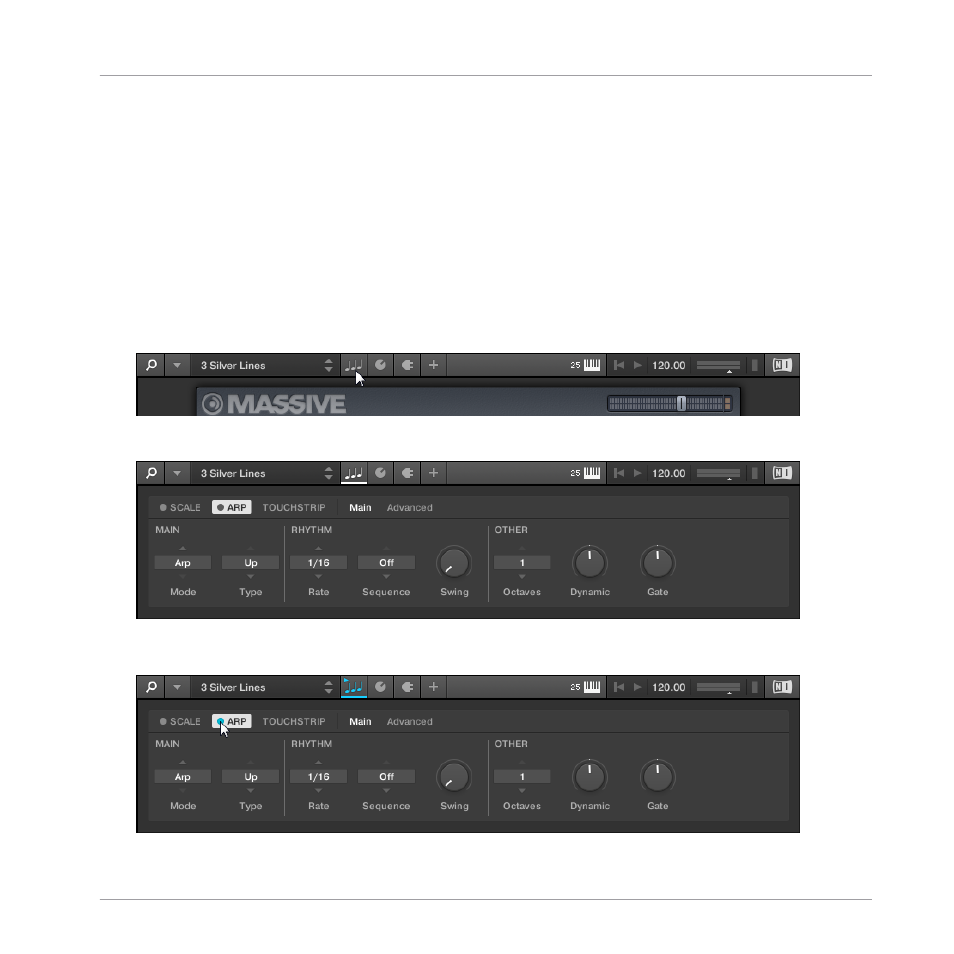
Click the Perform panel button in the Header to show the Perform panel.
→
The Perform panel appears in KOMPLETE KONTROL.
►
To switch on the Arpeggiator, click the blue check box next to
ARP
in the Perform panel
so it is filled.
Smart Play – Playing and Editing Arpeggiator Sequences
KOMPLETE KONTROL S-Series - Manual - 241