Duplicating and removing sections – Native Instruments MASCHINE MK3 Groove Production Studio (Black) User Manual
Page 144
1.
Press
SHIFT
+
SCENE
(
Section
) to access the Arranger view (if you are not already in the
Arranger view).
2.
Press the
SCENE
(
Section
) button to enter the Section page.
3.
Press Button 1 to pin the page if required.
4.
Select the pad representing the Section you want to adjust.
5.
Turn Knob 4 to adjust the length of the Section as required. Turning the Knob left will
shorten the Section, turning it right will lengthen the Section.
6.
Press
SHIFT
and turn Knob 4 to change the Section length in smaller increments.
→
The Section length is adjusted accordingly.
10.2.2 Duplicating and Removing Sections
MASCHINE offers you various editing tools for Section slots. Here are some examples using
your controller and a few more using the MASCHINE software.
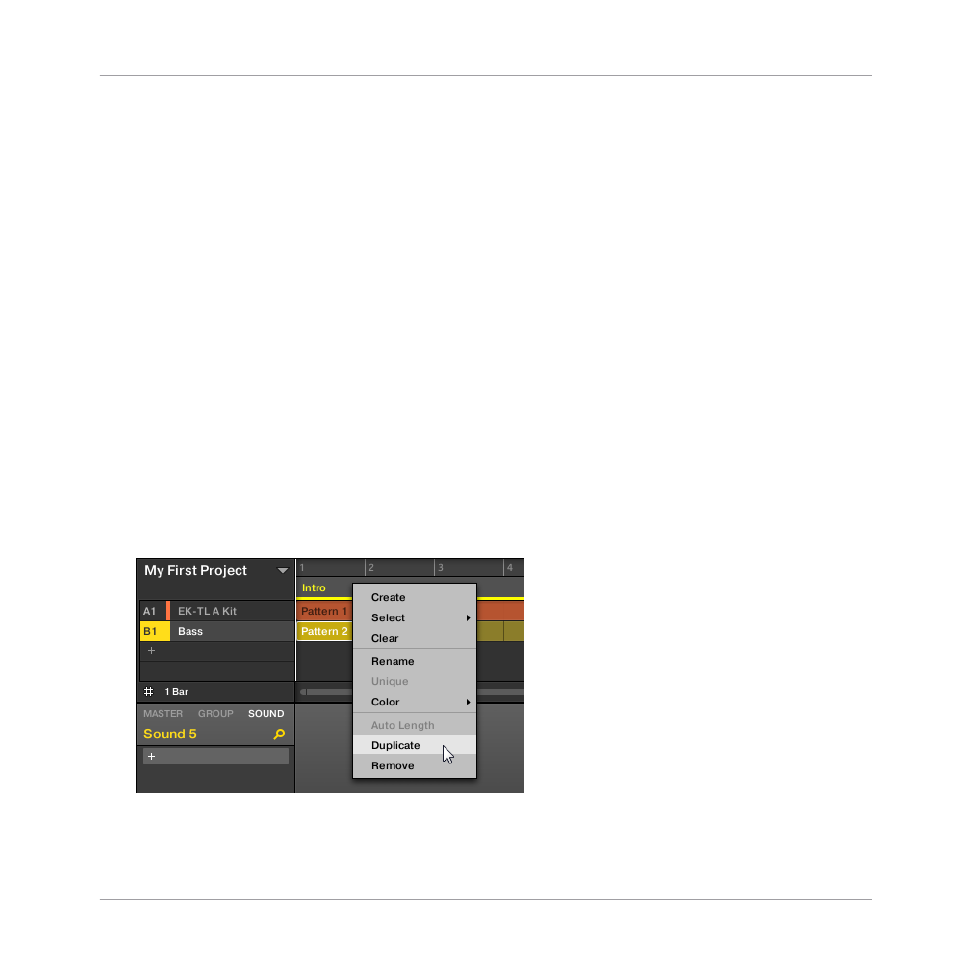
10.2.2.1 Duplicating and Removing Sections in the MASCHINE Software
To duplicate a Section in the Arranger:
►
Right-click for example the Section slot 2 and click
Duplicate
in the context menu.
Creating an Arrangement
Managing Sections
MASCHINE - Getting Started - 144