Native Instruments MASCHINE MK3 Groove Production Studio (Black) User Manual
Page 158
Advertising
▪
In the upper half of the software, the Ideas view (4) allows you to combine your Patterns
from each Group.
▪
Here you combine your Patterns (1) into Scenes (3).
Arranger View
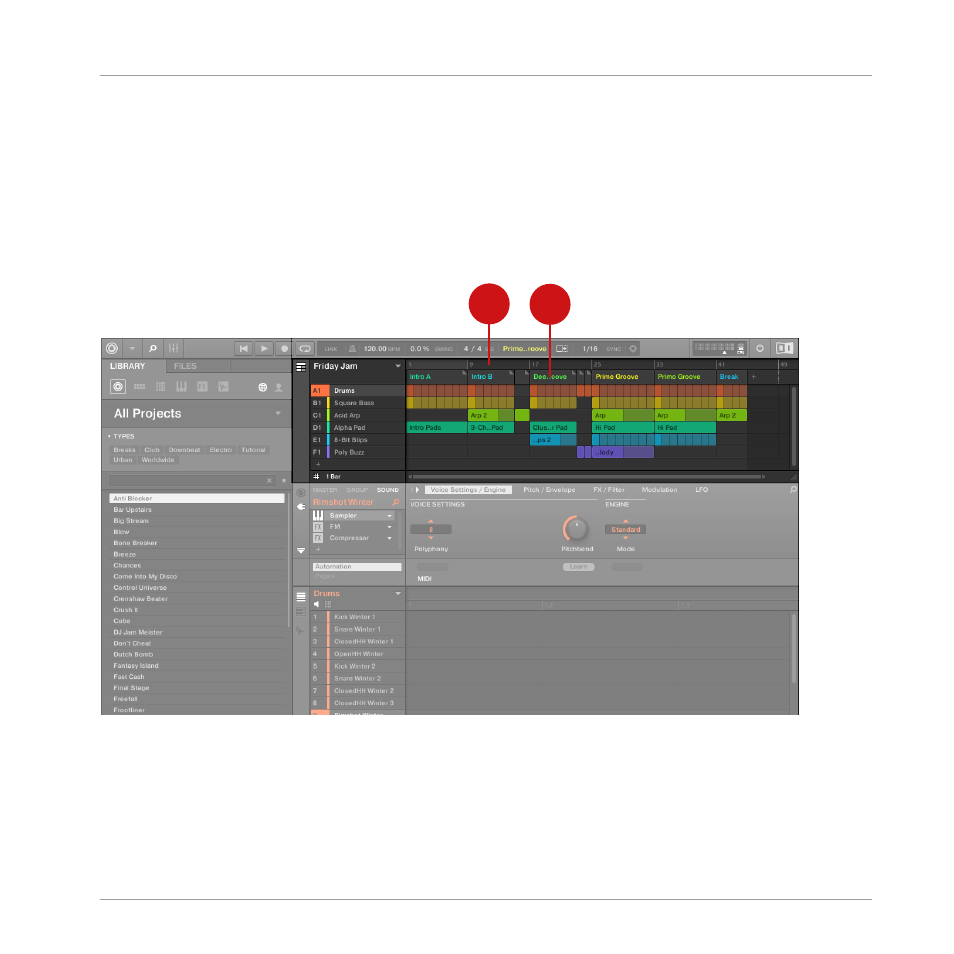
In the Arranger view Scenes are assigned to Sections and placed on the Timeline of the Ar-
ranger, where you can move them around to develop an arrangement.
1
2
The Arranger view of a MASCHINE Project.
The workflow of creating an arrangement in MASCHINE is as follows:
▪
Create Sections on the Timeline of the Arranger (1).
▪
Assign each Scene to a Section (2).
Quick Reference
MASCHINE Project Overview
MASCHINE - Getting Started - 158
Advertising