Accessing the plug-in parameters in the software, 1 accessing the plug-in parameters in the software – Native Instruments MASCHINE MK3 Groove Production Studio (Black) User Manual
Page 98
Advertising
6.5.1
Accessing the Plug-in Parameters in the Software
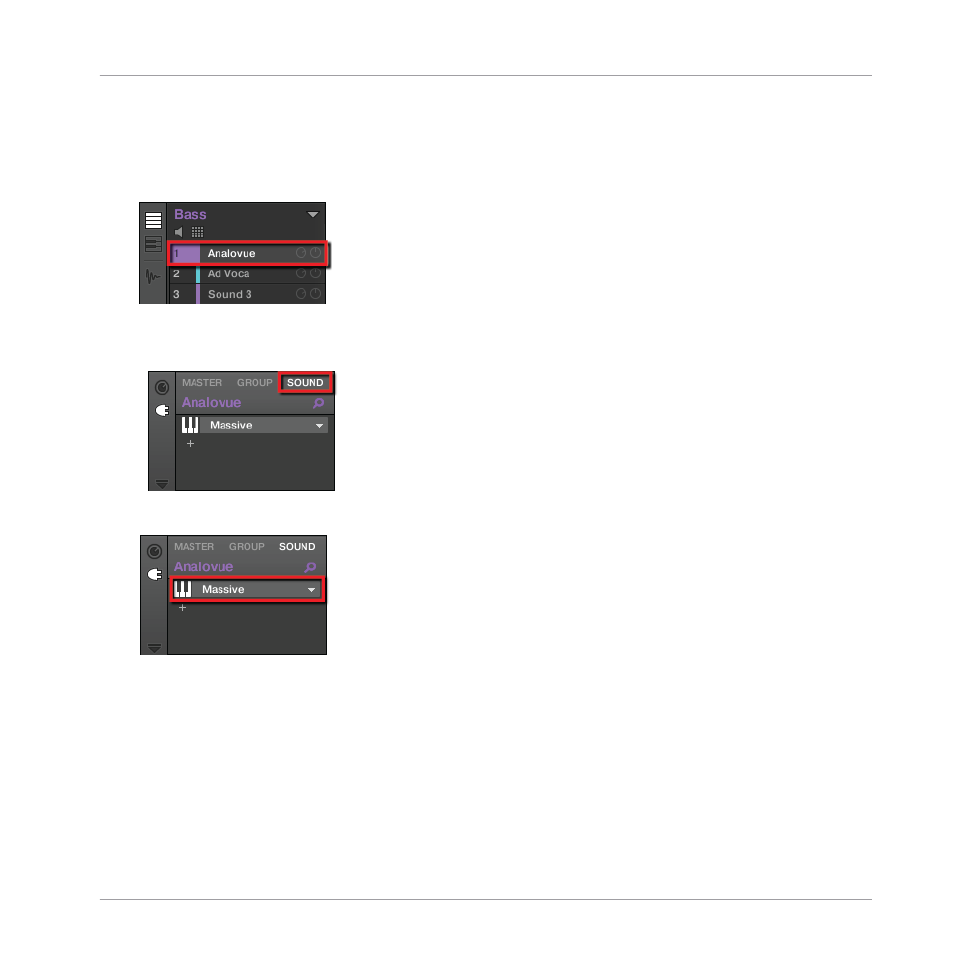
1.
At the left of the Pattern Editor, click the Sound slot’s name (
Analovue
) to select that
Sound slot.
2.
In the top left part of the Control area, click the
SOUND
tab to select it (it should be
highlighted).
3.
In the Plug-in List below, click
Massive
to select it.
→
The Control area now displays the parameters of your bass Sound “Analovue.” You can
check this by looking in the left part of the Control area:
Adding a Bass Line
Accessing the Plug-in Parameters
MASCHINE - Getting Started - 98
Advertising