FujiFilm X-T5 Mirrorless Camera (Silver) User Manual
Page 101
75
5
T
a
k
ing Phot
og
raphs
P, S, A, and M Modes
O
•
If the correct exposure cannot be achieved at the selected shutter
speed, aperture will be displayed in red.
•
If the subject is outside the metering range of the camera, the aper-
ture display will show “– – –”.
•
To use the shutter speed dial, press the dial lock release and rotate the
dial to the desired setting.
•
If the lens is not equipped with an aperture ring, select
AUTO
for
D
BUTTON/DIAL SETTING
>
APERTURE SETTING
.
N
•
Shutter speed can also be adjusted in increments of 1⁄3 EV by rotating
the rear command dial.
•
Shutter speed can be adjusted while the
AFON
button is pressed or
the shutter button is pressed halfway.
•
At shutter speeds slower than 1 second, a count-down timer will be
displayed while the exposure is in progress.
•
To reduce “noise” (mottling) in long time-exposures, select
ON
for
H
IMAGE QUALITY SETTING
>
LONG EXPOSURE NR
. Note that
this may increase the time needed to record images after shooting.
•
The picture will go out of focus if the camera is moved during a long
time-exposure; use of a tripod is recommended.
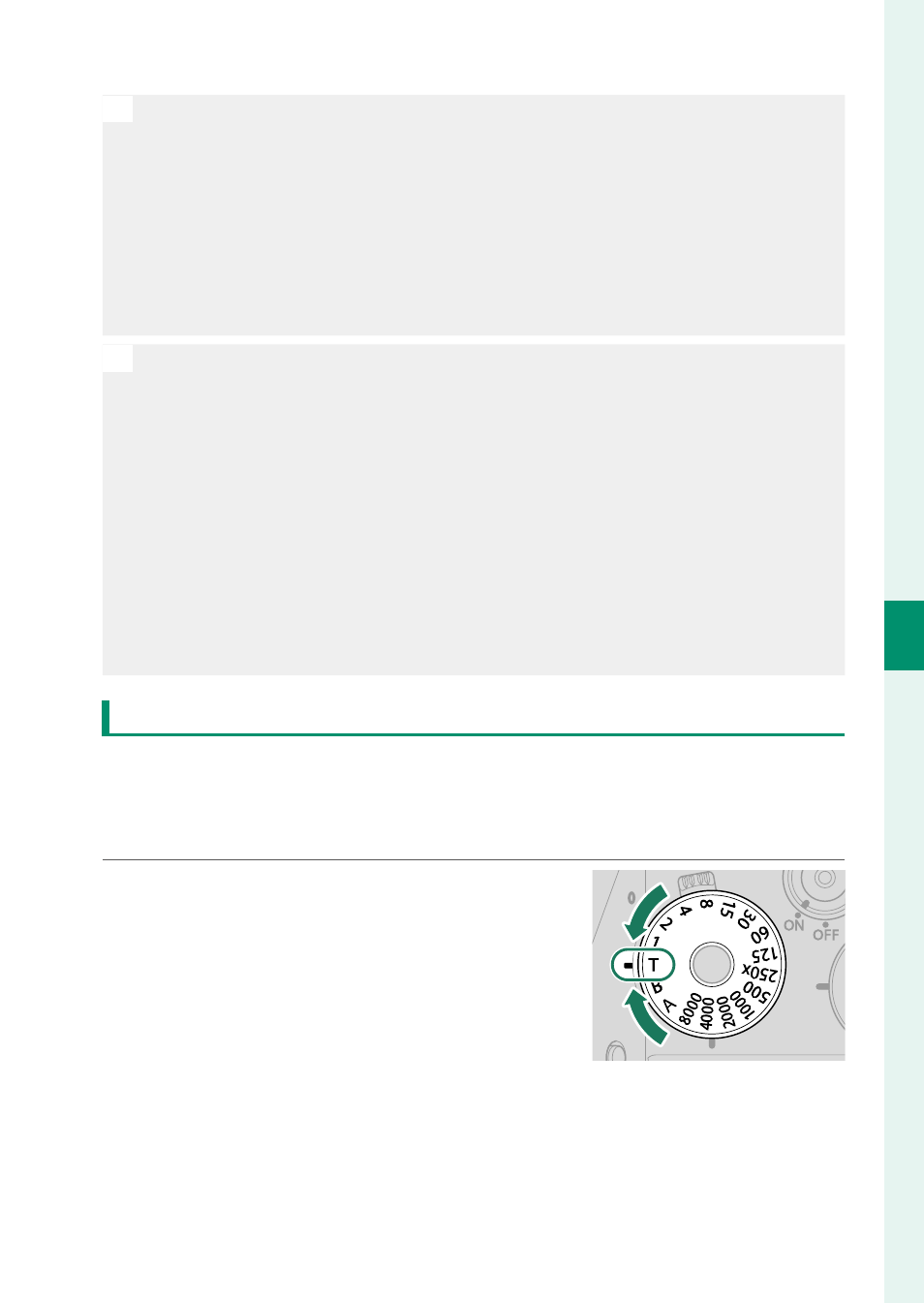
Time (T)
Choose a shutter speed of
T
(time) for long time-exposures.
Use of a tripod is recommended to prevent the camera moving
during the exposure.
1
Set shutter speed to
T
.