The command dials – FujiFilm X-T5 Mirrorless Camera (Silver) User Manual
Page 33
7
1
Bef
o
re
Y
ou
Beg
in
Parts of the Camera
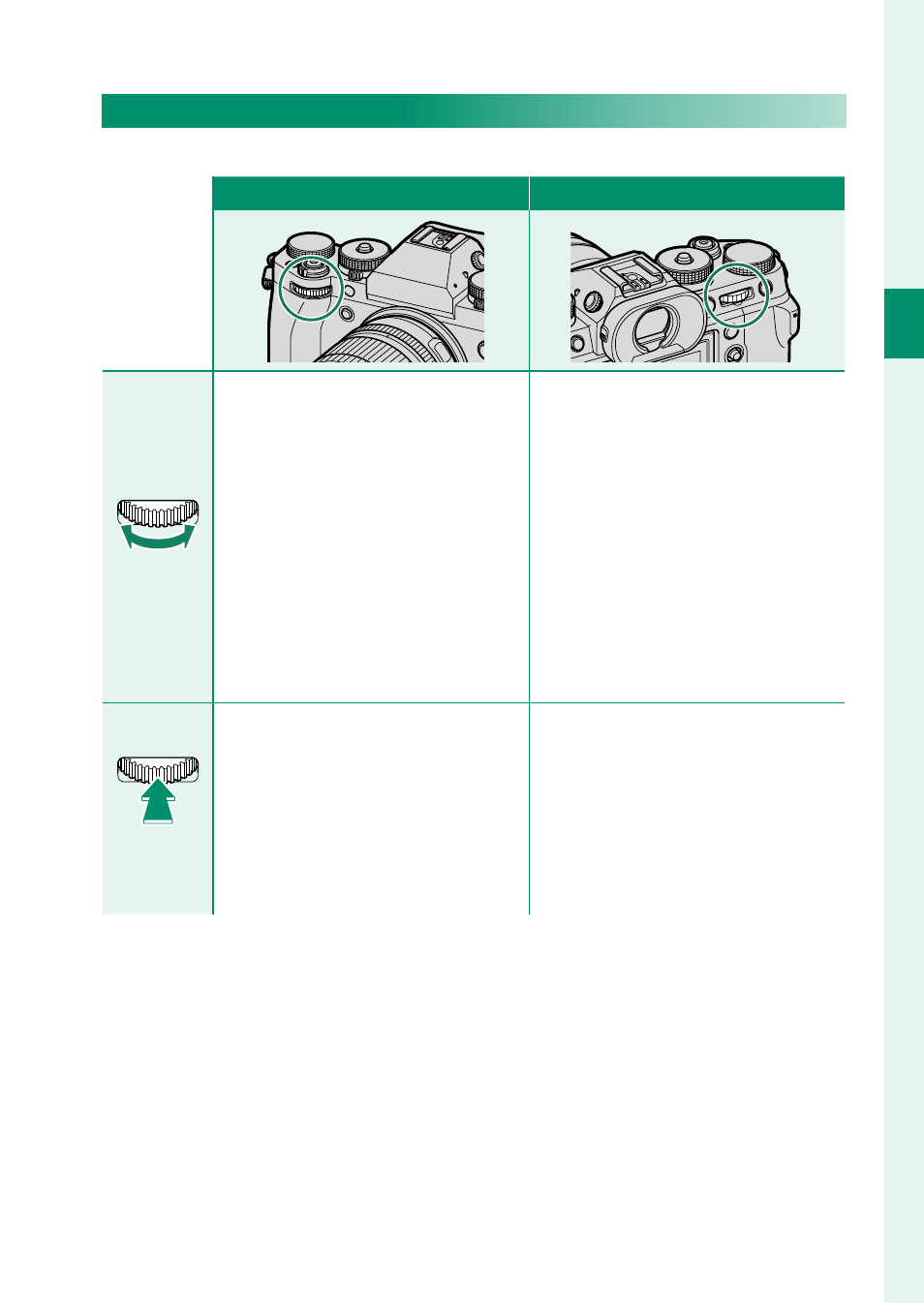
The Command Dials
Rotate or press the command dials to:
Front command dial
Rear command dial
Rotate
Rotate
•
Select menu tabs or page
through menus
•
Adjust aperture
1, 2
•
Adjust exposure compensation
2, 5
•
Adjust sensitivity
2, 3
•
View other pictures during
playback
•
Highlight menu items
•
Choose the desired combina-
tion of shutter speed and aper-
ture (program shift)
•
Choose a shutter speed
2
•
Adjust settings in the quick menu
•
Choose the size of the focus frame
•
Zoom in or out in full frame play-
back
•
Zoom in or out in multi-frame
playback
Press
Press
•
Switch back and forth between
aperture and sensitivity
2, 3, 6
•
Press and hold to choose the op-
tion selected for
D
BUTTON/
DIAL SETTING
>
COMMAND
DIAL SETTING
in the
D
(setup)
menu
•
Perform the function assigned
to the
DIAL
function button
•
Zoom in on the active focus point
4
•
Press and hold to choose the
manual focus mode focus display
4
•
Zoom in on the active focus
point during playback
1 Lens not equipped with aperture ring; lens equipped with aperture ring and aperture set
to
A
(auto) and
COMMAND
selected for
D
BUTTON/DIAL SETTING
>
APERTURE
RING SETTING (A)
; or
ON
selected for
MOVIE OPTIMIZED CONTROL
oL
.
2 Can be changed using
D
BUTTON/DIAL SETTING
>
COMMAND DIAL SETTING
.
3 Sensitivity dial rotated to
C
or
ON
selected for
MOVIE OPTIMIZED CONTROL
oL
.