FujiFilm X-T5 Mirrorless Camera (Silver) User Manual
Page 103
77
5
T
a
k
ing Phot
og
raphs
P, S, A, and M Modes
2
Press the shutter button all the way down.
•
The shutter will remain open for up to 60 minutes while the
shutter button is pressed.
•
The display shows the time elapsed since the exposure
started.
•
Releasing the shutter button closes the shutter, ending the
exposure. Processing will begin, and the camera will display
the processing time remaining.
O
Bulb photography is not available in drive modes other than
STILL
IMAGE
or when the electronic shutter is selected for
A
SHOOTING
SETTING
>
SHUTTER TYPE
.
N
•
Selecting an aperture of
A
fi xes shutter speed at 30 s.
•
To reduce “noise” (mottling) in long time-exposures, select
ON
for
H
IMAGE QUALITY SETTING
>
LONG EXPOSURE NR
. Note that
this may increase the time needed to record images after shooting.
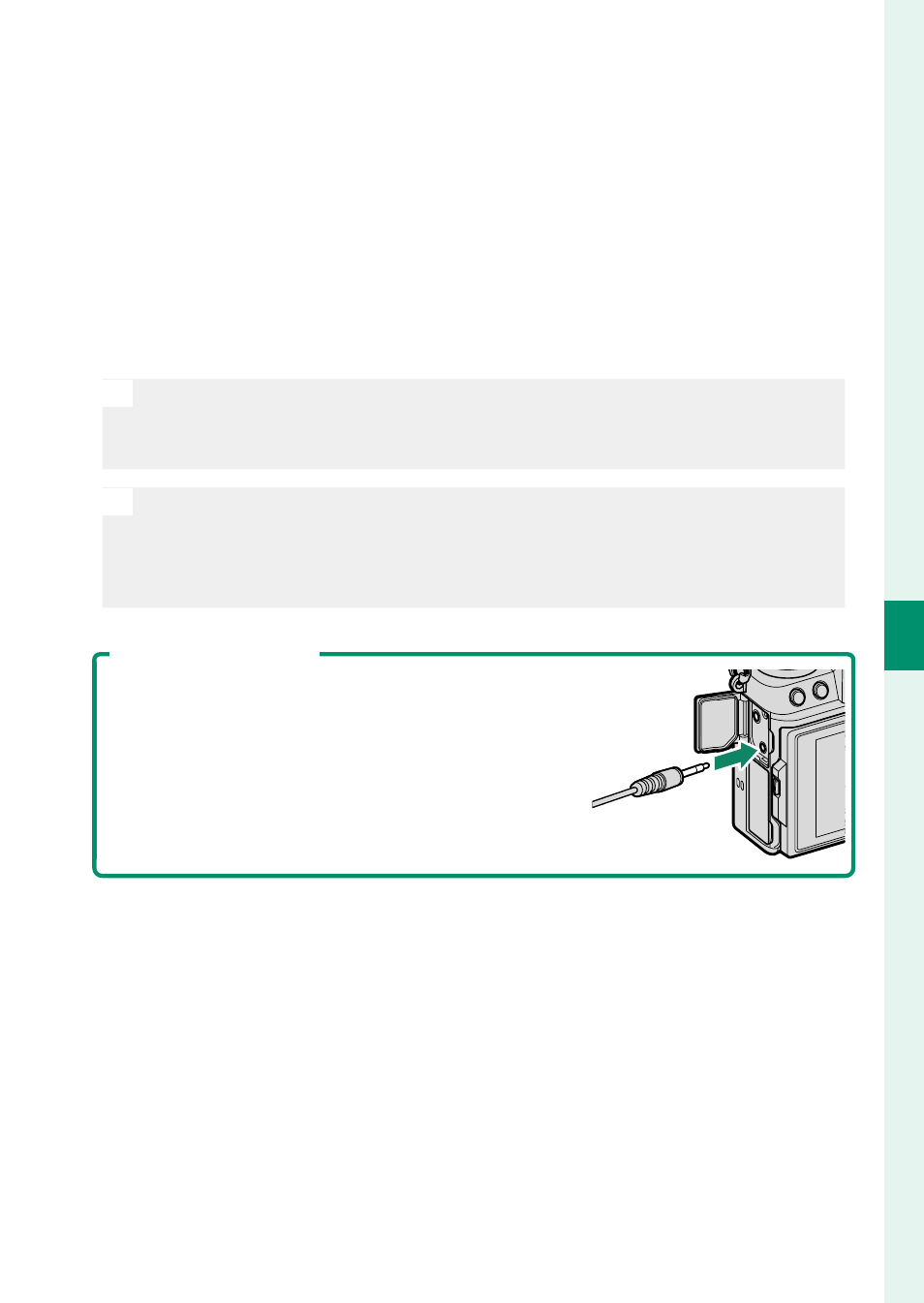
Using a Remote Release
A remote release can be used for long time-ex-
posures. When using an optional RR-100 re-
mote release or an electronic release from
third-party suppliers, connect it to the camera’s
remote release connector.