Manual focus – FujiFilm X-T5 Mirrorless Camera (Silver) User Manual
Page 117
Advertising
91
5
T
a
k
ing Phot
og
raphs
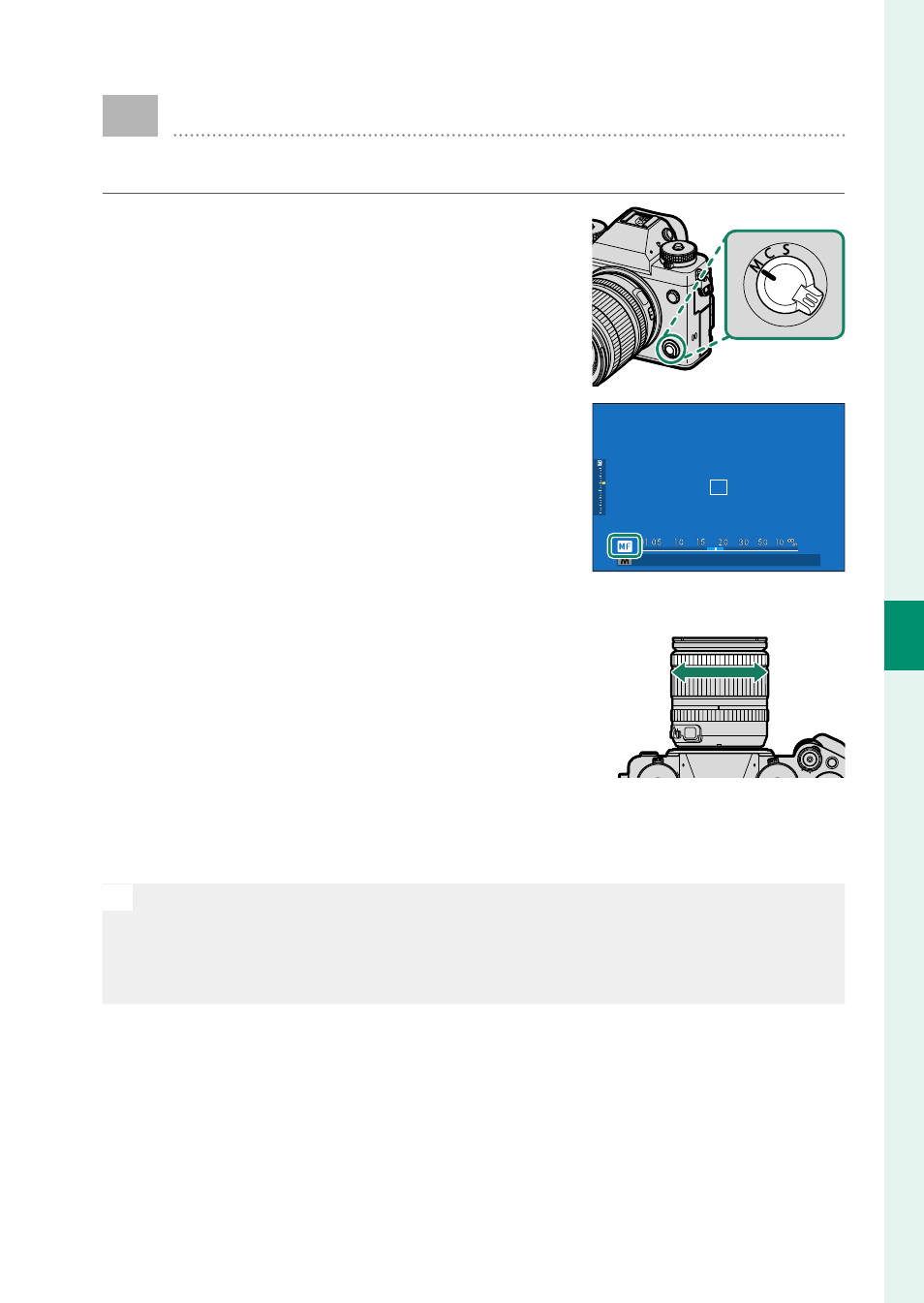
Manual Focus
Adjust focus manually.
1
Rotate the focus mode selector to
M
.
j
will appear in the display.
2
Focus manually using the lens focus
ring. Rotate the ring left to reduce
the focus distance, right to increase.
A
3
Take pictures.
N
•
Use
D
BUTTON/DIAL SETTING
>
LENS ZOOM/FOCUS SETTING
to
reverse the direction of rotation of the focus ring.
•
Regardless of the option selected, manual focus will be used when
the lens is in manual focus mode.
Advertising
See also other documents in the category FujiFilm Cameras:
- FinePix A205S (43 pages)
- FinePix A203 (132 pages)
- FinePix A340 (93 pages)
- FinePix E900 (69 pages)
- FinePix A330 (47 pages)
- FinePix S3Pro (73 pages)
- FinePix Real 3D W3 (28 pages)
- FinePix A360 (49 pages)
- FinePix A900 (164 pages)
- 1300 (66 pages)
- 1400 Zoom (45 pages)
- FinePix 420 (47 pages)
- E510 (59 pages)
- Finepix 4700 (4 pages)
- DIGITAL CAMERA X-E1 (136 pages)
- A205 (43 pages)
- FinePix A120 (43 pages)
- FinePix A201 (44 pages)
- FinePix BL00677-200(1) (166 pages)
- A303 (67 pages)
- FinePix E500 (59 pages)
- FinePix E500 (2 pages)
- 2650 (63 pages)
- F480/F485 (134 pages)
- FinePix A700 (132 pages)
- FinePix A150 (96 pages)
- FinePix A101 (44 pages)
- FinePix 3800 (69 pages)
- 3100ixZ (47 pages)
- F601 (69 pages)
- FinePix A202 (2 pages)
- A400 (132 pages)
- eyeplate Digital Camera (27 pages)
- FinePix 30i (3 pages)
- FinePix 30i (2 pages)
- F450 (51 pages)
- FinePix A600 (132 pages)
- DIGITAL CAMERA FINEPIX F800EXR (171 pages)
- FinePix A400 (132 pages)
- FinePix A400 (2 pages)
- A340 (47 pages)
- 2600 (3 pages)
- A310 (43 pages)
- FinePix 40i (58 pages)
- 1400 (45 pages)