Option 4: control via professional control system – Key Digital 4x4 UHD 4K Multiview Presentation Matrix Switcher User Manual
Page 10
521 East 3
rd
Street Mt. Vernon, NY 10553 • www.keydigital.com
Rev 1.2
– Apr, 2022
10
Option 4: Control via professional control system
KD-MLV4x4Pro allows control over serial interface for bi-directional communication.
•
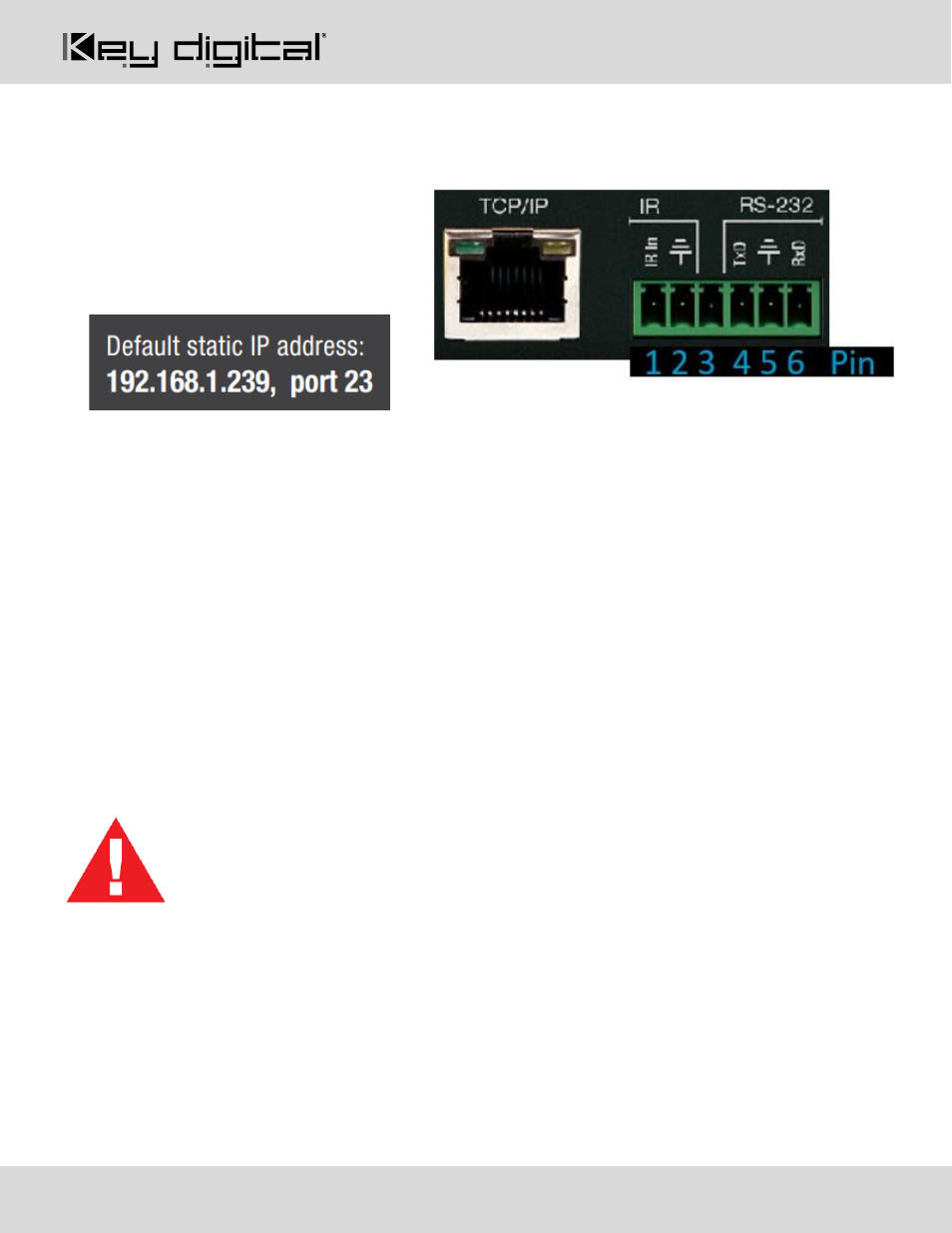
For RS-232 control
use pins 4, 5, and
6 of the Unit Control port. Baud Rate is
57,600
•
For TCP/IP control
the default static IP
address is 192.168.1.239, with port 23.
•
KD-MLV4x4Pro
supports KD’s standard matrixing protocol, so if you have controlled a KD matrix with a
third-party control system before, you will likely have success with the same driver/module.
a. Switching HDMI AV + External Audio together
i. SPOxxSIyy
xx = output (01-04), yy = input (01-04, 05 = multi-view)
b. Switching HDMI AV Only
i. SPOxxSByy
xx = output (01-04), yy = input (01-04, 05 = multi-view)
c. Switching External Audio only
i. SPOxxSAyy
xx = output (01-04), yy = input (01-04)
•
A carriage return is required at the end of each string. See the TCP/IP and RS-232 Commands section
for full command set and protocol.
Test for proper operation of the unit and cables in your system before permanently securing the
unit for final installation. Ensure that you leave enough ventilation space to provide sufficient
airflow and cooling