Doremi DCP-2000 User Manual

Page 13
Advertising
background image

•

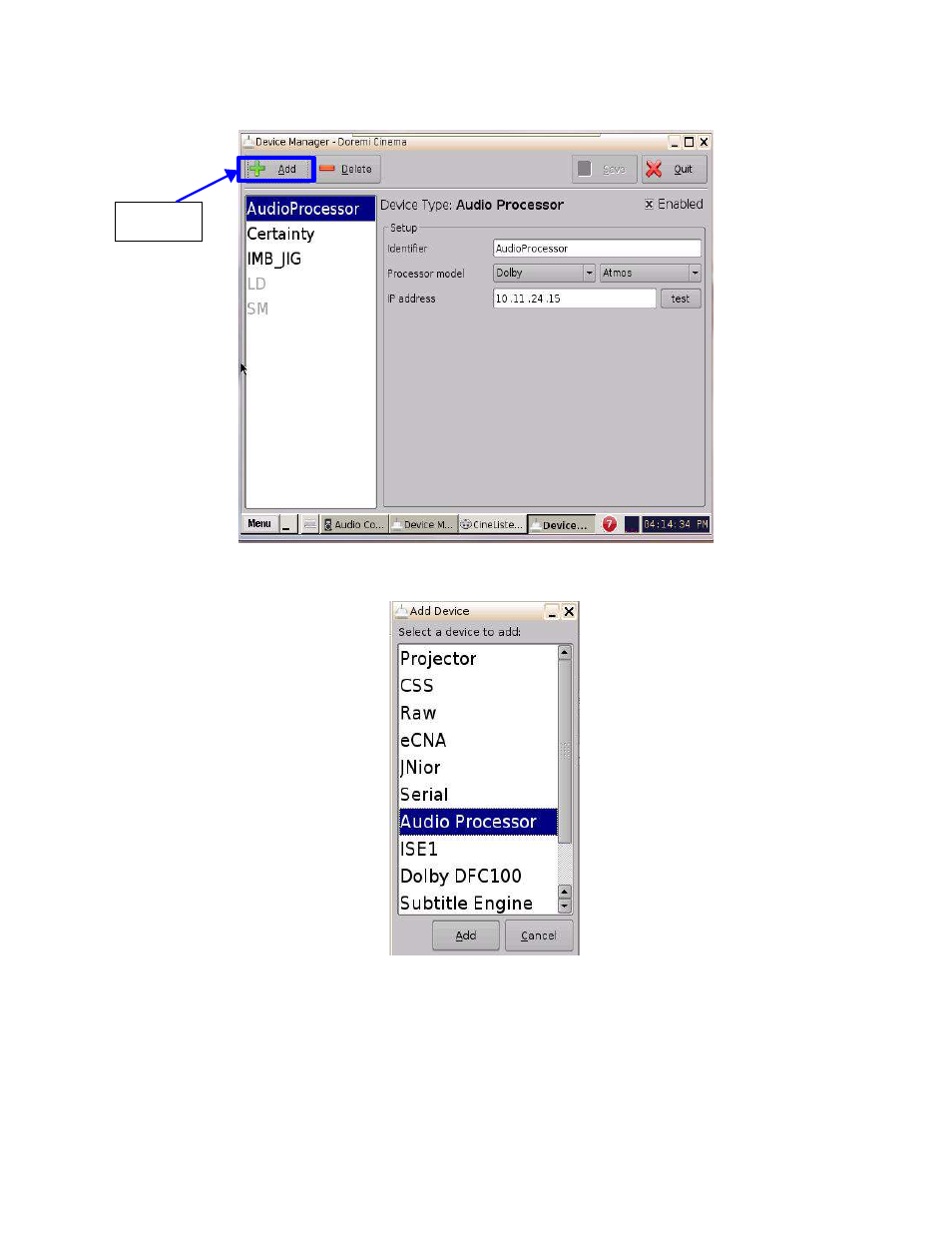
Once the Device Manager window opens, click on the Add button (Refer to Figure 13).

•

Select Audio Processor from the Device list. (Refer to Figure 14).

D2K.OM.003651.DRM Page 13 of 33 Version 1.1

Doremi Labs

Add

Button

Figure 13: Device Manager Window

Figure 14: Device List

Advertising
This manual is related to the following products: