Rewinder, Before installing the rewinder, Installing the rewinder – QuickLabel 200 Kiaro! User Manual
Page 135: Chapter: 7
Kiaro! 200 User Guide
121
7
Rewinder
Before Installing the Rewinder
Before installing the rewinder, observe the following precautions.
•
No rewinder feet should float. The rewinder must be held level constantly.
•
The rewinder must be installed on the same plane as the printer.
•
The rewinder weighs 30 pounds (13.6 kilograms). When placing the rewinder on a
desk, table, or other similar surface, it must be sturdy and stable enough to support
the weight of the printer and the rewinder.
•
Do not turn the rewinder mandrel by hand to rewind the media. Turning the
mandrel by hand can result in rewinder damage.
Installing the Rewinder
1
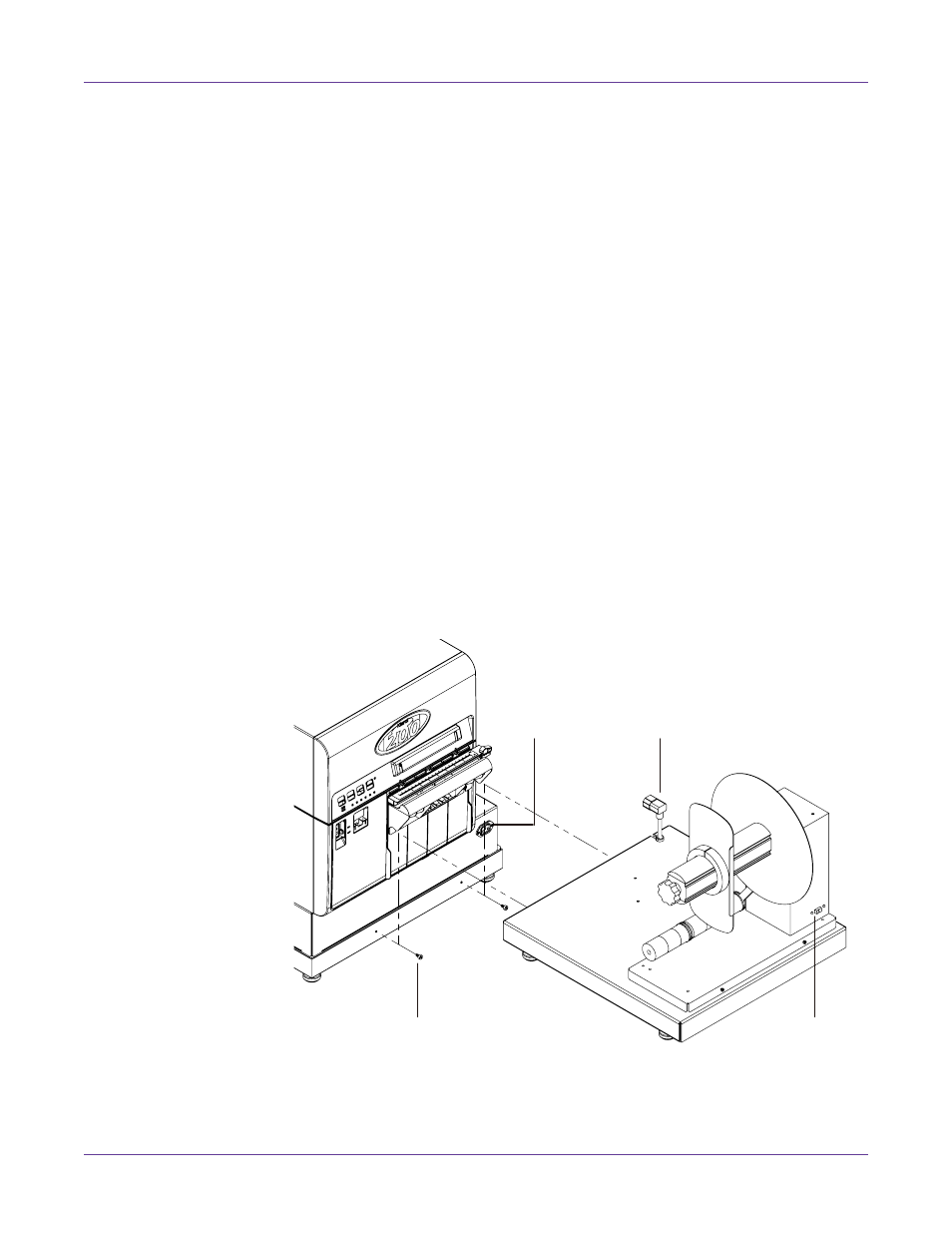
Ensure the power switch [1] on the rewinder is in the off position.
2
Use a 1/8” hex key to install the two shoulder screws [2] provided with the
rewinder. Fasten the shoulder screws into the two threaded holes on Kiaro! 200
black frame as illustrated.
3
Orient the rewinder as illustrated. Ensure the shoulder screws on the printer are
aligned with the corresponding mounting slots on the rewinder frame.
[2]
[1]
[3]
[4]