Switching the printer off – QuickLabel 200 Kiaro! User Manual
Page 39
Introduction
Kiaro! 200 User Guide
25
Switching the Printer Off
1
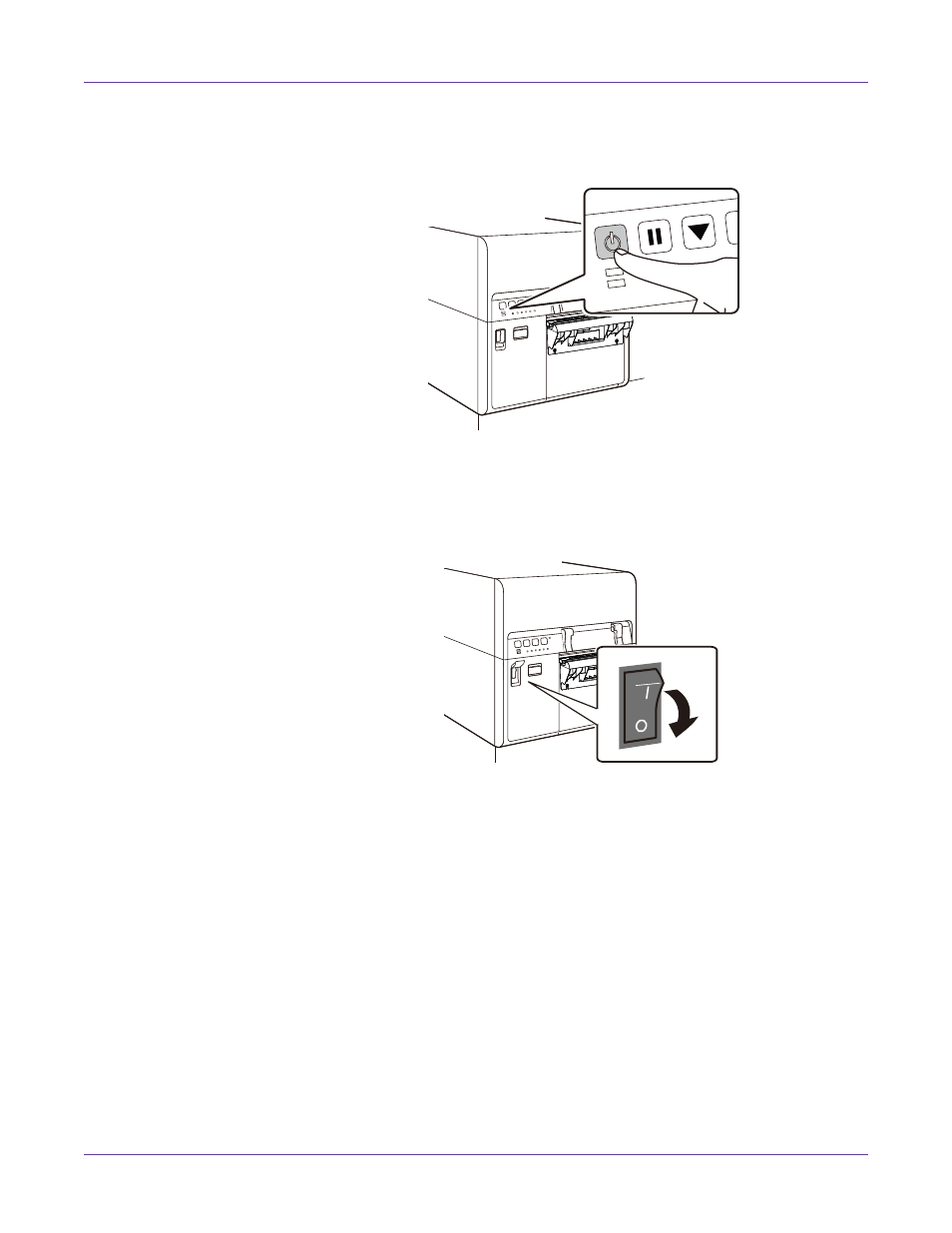
Press the power key for at least one second.
The Power LED will blink at long intervals, and then the printer will enter sleep
mode.
2
Turn off the power switch. If the printer is already in sleep mode, just turn off the
power switch.
Note: Never turn off the main power switch during a print job. This could cause damage
because the printhead cannot return to the home position.
When the printer is not used for a long period of time:
•
To prevent media from discoloring, remove it from the media supply. Store
the removed media in a plastic bag or box such that it is not exposed to high
temperature, high humidity, and direct sunlight.
•
If the printer is to remain operational, it should be powered on to prime/clean
the printheads every 8 weeks. If the printer is to be stored, it should be
powered on to prime/clean the printheads every 2 weeks.