Delete cameras, Change camera settings, A) video format and transmission properties – ACTi ENR-1000 User Manual
Page 111
Advertising
ENR-
1000 Series System Administrator’s Manual
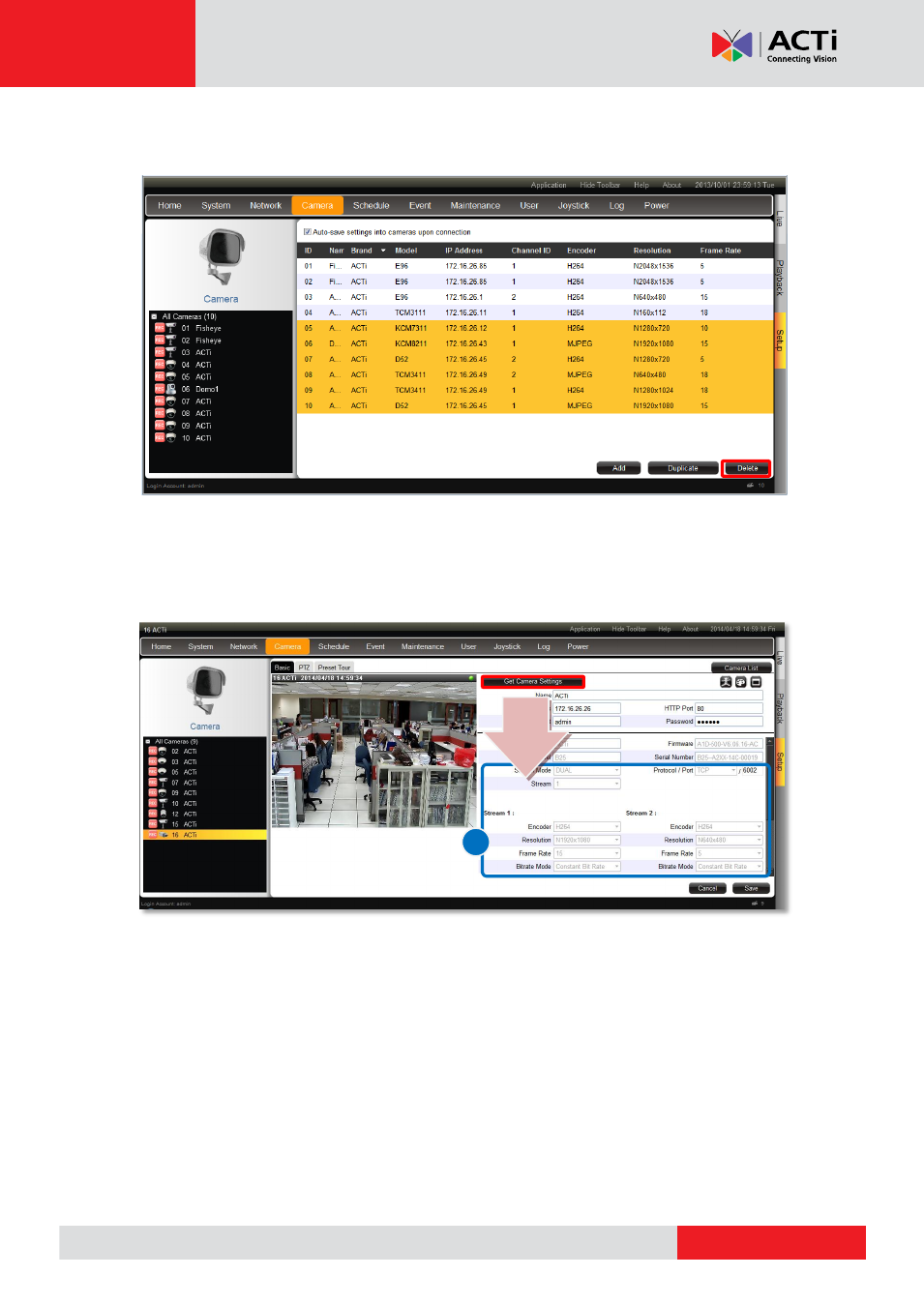
Delete Cameras
On
All Cameras
list, select the cameras you wish to delete and click
“
Delete
”.
Change Camera Settings
After the cameras are added, select a camera on
All Cameras
list to configure its individual
properties.
(A) Video Format and Transmission Properties
To modify the video format and transmission properties including
Stream Mode
,
Channel ID
,
Resolution
,
Protocol
,
Encoder
,
Frame Rate
, and
Bitrate
, you will have to click “
Get
Camera Settings
” first to sync with the camera first. After configuration, click “
Save
” to save
this setting to camera
A
V
Advertising
This manual is related to the following products: