System status – Grass Valley MRC v.1.2 User Manual
Page 125
115
Miranda Router Configurator
User’s Guide
System Status
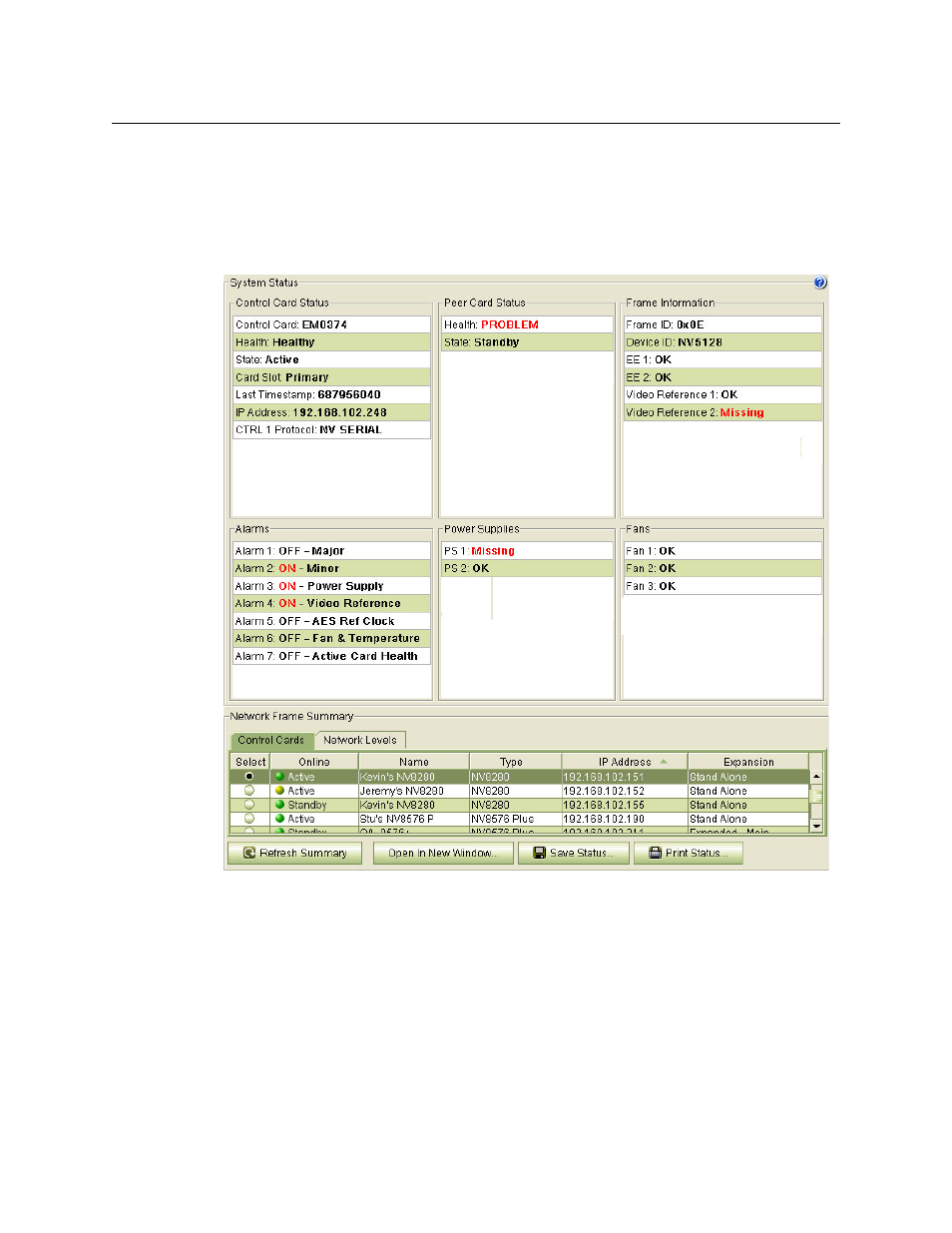
The ‘System Status’ page presents the status of a router in a compact form. The page has two
regions. At the bottom in the ‘Network Frame Summary’ which has 2 tabbed tables. Use the
‘Control Cards’ table to select a control card for the router for which you want to view status.
This is a view of the NV5128:
The upper region contains 6 ‘System Status’ sections:
•
Control Card Status.
•
Peer Card Status. (The “peer” is the other control card, if present, in the frame).
•
Frame Information.
•
Alarms.
•
Power Supplies.
•
Fans.
Potential problems are highlighted in red text. Not every potential problem is an actual problem.
For instance, if video reference 2 is missing, that is probably intentional, and is not necessarily a
problem. It might be a problem if you expect a second video reference to be present.