Epson EcoTank ET-4550 User Manual
Page 35
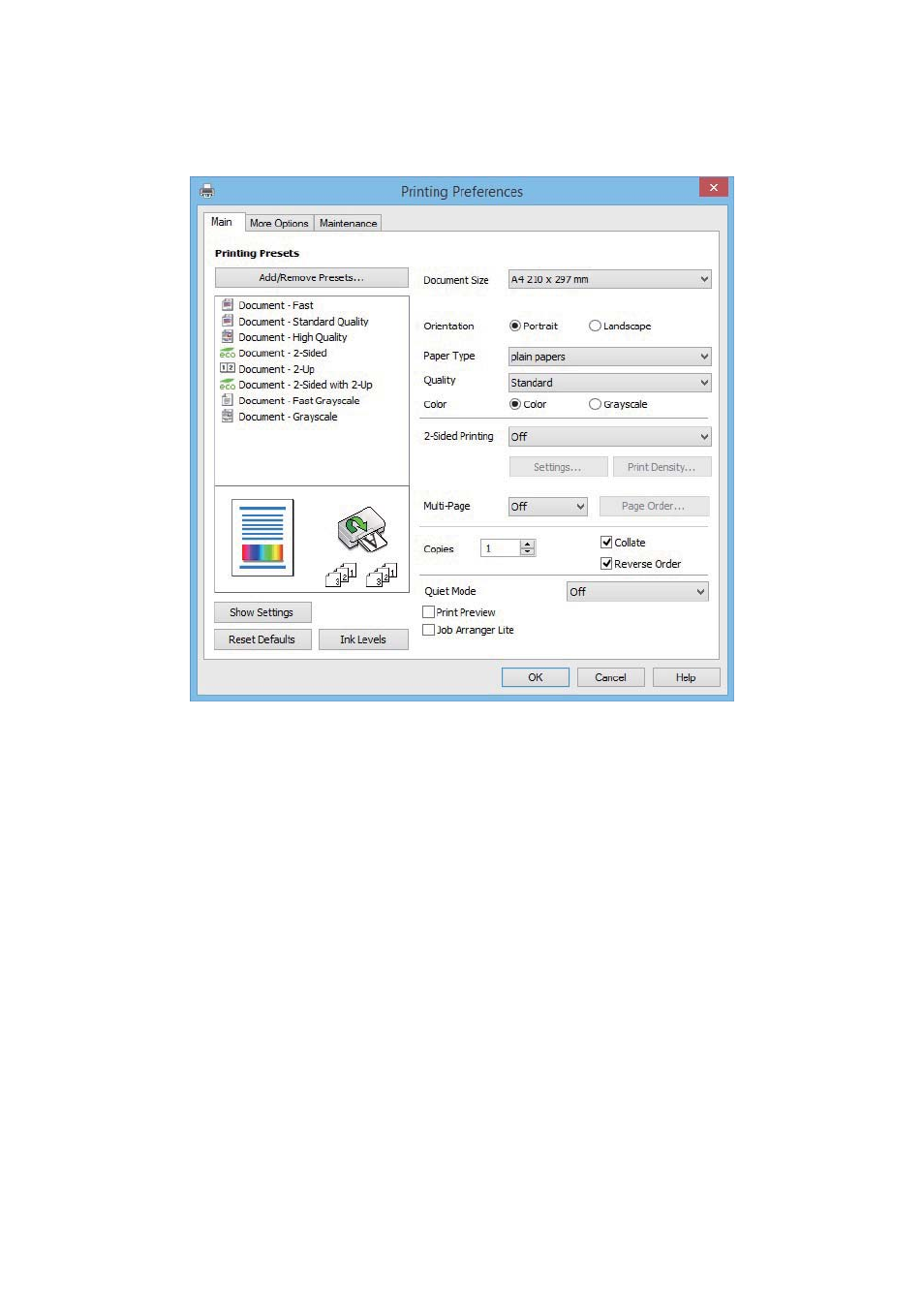
5.
Select Preferences or Properties to access the printer driver window.
6.
Make the following settings.
❏ Document Size: Select the paper size you loaded in the printer.
❏ Orientation: Select the orientation you set in the application.
❏ Paper Type: Select the type of paper you loaded.
❏ Color: Select Grayscale when you want to print in black or shades of gray.
Note:
❏ If you are printing high-density data on plain paper, letterhead, or preprinted paper, select Standard-Vivid as the
Quality setting to make your printout vivid.
❏ When printing on envelopes, select Landscape as the Orientation setting.
7.
Click OK to close the printer driver window.
8.
Click Print.
Related Information
&
“Available Paper and Capacities” on page 26
&
“Loading Paper in the Paper Cassette” on page 27
&
“List of Paper Types” on page 27
User's Guide
Printing
35